Linktree vs a real website for coaches: which one do you need?
A link-in-bio page is a list of buttons; a website explains your coaching, shows prices and takes enquiries. Here is when each one is enough.
We make Trainaq, one of the apps covered here, so weigh our picks with that in mind.

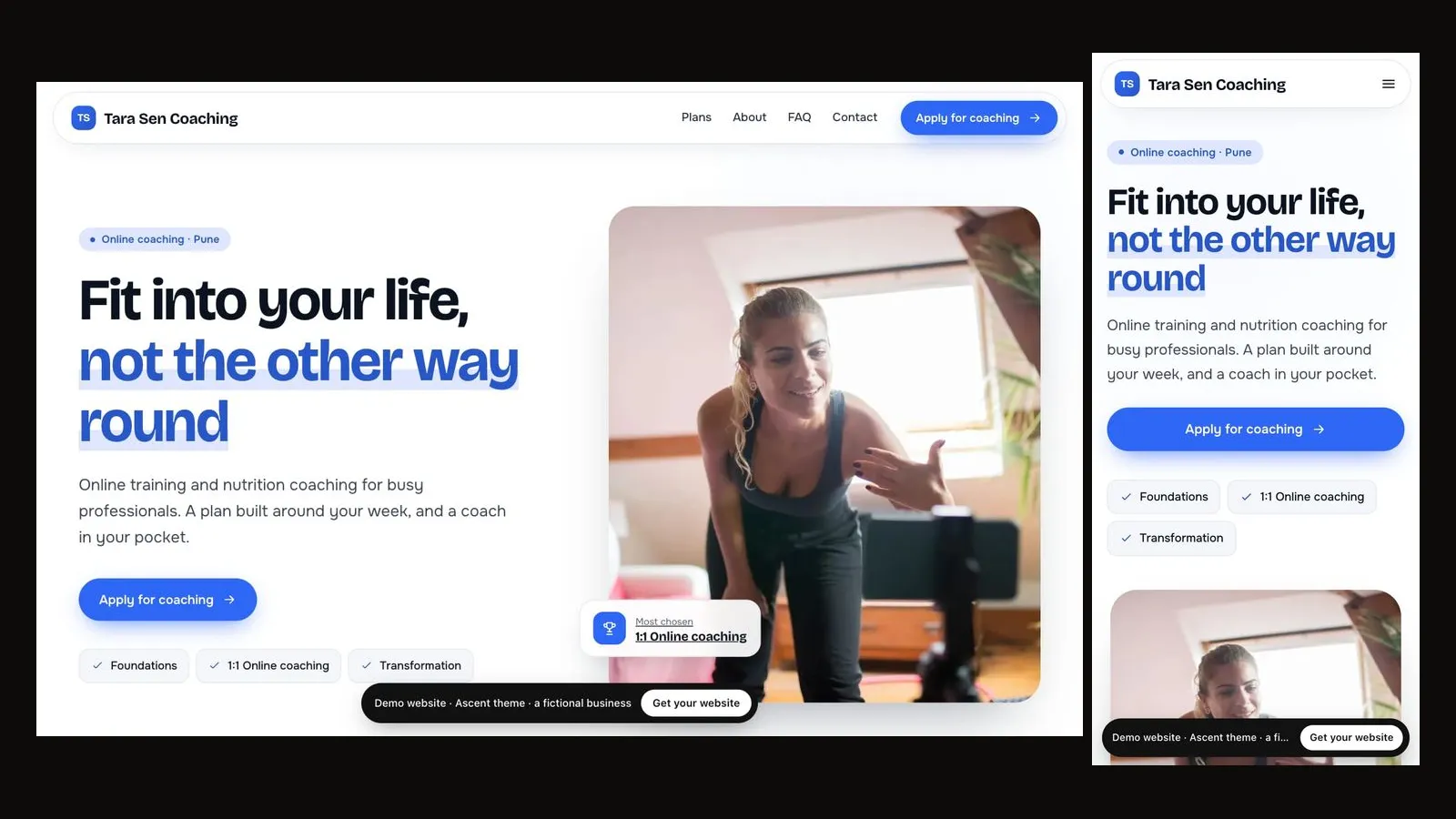
A link-in-bio page such as Linktree is enough when all you need is to point Instagram followers to three or four places. A coach usually needs a real website instead, because a website can explain who you coach, show your packages with prices, answer the usual questions and take enquiries that you follow up, and search engines can find it. The good news is that you do not have to choose: put your website's address in your bio, and it does both jobs.
This post compares the two honestly: what a link-in-bio page does well, where it stops for a coaching business, and how to make a coaching website work as the one link in your bio.
What is a link-in-bio page?
A link-in-bio page is a single, simple page of buttons, each linking somewhere else: your WhatsApp, a booking tool, a YouTube channel, a payment page. It exists because Instagram profiles have room for very little, so creators send followers to one page that holds every link.
Linktree is the best-known example. Its pricing page, checked on 21 Oct 2026, lists a free plan and paid Starter, Pro and Premium plans, with prices that vary by country. Since April 2023, Instagram itself has let users add up to five links to a bio (TechCrunch, 18 Apr 2023), which covers what many people used a link-in-bio page for.
Is Linktree enough for a personal trainer?
It is enough if your followers already know you and only need a quick route to WhatsApp or a payment link. It is not enough to win new clients who have never met you, because a list of buttons cannot explain your coaching, show what each package includes or answer "is this for someone like me?"
Think about what a new visitor wants before they message a coach:
- Who do you train, and is it people like me?
- What do your packages cost, and what do I get?
- How does it work week to week?
- Do you have a trial session?
- How do I start?
A link-in-bio page answers none of these on the page itself. Each button sends the visitor somewhere else, and every extra tap is a chance for them to leave.
Linktree vs a website: side by side
| Link-in-bio page | Coaching website | |
|---|---|---|
| What it is | A list of buttons to other places | Pages that explain your coaching |
| Packages and prices | Only as links elsewhere | On the page, with what is included |
| Your story and method | A line of text at most | An about section and how you coach |
| FAQ | Rarely | Yes, answered before anyone asks |
| Enquiries | A link to a form or WhatsApp | A form that captures the plan they want |
| Search engines | Little to index | Page titles, a sitemap and structured data |
| Your own domain | Depends on the provider | Yes, on most builders |
| Setup time | Minutes | Longer, unless the builder drafts it for you |
Where does a link-in-bio page stop for a coaching business?
It stops at the moment a visitor needs to decide. A coaching sale needs trust and detail: what you offer, what it costs, how it works and who it suits. A link-in-bio page hands that job to other pages, and it gives you no record of who was interested and what they asked for.
Three gaps show up quickly:
- No follow-up. A tap on a WhatsApp button leaves no trace if the person never sends a message. A website form records the enquiry and the package they chose.
- Out-of-date prices. If your prices live in a PDF or a highlight, they drift from what you charge.
- Invisible to search. People searching "personal trainer near me" or "online fitness coach" find websites, not lists of links.
How do you make a website work as your one bio link?
Build a website that works on a phone, keep the first screen simple, and make it the single link in your bio. It then does the link-in-bio job (WhatsApp, call and email buttons, your socials) and the website job (packages, FAQ, enquiries) at once.
With the Trainaq website builder:
- AI writes a first draft from 5 questions and your real Trainaq packages, and you choose one of 8 themes, each with a live demo on the fitness website templates page.
- Your packages, prices, the next 14 days of classes, coaches and locations stay up to date on the site by themselves.
- Every page has WhatsApp, call and email buttons, plus an enquiry form with a spam check. On Pro and Studio each enquiry lands in Leads with a follow-up reminder; on Starter it is emailed to you.
- Join and Book a trial open the enquiry form with that choice made. Visitors do not pay or book on the site itself; you send a payment link from Trainaq when they are ready, and existing clients book in the Trainaq app.
The builder is free for 7 days with no card, then a paid add-on on Starter and Pro, or included in Studio. For a personal trainer's site, start with the personal trainer website guide.
When is a link-in-bio page still the right choice?
Keep a link-in-bio page if you are a creator first and a coach second, with many unrelated links to share: a podcast, brand deals, merchandise, several channels. In that case, make your coaching website one of the buttons, near the top, so people interested in coaching still land on the full picture.
What should the rest of your bio say?
The link does the heavy lifting, but the words above it decide whether anyone taps. Use them for the same one-line promise as your website's headline: who you help and how. Add your city if you train in person, and give a reason to tap, such as a trial session or "plans and prices below".
Keep the tone the same as your site, so a visitor who taps lands somewhere that feels familiar. Then test the journey yourself on your phone: open your profile, tap the link, and check that the first screen answers who you help, what you offer and how to start, without scrolling. If it does, your bio and your website are working as one. If it does not, change the headline on your site before you change anything else.
FAQs
Can I use Linktree and a website together?
Yes. Many coaches keep a link-in-bio page for creator links and make their coaching website the first button. If coaching is your main business, putting the website itself in your bio removes one tap for every new visitor.
Is a website better than Linktree for SEO?
Generally yes. A website has its own pages, page titles, a sitemap and structured data that search engines can read, so it can appear when people search for a coach. A list of links has very little content for a search engine to rank.
Does Instagram let me add more than one link?
Instagram has allowed up to five links in a bio since April 2023, so your website can sit alongside your other links. Put the website first, because it is where a new visitor decides whether to enquire.
How long does it take to set up a coaching website?
With a builder that drafts the site from your existing packages, setup is one sitting: a few questions, some photos and a first draft that arrives within a minute. After your first publish on Trainaq, your free address starts working within 10–20 minutes.
Sources
- TechCrunch, 18 Apr 2023 (techcrunch.com)