AI website builder for fitness coaches
A website for your coaching business, drafted by AI from your Trainaq data.
Answer five questions and the Trainaq website builder writes a first draft from your real packages, classes, coaches and locations. Pick one of 8 themes, edit it with a live preview and publish to your free trainaq.app address. Your prices and timetable then stay up to date on their own.
Already on Trainaq? Open Website in your dashboard →
- Web dashboard · Website
- Trainaq Coach · with its next app update
- 7-day free trial, no card
What is Trainaq’s AI website builder?
It is a website builder inside Trainaq for personal trainers, online coaches and studios. AI writes the first draft from five answers and your real Trainaq data, you edit it with a live preview, and the site keeps your packages, prices, classes, coaches and locations up to date by itself.
- It is included in Studio, and an add-on on Starter and Pro at $10 a month or $110 a year.
- A free 7-day trial, with no card, once per business
- A free yourname.trainaq.app address; your own domain with HTTPS once you subscribe
- 8 themes made for coaches and studios, each with a live demo
Why coaches put it off
Why do so many coaches still have no proper website?
Because a general website builder starts from a blank page and knows nothing about your coaching. You write every word, type every price, and then the site goes out of date the first time you change a package or a class time. Meanwhile enquiries arrive in five places and some never get an answer.
A blank page
Hours of picking templates and writing copy before anything goes live.
Prices that drift
You changed your packages in January; the website still shows last year’s.
Enquiries that vanish
A form that emails somewhere nobody checks, and no reminder to follow up.
How it works
How does the AI website builder work?
Open Website in your dashboard, choose your free address and answer five short questions. Add a few photos and switch on the plans to show. AI writes your first draft from your answers and your Trainaq data, you choose a theme, edit what you like with a live preview, and publish.
Choose your address and answer five questions
Pick your free name once (yourname.trainaq.app). Then tell Trainaq what kind of business you run, what makes you different, who your clients are, the tone you want and your main goal for the site.
- Nine business types, from personal trainer to Pilates studio
- Your business name, logo, phone and locations come from Trainaq
- Your answers and photos survive a page reload
Add photos and pick your packages
Upload three to ten photos and say what each one shows, or skip this and add them later. Switch on “Show on website” for the plans you sell, and Trainaq checks you are ready to take enquiries.
- Stock photos fill any gap until you add your own
- Only plans with “Show on website” on appear, in the order you set
- Your enquiry setting is shown: Leads on Pro and Studio, email on Starter
Get the first draft, then pick a theme
AI writes the headline, your story, what you offer, a short FAQ and the page titles, using only your answers and your Trainaq data. Then the 8 themes are drawn with your own content so you choose by seeing your site, not a stranger’s.
- No invented reviews, numbers, awards or promises: only the facts you gave
- If AI is busy, you start from ready-made words and can ask again
- Switch theme any time: your text stays exactly as it is
Edit with a live preview and publish
Change any section in a simple form and watch the preview update as you type. Your work saves on its own. Ask AI to rewrite a single field, then publish when the checks pass.
- Desktop and phone previews of the real page
- The last 20 published versions kept, so you can go back
- After the first publish, your free address works within 10–20 minutes
8 themes
Which website themes can you choose from?
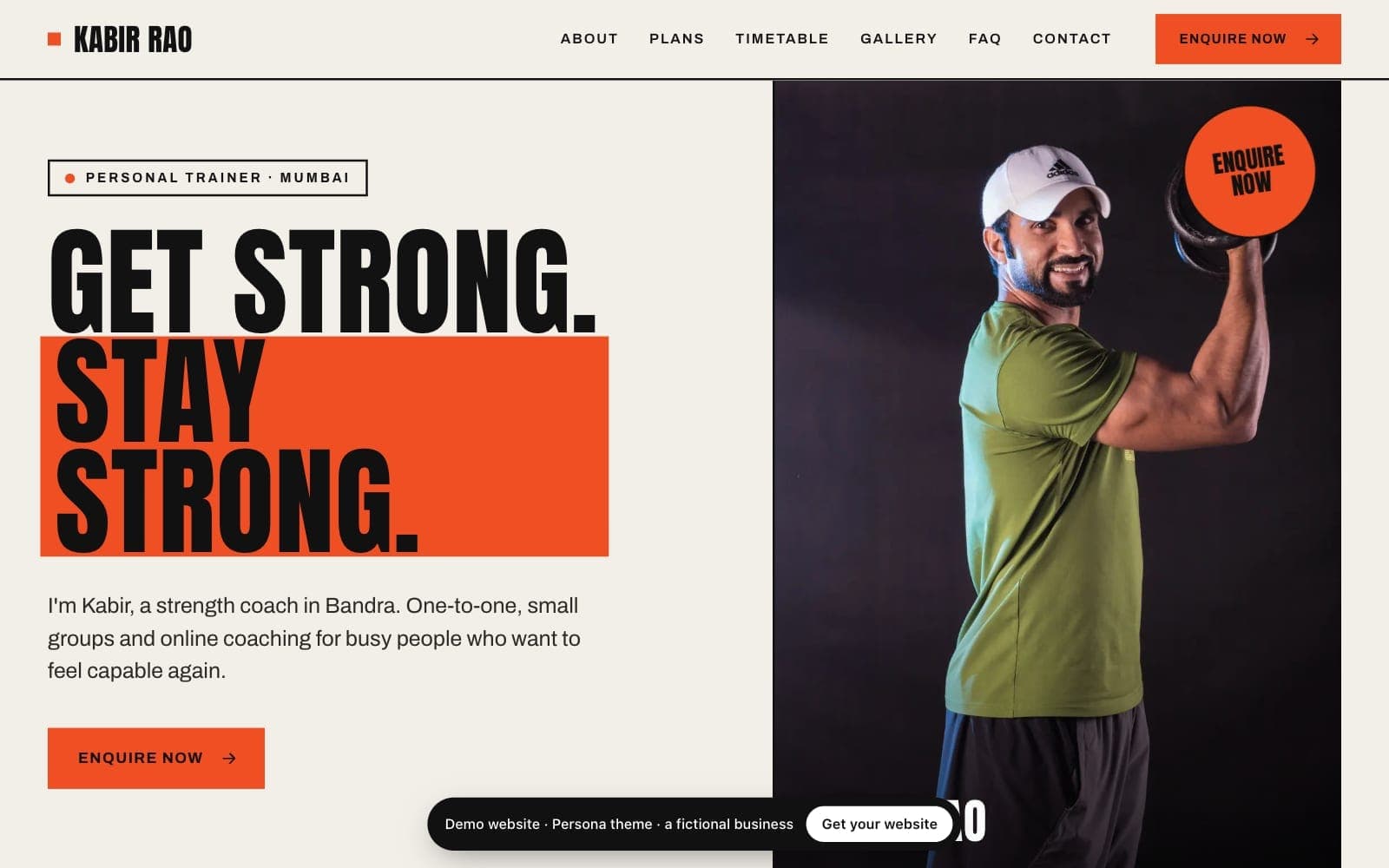
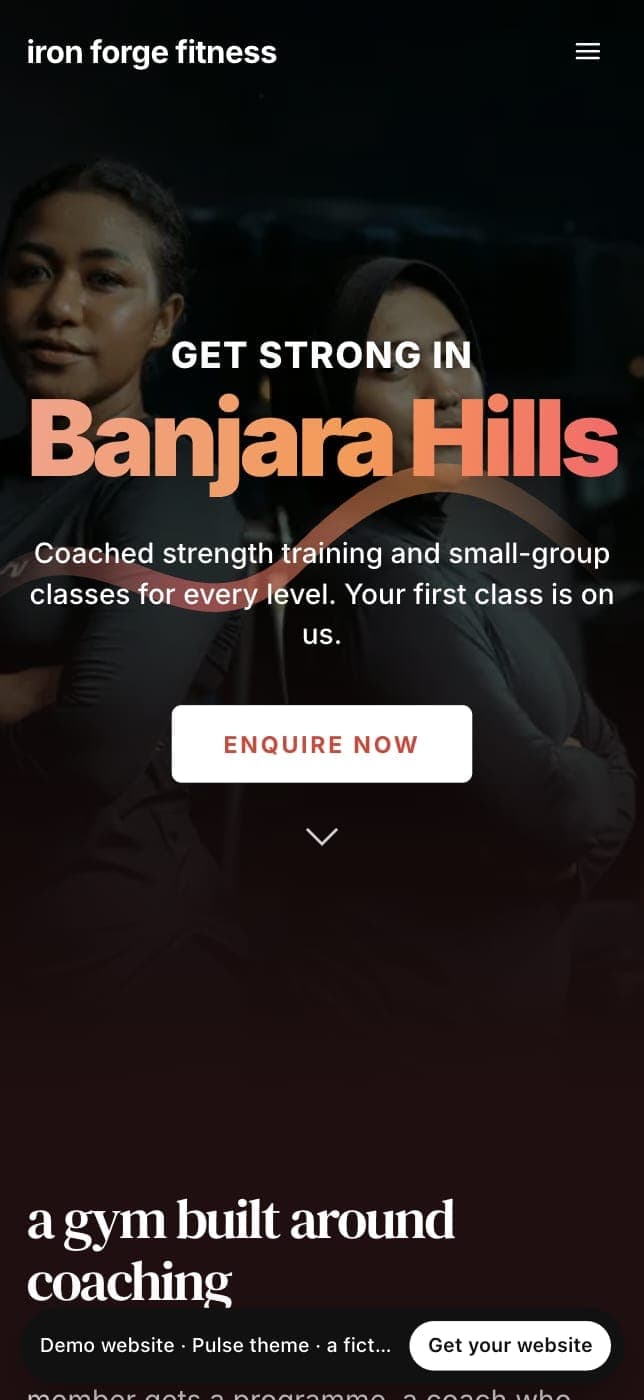
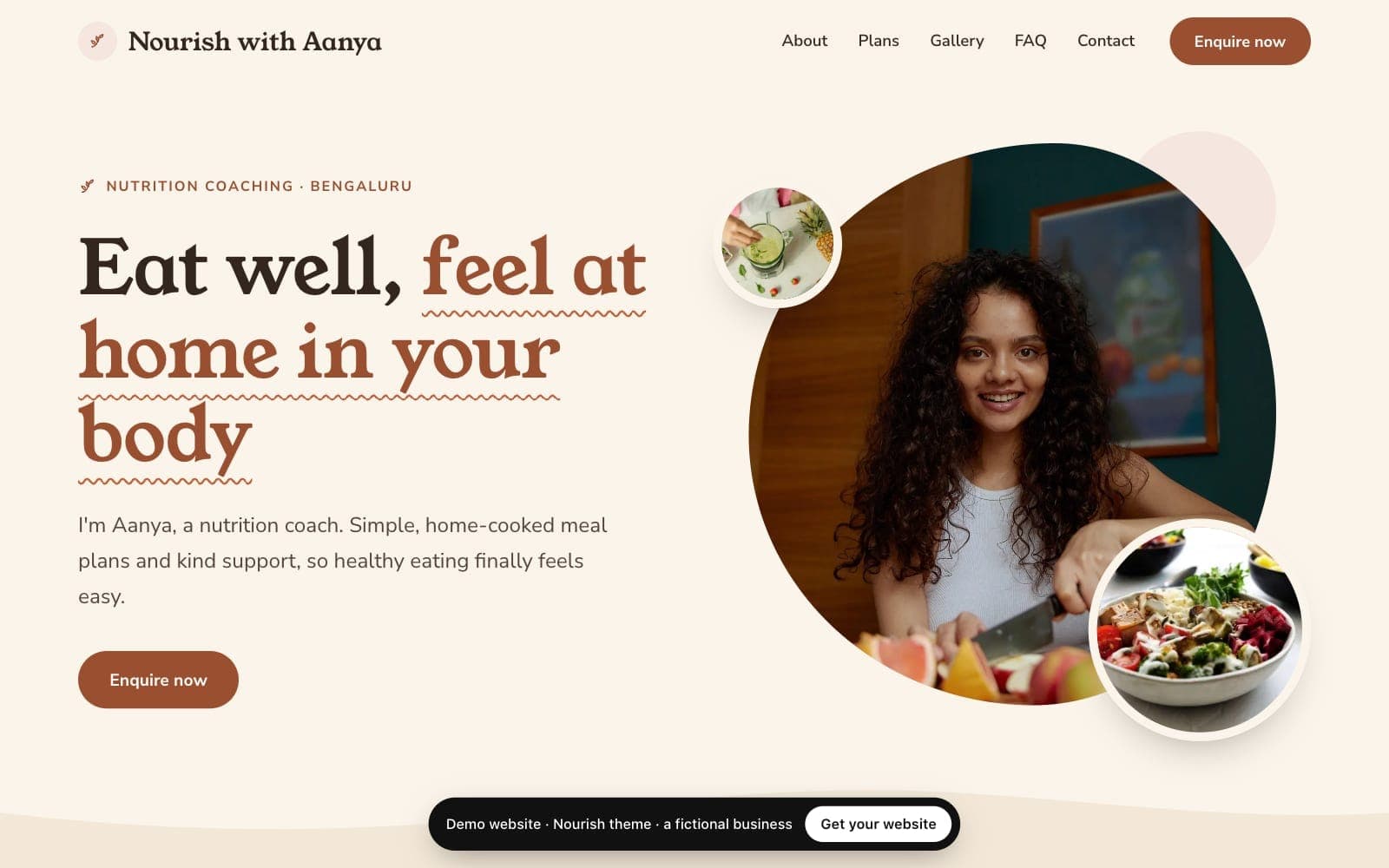
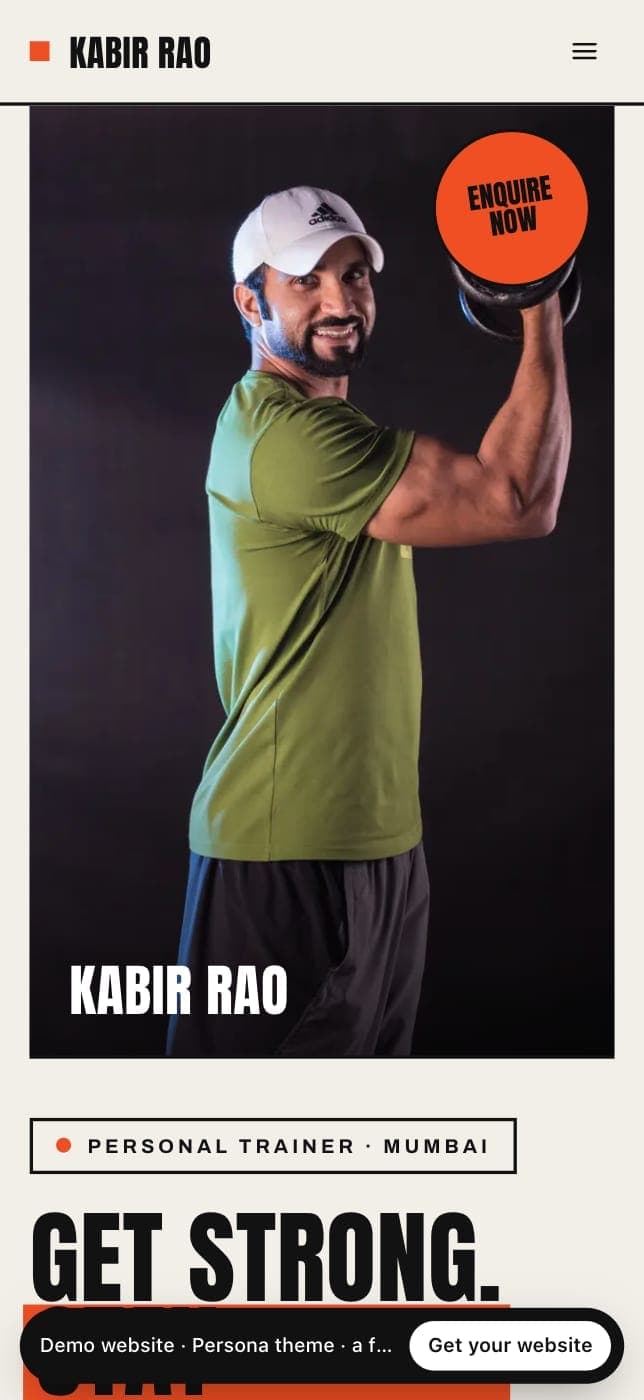
Eight themes, each made for a kind of coaching business: Persona for personal trainers, Ascent for online coaches, Nourish for nutrition coaches, Signature, Pulse and Rhythm for gyms and class studios, Haven for Pilates and Zen for yoga. Each one has a live demo with a fictional business you can open now.
Persona
Personal trainersYour photo and story first, on warm paper, with bold poster type and your colour in solid blocks.
View live demo of Persona (opens in a new tab)Personal trainer websites →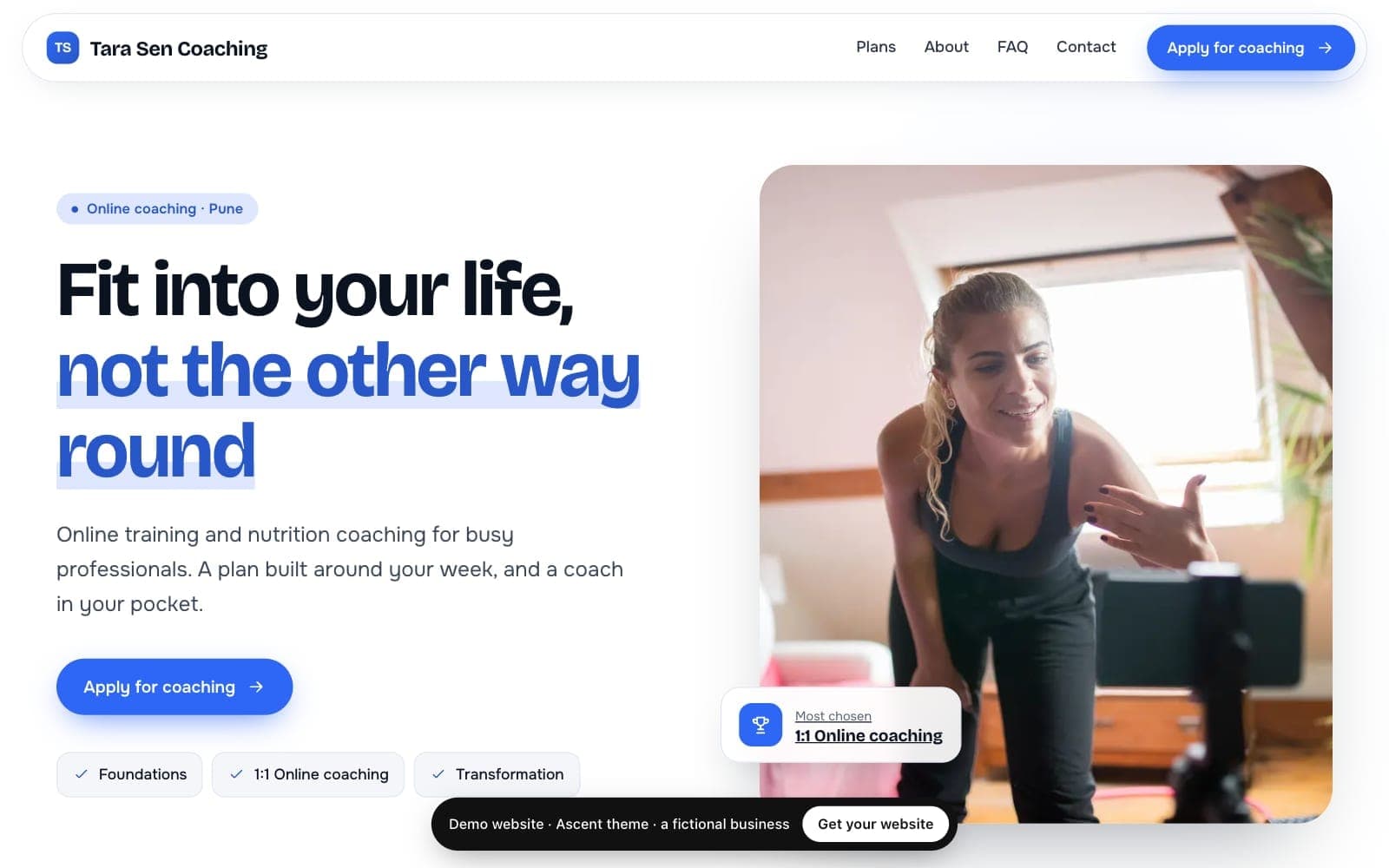
Ascent
Online coachesCrisp white and cool grey with rounded cards: your coaching plans and an Apply for coaching form.
View live demo of Ascent (opens in a new tab)Online coach websites →Nourish
Nutrition and wellness coachesCalm and warm: oat and cream with cocoa ink, a friendly serif, soft photo shapes and gentle waves.
View live demo of Nourish (opens in a new tab)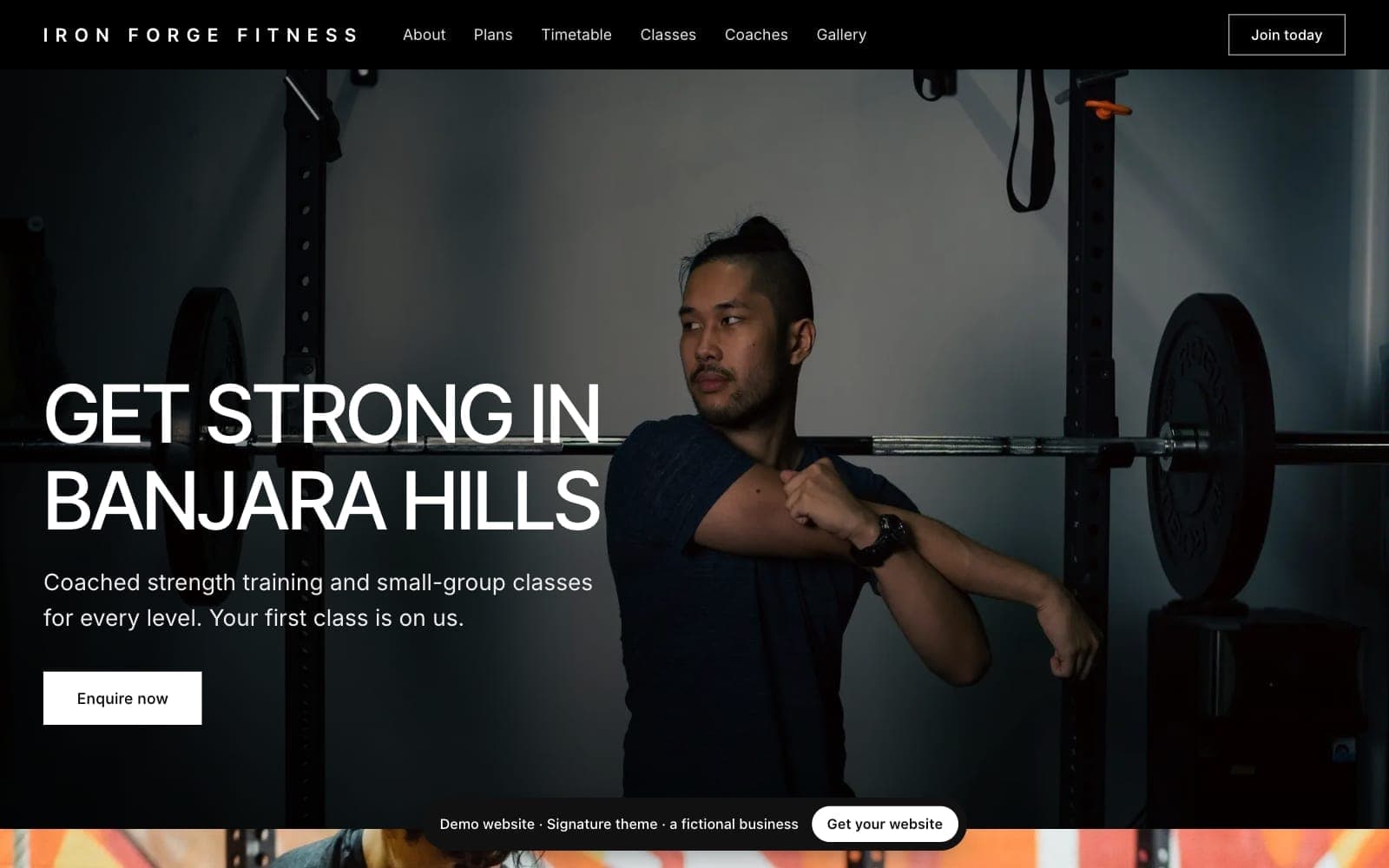
Signature
Premium gyms and personal training studiosLarge photos, white panels and uppercase headlines. Monochrome, with your colour as the accent.
View live demo of Signature (opens in a new tab)
Pulse
Energetic gyms and group fitnessA deep night page tinted by your colour, with gradient headlines and glass plan cards.
View live demo of Pulse (opens in a new tab)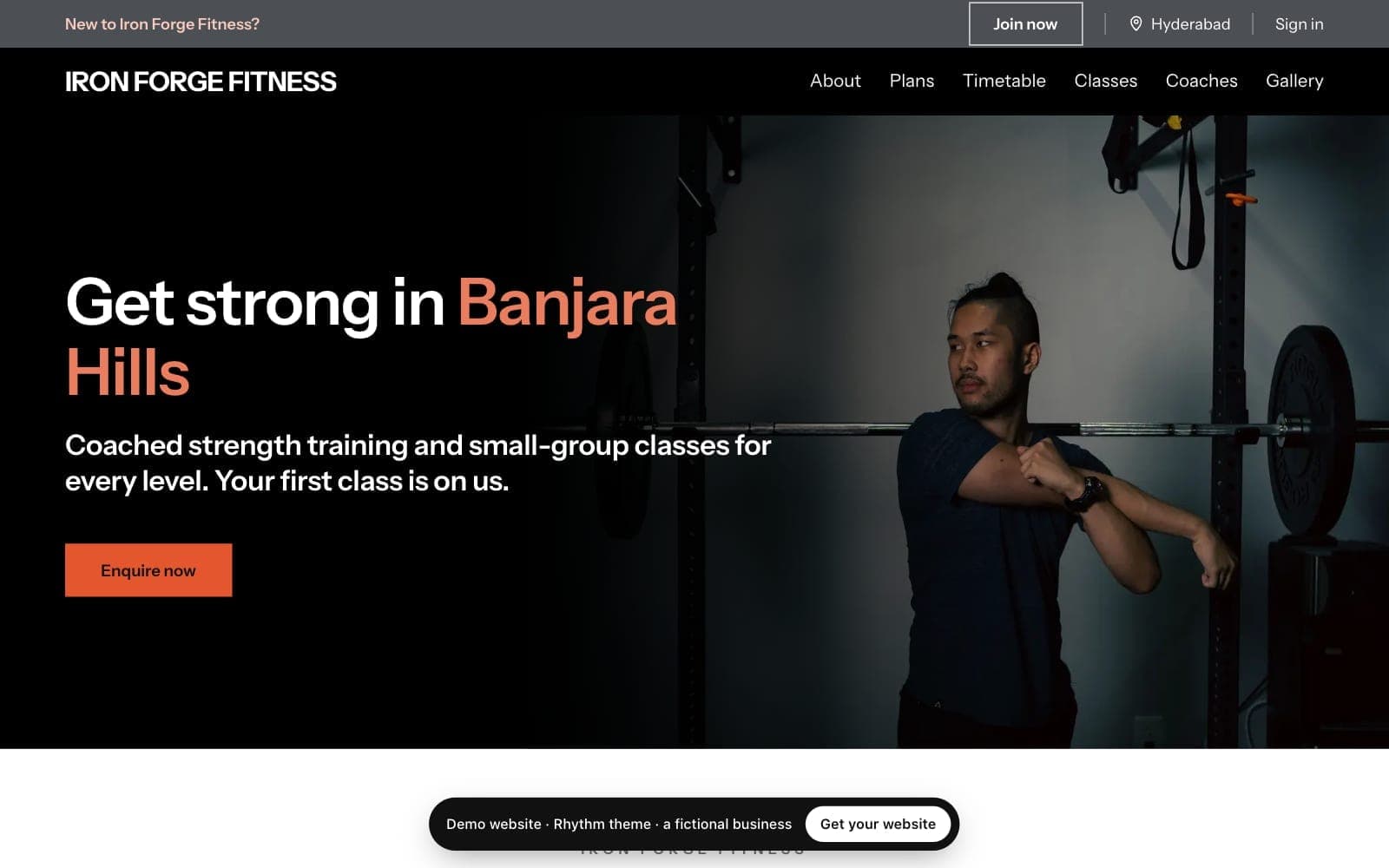
Rhythm
Class-led studios: cycling, boxing, dance, small groupsA black hero with your colour on the key words, then white sections with thick rules and class cards.
View live demo of Rhythm (opens in a new tab)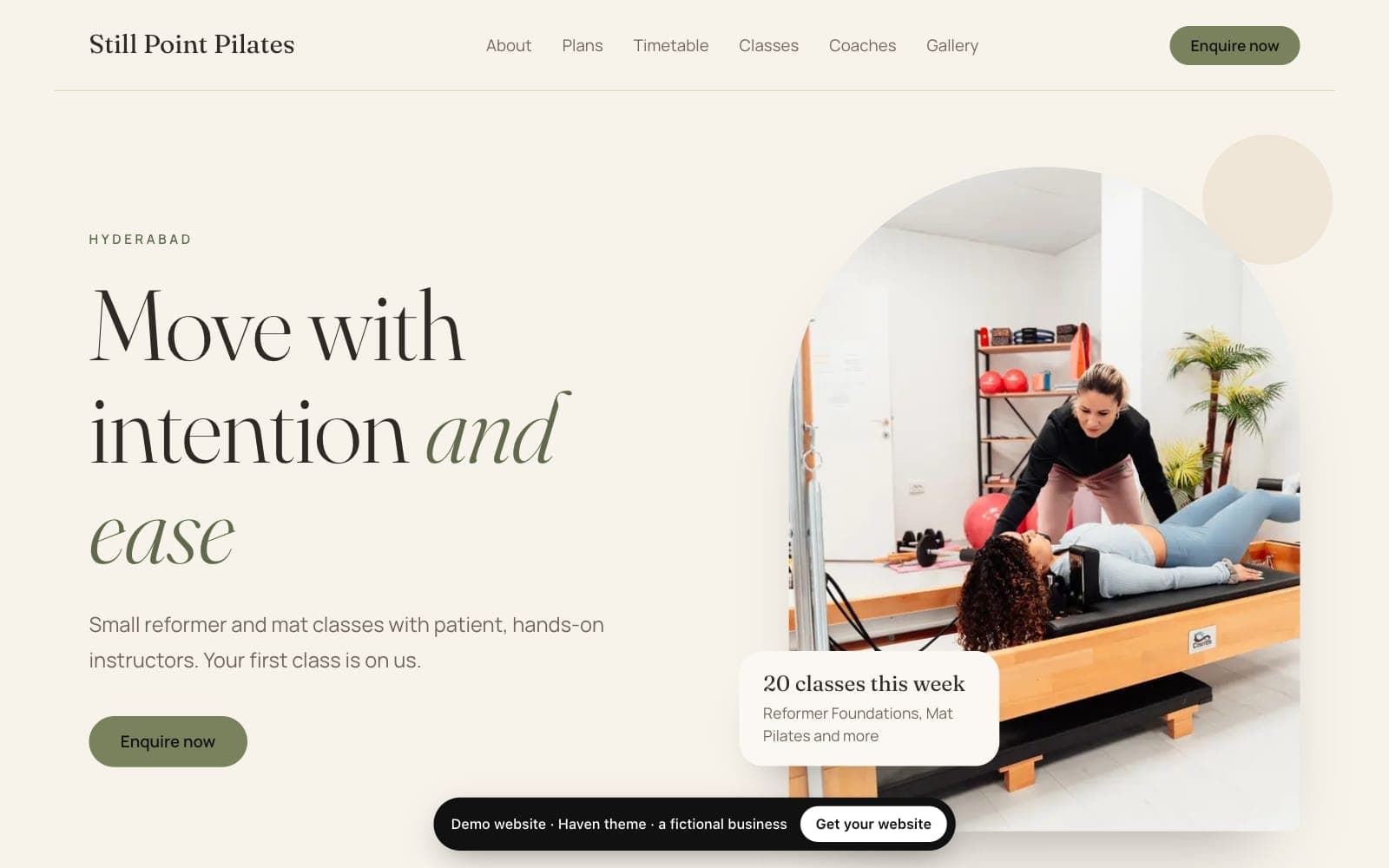
Haven
Pilates studios and instructorsWarm ivory and sand, a soft serif, arched photos and round buttons.
View live demo of Haven (opens in a new tab)Yoga and Pilates websites →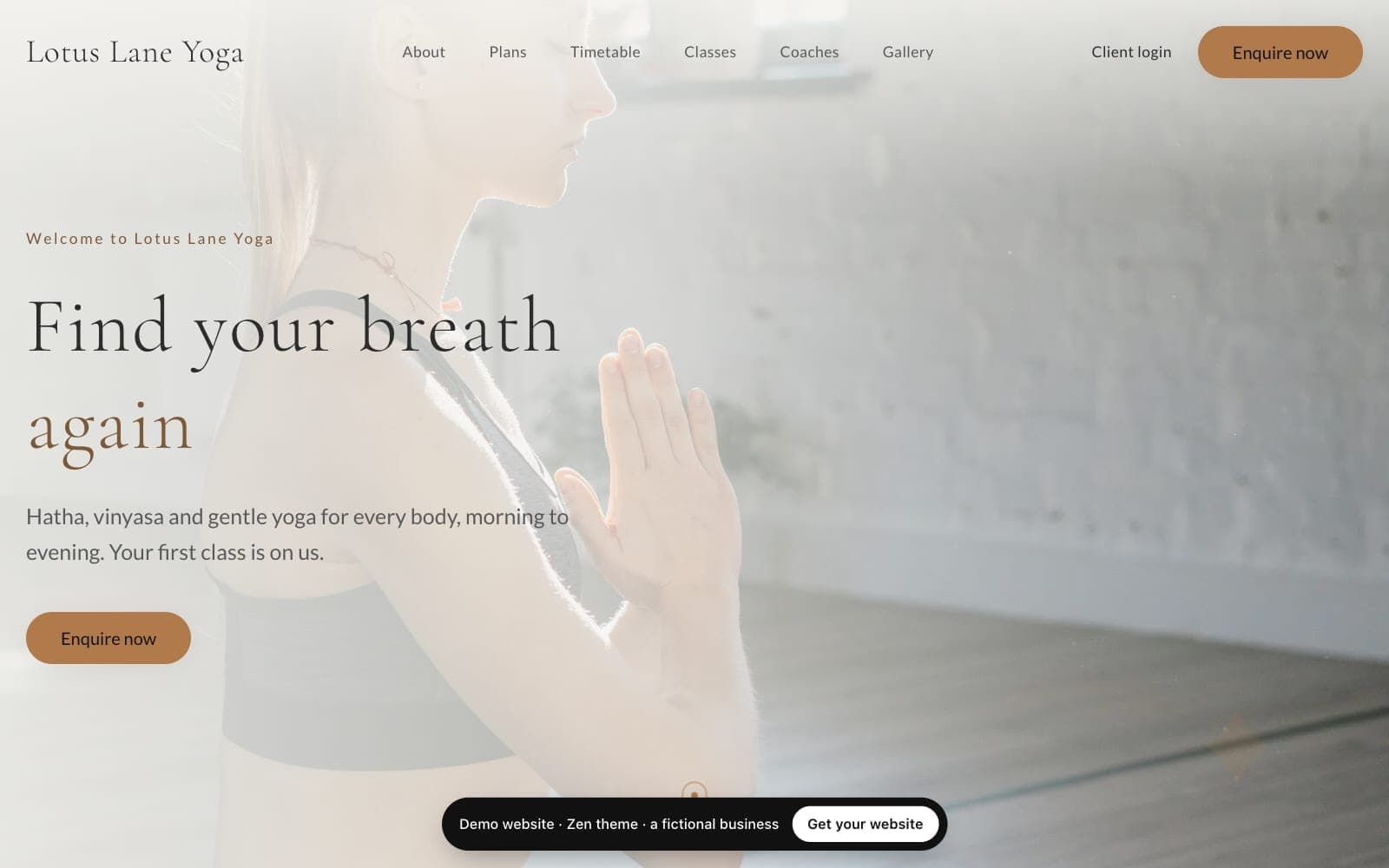
Zen
Yoga studios and teachersWarm cream and stone, light serif headings, soft cards and pill buttons. Calm and airy.
View live demo of Zen (opens in a new tab)Yoga and Pilates websites →
Live data
What stays up to date on your website by itself?
Your website reads your packages and prices, the next 14 days of classes, your coaches and your locations straight from Trainaq. Change a price, add a class or open a location and the site shows it within minutes. You never update the same thing twice, and only the plans you switch on for the website appear.
Packages and prices
The plans you switch on for the website, with their price and what is included.
Class timetable
The next 14 days of classes, with “Few spots left” and “Full” as they fill.
Coaches
Your team, with the photo, title and short bio you add for the website.
Locations
Address, phone and a map link for each one you show; on Studio with two or more, a page each.
Enquiries
What happens when clients enquire on your website?
Every site has an enquiry form with a spam check. On Pro and Studio each enquiry lands in Leads with a follow-up reminder; on Starter it is emailed to you. Join and Book a trial open the same form with that plan or the trial chosen, so you reply, then send a payment link from Trainaq.
- Pro and Studio: the enquiry becomes a lead with its source, the plan they chose and a follow-up
- Starter: an email with their name, phone, email, interest and message
- WhatsApp, call and email buttons on every plan, using your business phone and email
- Your existing clients book sessions and classes in the Trainaq app, which the site links to
- A spam check, a hidden trap field and limits per network, so you get people, not bots
Everything else
What else comes with every Trainaq website?
Every site is built for phones first and for search: fast pages, page titles and descriptions, a sitemap and structured data for each location. You get a privacy page, social links in the footer, your brand colour, simple visit and button counts without cookies, and HTTPS on every address.
Fast, phone-first pages
Plain HTML served from a global CDN, with photos sized for phones.
Search basics built in
Page titles, descriptions, a sitemap and structured data for your locations.
Google Search Console
Paste your verification code in Settings to see how Google finds you.
Results without cookies
Visits, button clicks and enquiries by day, with bots filtered out.
A privacy page
Written for your business, explaining how enquiries are handled.
Your brand
Your logo, your colour and your socials (Instagram, Facebook, YouTube).
Your trainaq.com page forwards
Your public trainaq.com/c/ link sends visitors to your new site.
A small Trainaq credit
“Made with ♥ by Trainaq” in the footer, on every plan.
Not yet: taking payments or bookings on the site itself (Join and Book open your enquiry form, and you send a payment link from Trainaq), a shop, a blog on your site, more than one language, and free-form page layouts.
Price
How much does a website for coaches cost on Trainaq?
It is included in Studio, and an add-on on Starter and Pro at $10 a month or $110 a year. You can try it free for 7 days first, with no card. It works with a Trainaq plan, because the site is built from your Trainaq packages, classes and locations.
Included in Studio
The website, your own domain and every theme come with the plan.
An add-on on Starter and Pro
$10 a month or $110 a year, billed with your plan, monthly or yearly.
7-day free trial
No card, once per business, even on your Trainaq trial. When it ends nothing is deleted.
Your address and domain
A free yourname.trainaq.app from day one; your own domain with HTTPS once you subscribe.
FAQ
AI website builder FAQ
Can visitors pay or book a session on my website?
Not on the site itself. Join and Book a trial open your enquiry form with that plan or a trial session already chosen. You reply, convert the lead and send a payment link from Trainaq. Your existing clients book their sessions and classes in the Trainaq app, and the site links them there.
Which plans show on my website?
Only the plans you switch on with “Show on website” in Business → Plans (or during the setup), in the order you set there. Switch a plan off at any time and it leaves your website within a minute or two. Prices and what each plan includes always come from the plan itself, so they never drift.
Do I need design or coding skills?
No. You answer questions, pick a theme and edit text and photos in simple forms, with a live preview beside them. Each theme sets the layout for you, so there is no free-form page building to learn. That keeps every site fast on phones and consistent, whichever sections you turn on or off.
Can I use my own domain name?
Yes, once you subscribe to the add-on or are on Studio; not during the free trial. Add your domain in the Domains tab, copy the DNS records it shows you into your registrar, and HTTPS is set up for you. Your free trainaq.app address keeps working and sends visitors to your domain.
Will my coaching website show up on Google?
Every site has what search engines look for: fast pages, page titles and descriptions, a sitemap and structured data for each location, and you can add your Google Search Console code. Nobody can promise a ranking, but your site starts with the technical basics right, and your own words do the rest.
What happens to my website if I stop paying?
Your site shows a short holding page with your contact buttons, and the editor becomes read-only. Nothing is deleted: your words, photos, versions and address are kept. Subscribe again and the site comes back exactly as it was. The free trial ends the same way, so nothing is lost if you wait.
Is the AI website builder free?
Free for 7 days, then paid: it is not free forever. The website has a free 7-day trial on Starter and Pro: no card, once per business, then it is paid. During the trial your site lives on its free trainaq.app address. After the trial it is included in Studio or a paid add-on.