App for yoga teachers
Your classes, students and fees, in one app for yoga teachers.
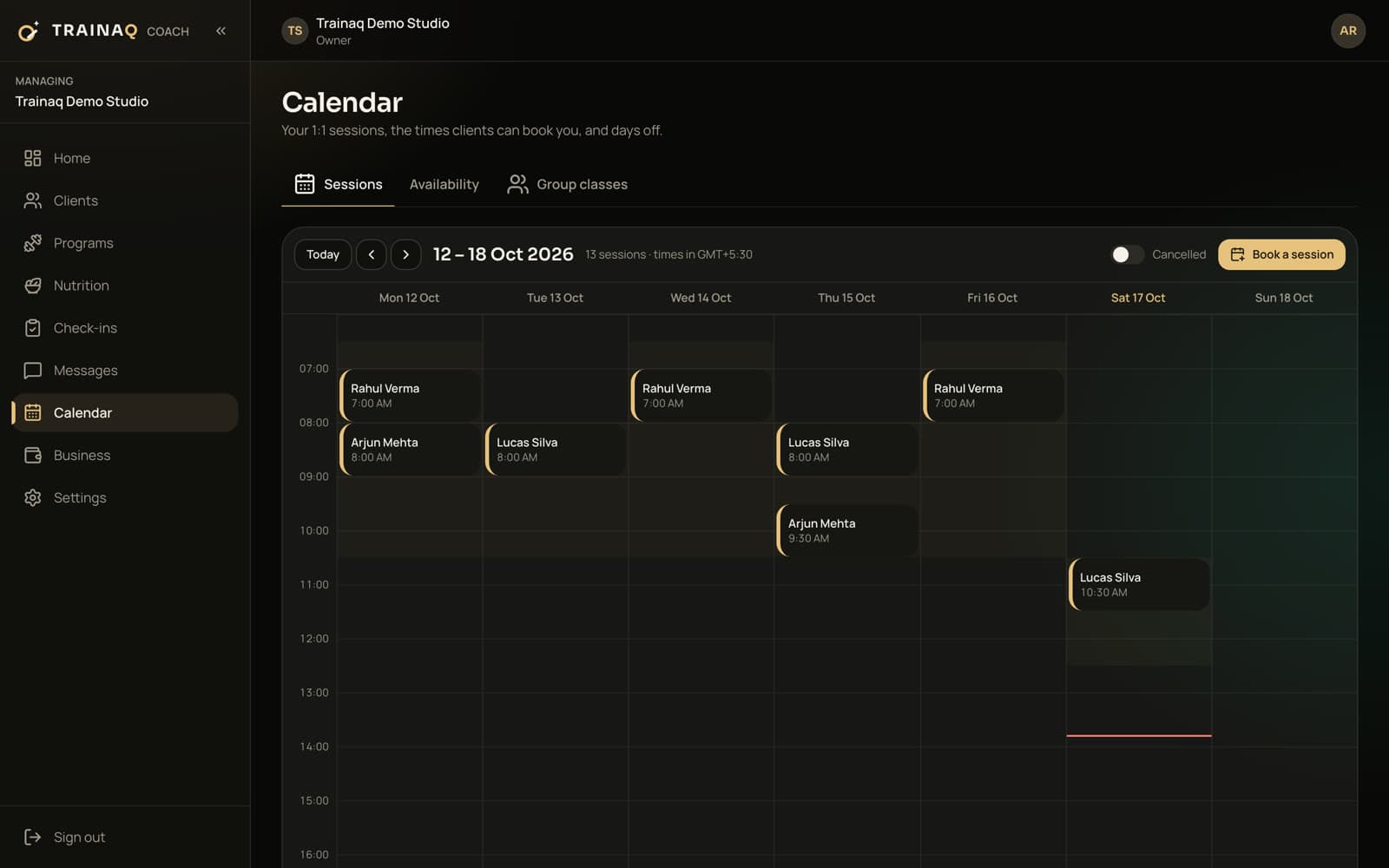
Trainaq is an app for yoga teachers who teach in a rented room, outdoors or online: weekly classes with waitlists, Zoom or Meet links with a Join button, private sessions from your open hours, memberships with class counts and a home practice between classes. Your students get a free app.
- Trainaq Coach · iPhone and Android
- Web dashboard
- Free Trainaq app for students
Is Trainaq right for a yoga teacher?
Yes, if you teach your own students in a rented room, outdoors or online. As an app for yoga teachers, Trainaq runs weekly classes with seat limits and waitlists, private sessions from your open hours, memberships with class counts and payments, and students book and follow your practice in a free app. It has no public timetable page yet.
- Group classes with waitlists are on Pro and Studio
- Every plan starts with a 7-day free trial, and no card is needed.
- Students use the free Trainaq app on iPhone and Android
- Record every payment; online payments run for businesses in India
Why yoga teachers switch
Why do yoga teachers outgrow WhatsApp groups and notebooks?
Because a class needs a headcount, a link and a fee, and a group chat tracks none of them. Students reply “coming” and don’t show, the Zoom link gets buried in the chat, and monthly fees arrive as screenshots you match by hand.
Headcounts by message
Students reply “coming” in the group, and you learn who really is when they walk in, or don’t.
A link lost in the chat
The evening link gets posted, forwarded and buried, and someone asks for it again a minute before you start.
Fees and counts in a notebook
Who paid this month, who has used 8 of their 12 classes and who is away live in your head.
A week with Trainaq
What does a week with Trainaq look like for a yoga teacher?
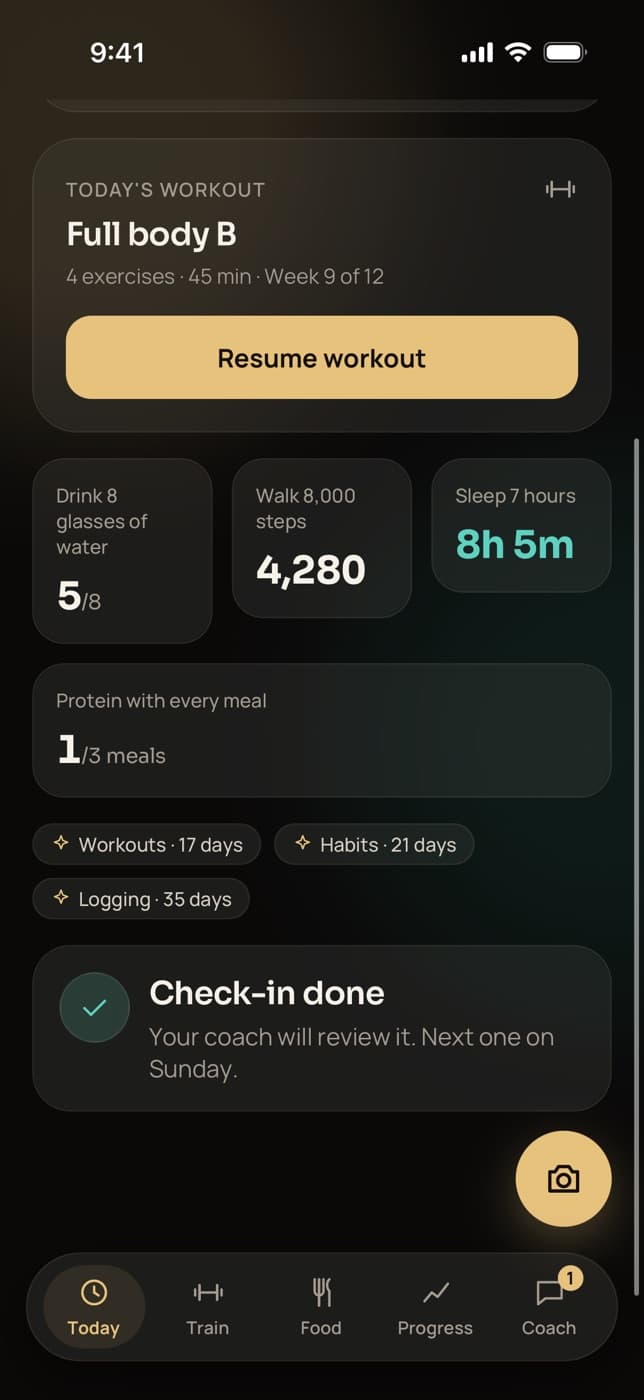
You set up your classes once and they repeat every week. Students join with your invite link, buy a membership and book their spot in the app, with a waitlist for full classes. Private students book your open hours, and between classes your students follow the home practice you assign.
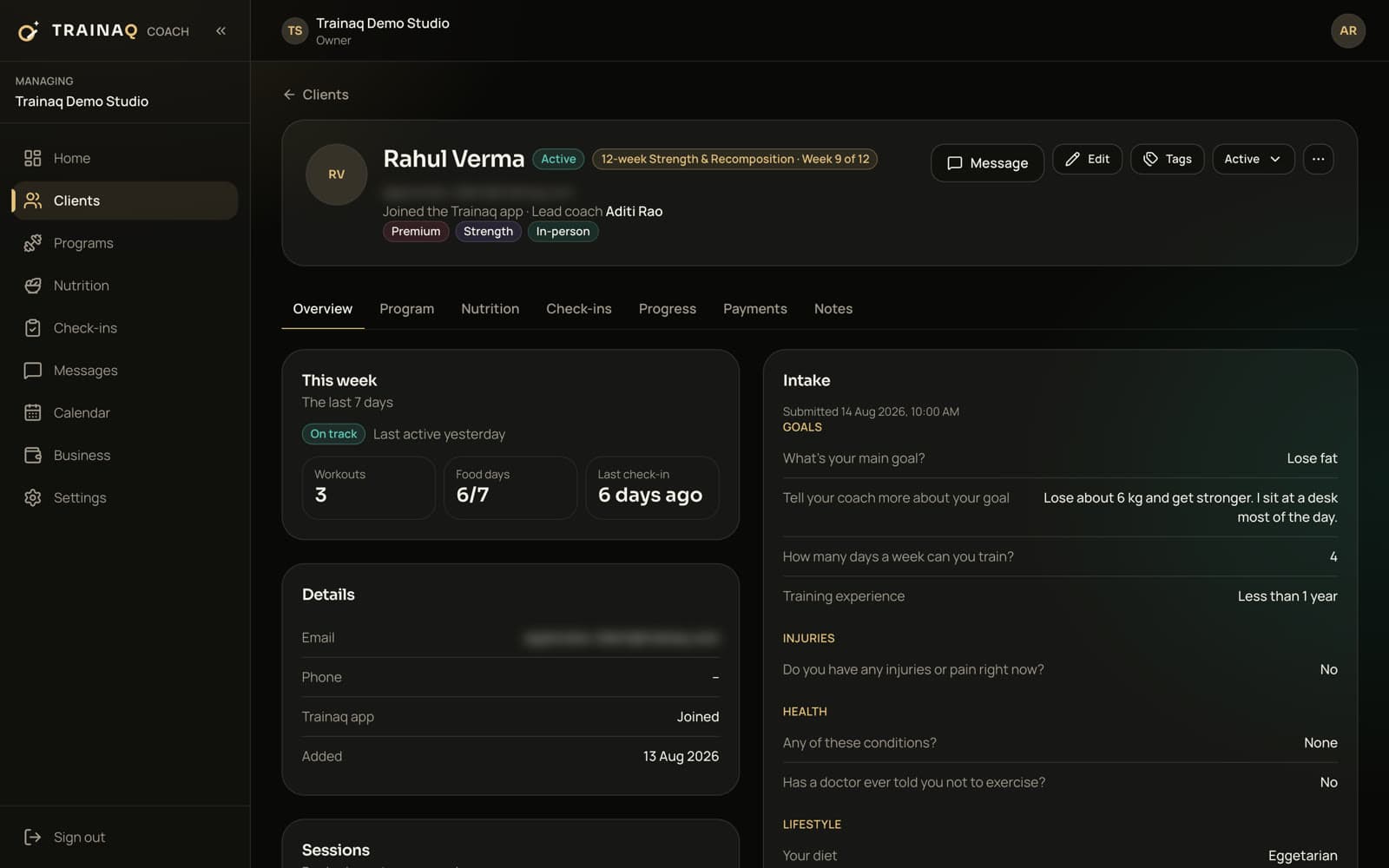
Invite students and learn about them first
Students join with your invite link, sent by message or email, and answer your intake form, so you know their injuries, health and goals before the first class.
- One intake form you edit in Trainaq Coach
- Send the form again when something changes
- Tags such as “Mornings” or “Online”
Sell memberships with class counts
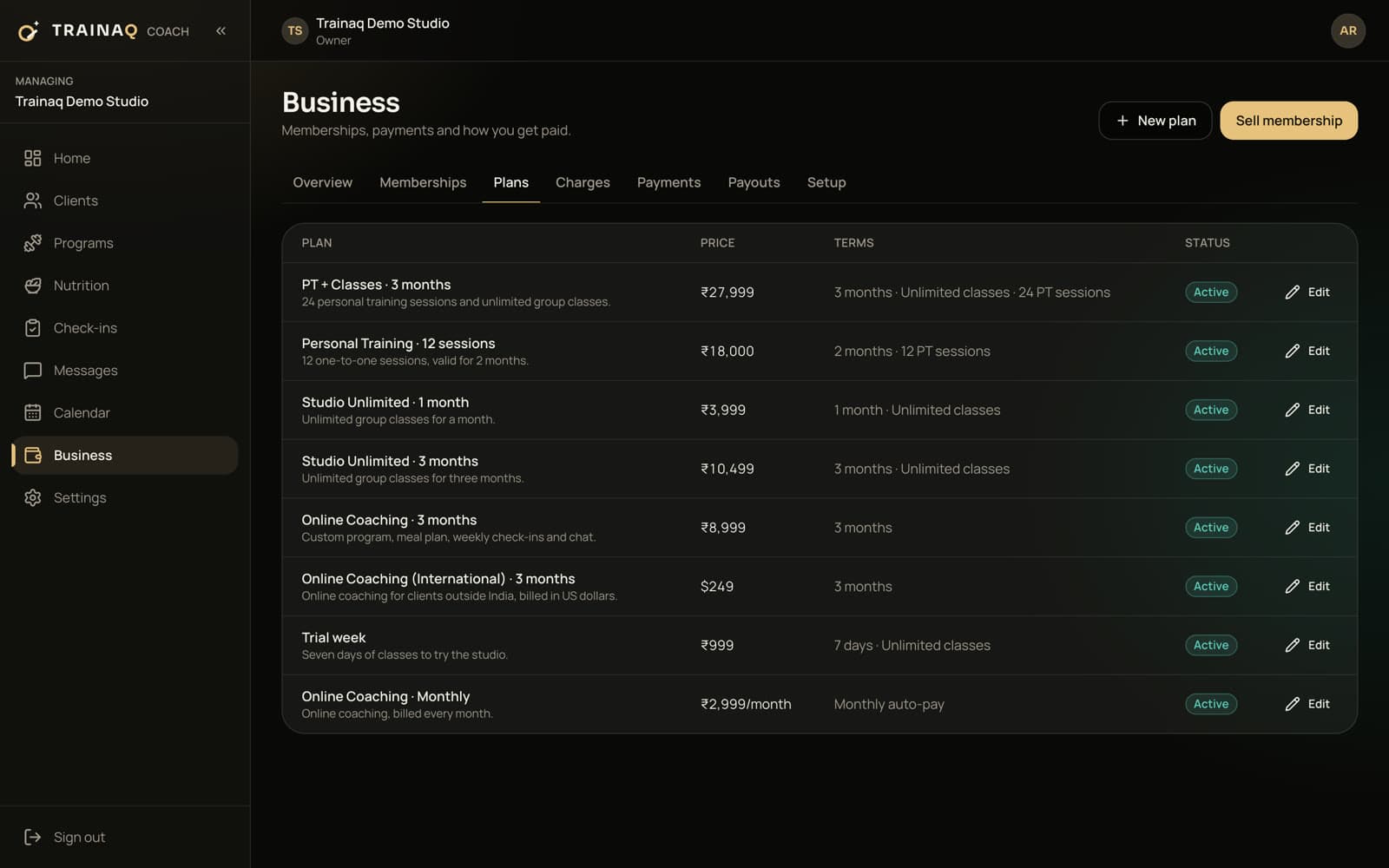
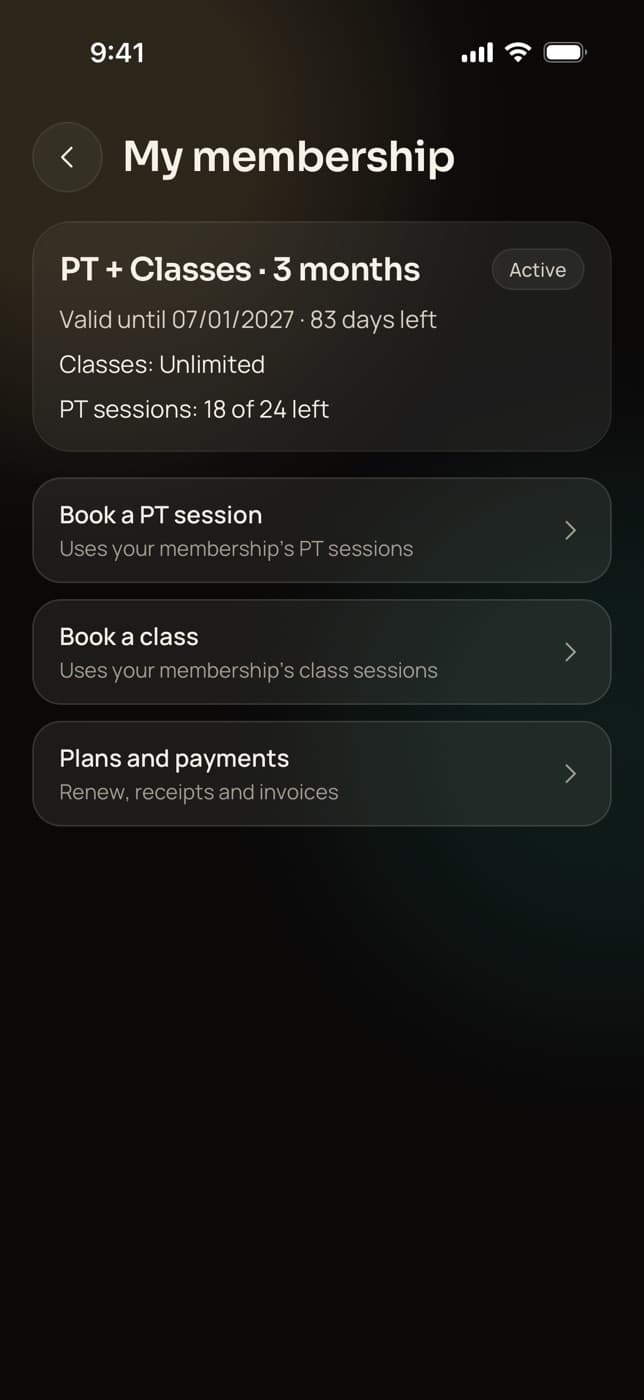
Sell plans the way you already do: a month with 8 or 12 classes, unlimited classes, a 10-class card with the validity you choose, or a couple plan for two people sharing one pool. Each booking takes one class, and a cancel in time gives it back.
- An admission fee charged once, if you take one
- A discount at sale, with a reason
Run your weekly timetable, in a room or online
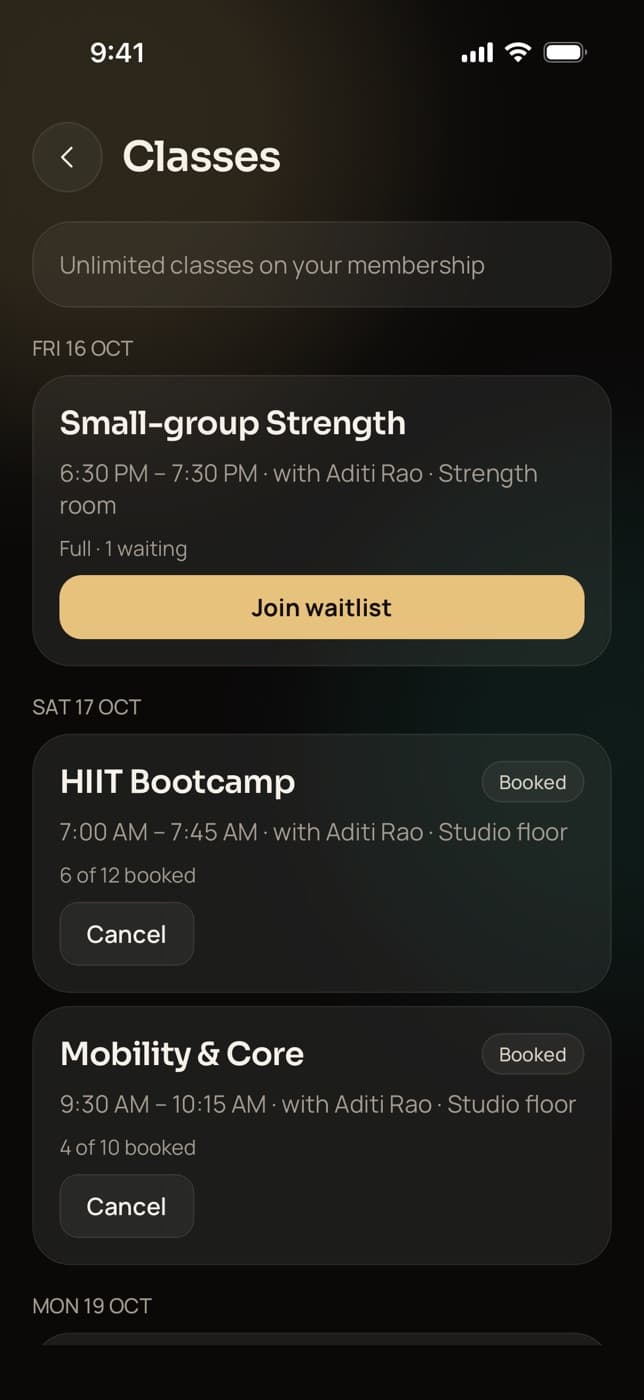
Make a class type for each class you teach, with its length, seats and place, or your Zoom or Google Meet link, and schedule it on the weekdays you teach. Students book in the app, join the waitlist when a class is full and cancel inside your window.
- A freed spot goes to the next student on the waitlist
- A Join button from 15 minutes before an online class
- Mark who came, or a no-show, from an hour before
Private sessions from your open hours
Set your weekly hours, days off and notice once, and students book 1:1 sessions in their own time zone. Add your Zoom or Meet link for online privates. Each booking uses a private session from the student’s membership.
- Reminders 24 hours and 1 hour before each 1:1
- Add to calendar on every 1:1 session
- Book a private for a student on the web dashboard
A home practice between classes
Build short sequences from 450+ exercise demo videos, among them our own 3D yoga demos, or add your own video or YouTube link for a pose. Poses can be tracked by time, and you can assign a few weeks of home practice to many students at once.
- The demo loops above each pose as students follow along
- A daily practice habit with streaks, set in Trainaq Coach
Downward dog Get paid and keep students coming back
Record cash, bank transfers and part payments against each membership, with dues by date. Before a membership ends, the student gets a renewal reminder, and you see who is due to renew.
- Classes left on every membership
- Freeze requests from the student’s app
- A receipt for every payment
What you use most
Which Trainaq features do yoga teachers use most?
Group classes with waitlists run the timetable, memberships with class counts sell it, and private sessions book from your open hours. The exercise library and habits carry the practice home, and chat keeps a whole class or one student in touch. You run them from Trainaq Coach, most of them also on the web dashboard.
Group classes
Pro and StudioWeekly series, seat limits, a waitlist that fills itself and attendance.
Memberships
Class counts or unlimited, couple plans, freeze and extend.
1:1 session booking
Privates booked from your open hours, in person or online.
Exercise library
Our own 3D yoga demos, plus your own videos or YouTube links.
Habits
A daily practice or breathing habit, with streaks.
Chat
Group chats, broadcasts by tag, voice notes and photos.
Payments
Can my students pay me online?
Online client payments run for businesses in India today, through Razorpay. Outside India you sell memberships and record cash, bank transfers and other payments in Trainaq, with part payments and dues tracked for everyone; online payments for businesses outside India are coming soon. Your own plan is billed in US dollars.
Plans
Which Trainaq plan fits a yoga teacher?
A weekly timetable needs group classes, which are on Pro and Studio. 1:1 booking, memberships and payments are on every plan, so a teacher with only private and online students can start on a smaller plan. Every plan starts with a 7-day free trial, and no card is needed.
Most yoga teachers start on Pro: $20 a month for up to 50 active clients, with 5 coach accounts.
| Plan | Price | Active clients | Coach accounts |
|---|---|---|---|
| Starter | $10 a month | Up to 10 | 1 coach account + 1 assistant |
| ProFits most | $20 a month | Up to 50 | 5 coach accounts |
| Studio | $59 a month | Up to 200 | 25 coach accounts |
Prices are in US dollars; taxes are added where applicable. Every plan starts with a 7-day free trial, and no card is needed. Every feature by plan →
Honest gaps
What doesn’t Trainaq do for yoga teachers yet?
A few things yoga teachers ask for are not built yet: reminder pushes or a calendar file before group classes, drop-in classes for students without a membership, a public timetable page that takes new students, and moving a scheduled class to a new time. Some yoga poses show only the demo, without written steps, for now.
- Cancel a class and add a new one to change its time
- Sell a drop-in as a membership with one class
- Put your cues in the note on each pose
- You mark attendance; students can’t check themselves in
- Online payments for businesses outside India are coming soon
- Membership prices are set in US dollars or rupees
Getting started
How do I move my students over to Trainaq?
Send each of your students your invite link by WhatsApp, SMS or email. They install the free Trainaq app, fill in your intake form and land in your space with the plan you assign. There is no spreadsheet import yet, so you add students one at a time, from Trainaq Coach or the web dashboard.
FAQ
Yoga instructors FAQ
How do I start online yoga classes with Trainaq?
Make a class type with your Zoom or Google Meet link, schedule it on the weekdays you teach, and sell a monthly membership with a set number of classes. Send students your invite link; they book in the Trainaq app and tap Join from 15 minutes before. Trainaq doesn’t create meetings; you use your own account.
Can students book, cancel and join a waitlist themselves?
Yes. Students see the next 14 days of classes in the Trainaq app, with the place and how many spots are taken. They book, cancel inside your window or join the waitlist of a full class. When a booked student cancels, the first student waiting with classes left gets the spot and a push.
Can I sell monthly memberships and class packs?
Yes, as memberships. A monthly plan carries a set number of classes or unlimited classes, and a class pack is a membership with that many classes and the validity you choose. Students see their classes left in the app and can ask for a freeze when they travel.
Can I teach private yoga sessions as well as classes?
Yes. One membership can carry a class count and a set number of private sessions together, so a student who comes to your weekly class and a monthly 1:1 needs only one plan. Privates book from your open hours, in person or online with your Zoom or Meet link.
Can I message all my students at once?
Yes. Broadcast one message to every student, to a tag such as “Mornings” or to students you pick. You can also run a group chat where students see each other by first name and initial, never by phone number. Chat carries voice notes, photos and video.
Do my students pay for the app?
No. Students download Trainaq for free on iPhone or Android and join with your invite link. You pay for your Trainaq plan, and students pay you for your classes as memberships. Only invited students see your business, and each one sees only their own plan, bookings and payments.
Is there a free trial?
Yes. Every plan starts with a 7-day free trial and no card is needed, so you can set up your timetable, invite real students and take bookings before you pay. If the trial ends without a plan, your business becomes read-only: nothing is deleted, and you can choose a plan any time.