Personal trainer app for iPhone and Android
Your whole coaching business, in one app on your phone.
Trainaq Coach is the personal trainer app where you manage clients, build programs and meal plans, review check-ins, chat, run your calendar and take payments. It runs on iPhone and Android, your clients get the free Trainaq app, and everything you do shows on the web dashboard too.
- Trainaq Coach · iPhone and Android
- The same account on the web dashboard
- Clients use the free Trainaq app
What is Trainaq Coach?
Trainaq Coach is the personal trainer app for iPhone and Android where you run your coaching business: clients, programs, meal plans, check-ins, chat, your calendar, memberships and payments. Your clients use the free Trainaq app, and everything you do in Trainaq Coach also shows on the web dashboard at app.trainaq.com.
- Trainaq Coach and the web dashboard are on every plan. Every plan starts with a 7-day free trial, and no card is needed.
- Sign in with email or mobile and a password, a one-time code, Apple or Google
- One login for every business you run or work in
- Plans are bought on the web; the iPhone app shows your plan’s status
Why coaches switch
Why do personal trainers outgrow WhatsApp, spreadsheets and PDFs?
Because each one holds a piece of the job. Programs sit in PDFs, food logs in screenshots, payments in a notebook and bookings in your head. Past a handful of clients, something slips every week. One app that holds clients, plans, chat, bookings and payments shows you what needs doing next.
Chats bury the work
Programs, photos and questions scroll away in one long thread per client, and nothing tells you who is waiting for a reply.
Money lives in a notebook
Who paid in cash, who owes the rest and whose membership ends this week all depend on what you wrote down.
The calendar is your memory
Clients message to ask for a slot, you check your phone, and a double booking is one busy day away.
Inside the app
What can you do in Trainaq Coach?
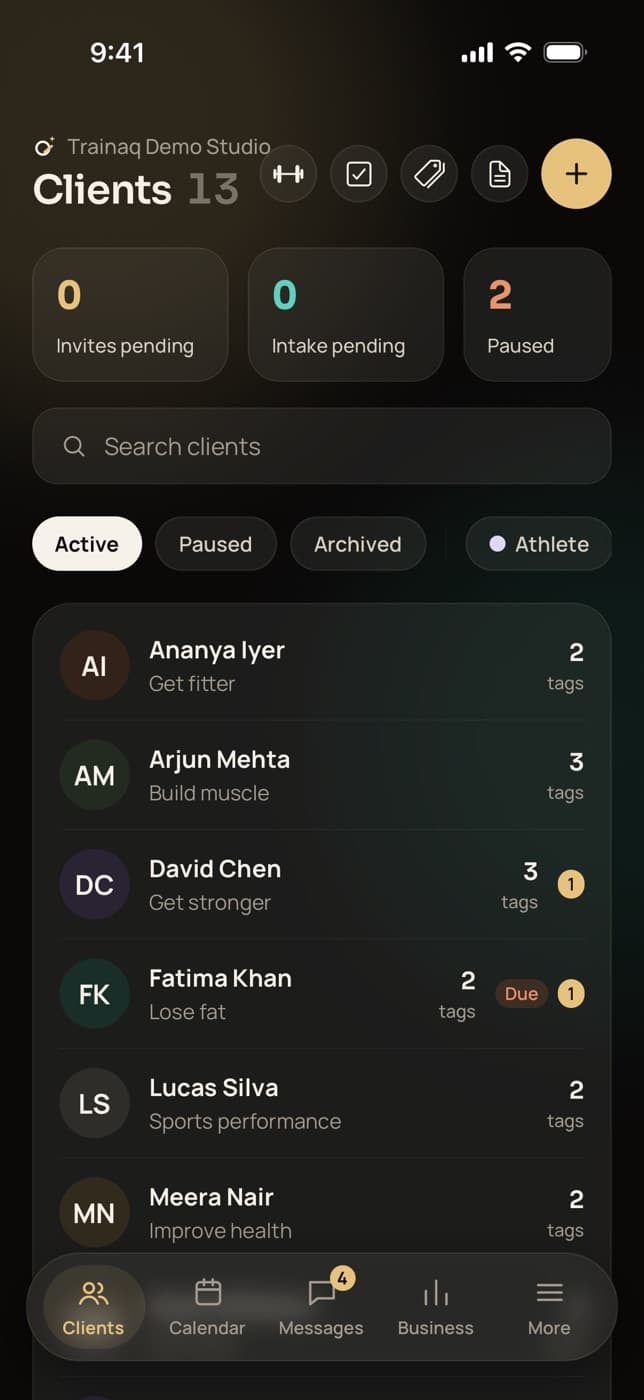
Five tabs: Clients, Calendar, Messages, Business and More, with the library one tap from Clients. Each stop below is a real screen from the app on iPhone, filled with demo data for a fictional studio. The owner sees the whole business, and each coach on the team sees the clients they lead.
Clients: everyone you coach, at a glance
The Clients tab counts your clients, pending invites, pending intake forms and paused clients, with a search and filters for status and tags. Open a client for their overview, plan, food, progress, intake answers and billing, with one tap to WhatsApp them.
- Add a client and share their invite link on WhatsApp
- Tags in six colours; active, paused or archived
- Archived clients don’t count toward your plan’s client limit
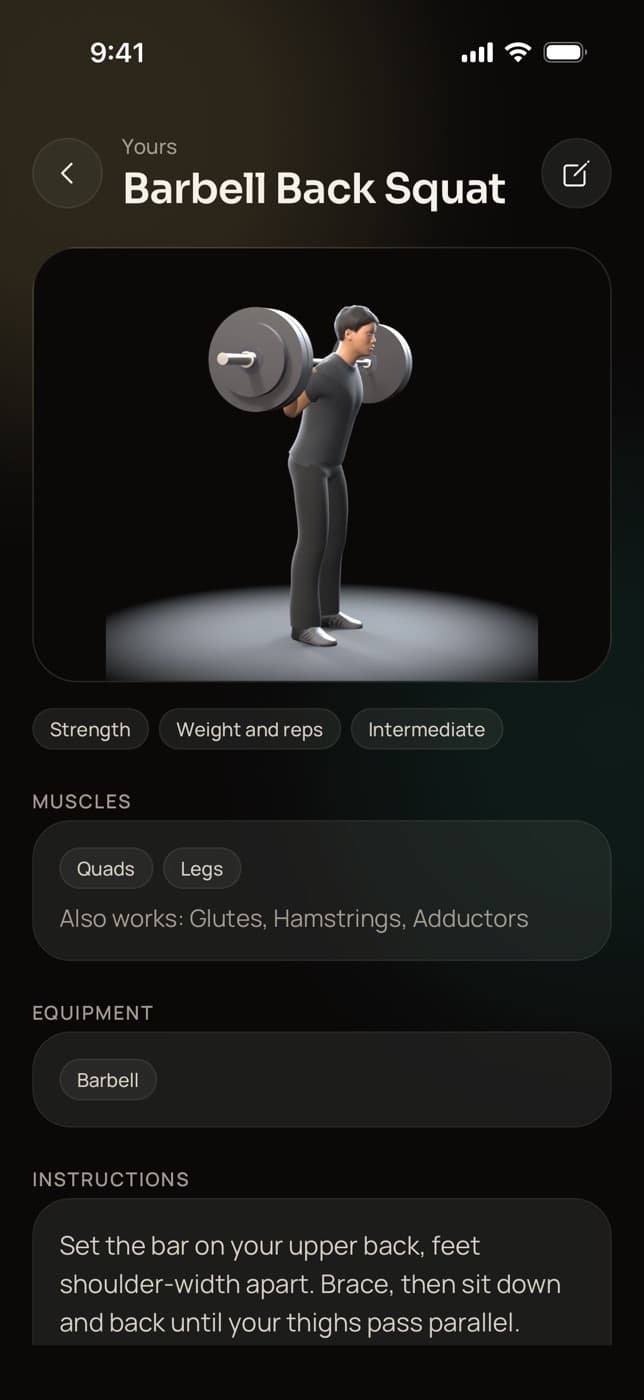
Library: exercises, workouts, programs and meal plans
Search 450+ exercise demo videos and your own exercises by name, equipment and muscle, then build workouts with supersets and set-by-set changes, multi-week programs and meal plans. Assign any of them to one client or up to 100 at once from a start date.
- Add your own exercise with a video upload or a YouTube link
- Copy a Trainaq workout, program or meal plan and make it yours
- Your own foods, and a queue of foods flagged for a check
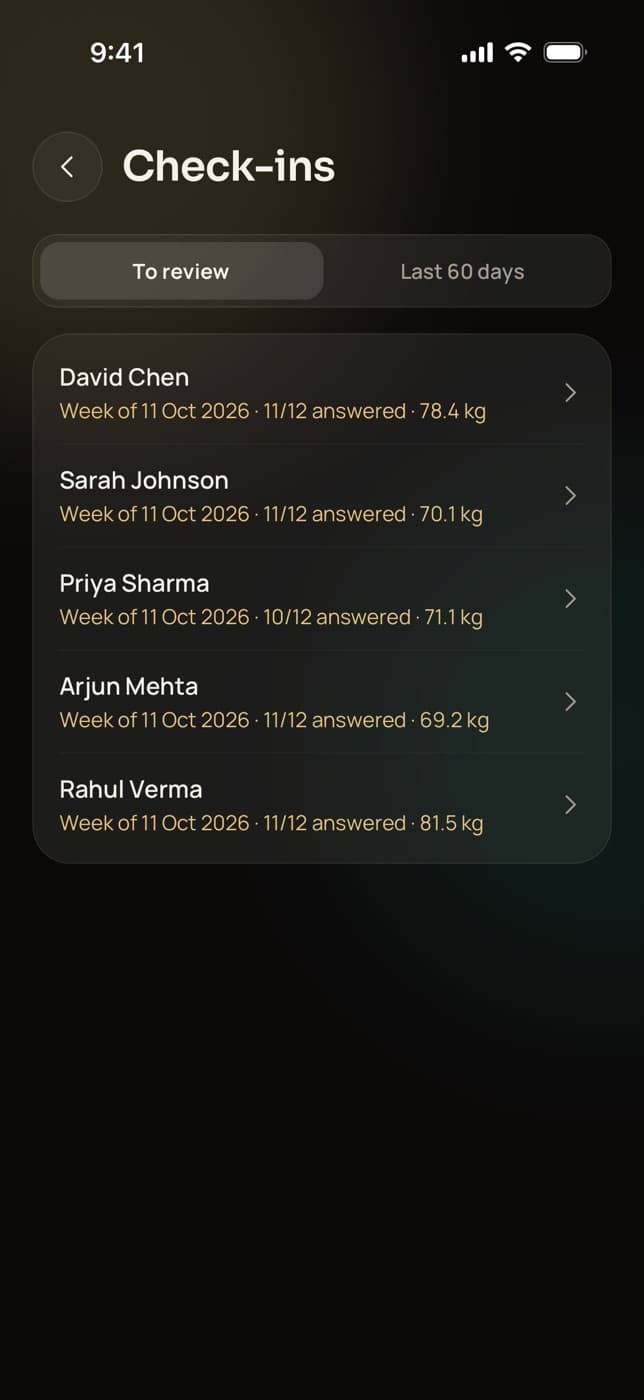
Check-ins: one queue to review
Check-ins wait in a queue, oldest first, each with the client’s answers, weight and photos. Open one, react with Great work, Keep going, Let’s talk or Noted, add a note if you like, and the client gets a push. Each client can have their own weekly form.
- Up to 30 questions per client, due on the day you pick
- Front, side and back photos beside the answers
- Reviewed check-ins from the last 60 days in one list
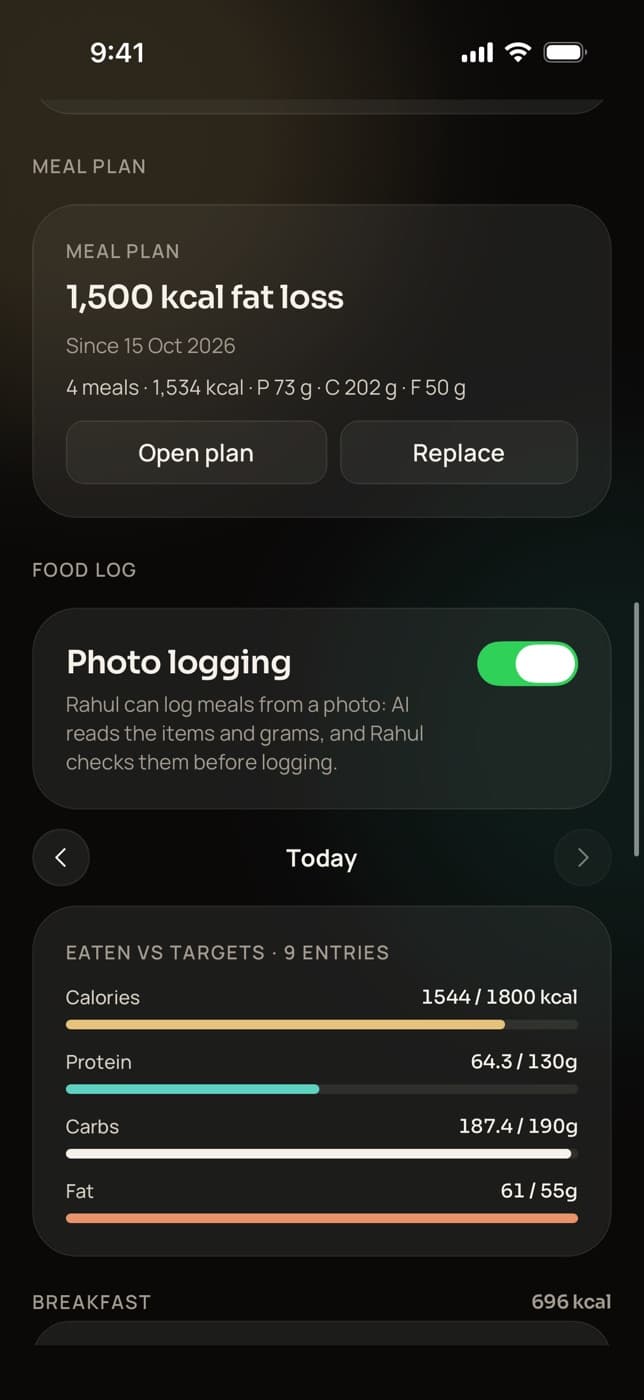
Food: targets, meal plans and the day’s log
A client’s Food section holds their calorie, macro and fibre targets with their history, the assigned meal plan, each day’s food log against the targets, and their habits for the week. A switch turns AI photo logging on or off for that client.
- Set targets by hand or from a meal plan, with a note to the client
- Habits for water, steps, sleep or your own, on chosen days
- Clients get the targets today; the meal plan in their app is coming soon
Messages: chat, groups and broadcasts
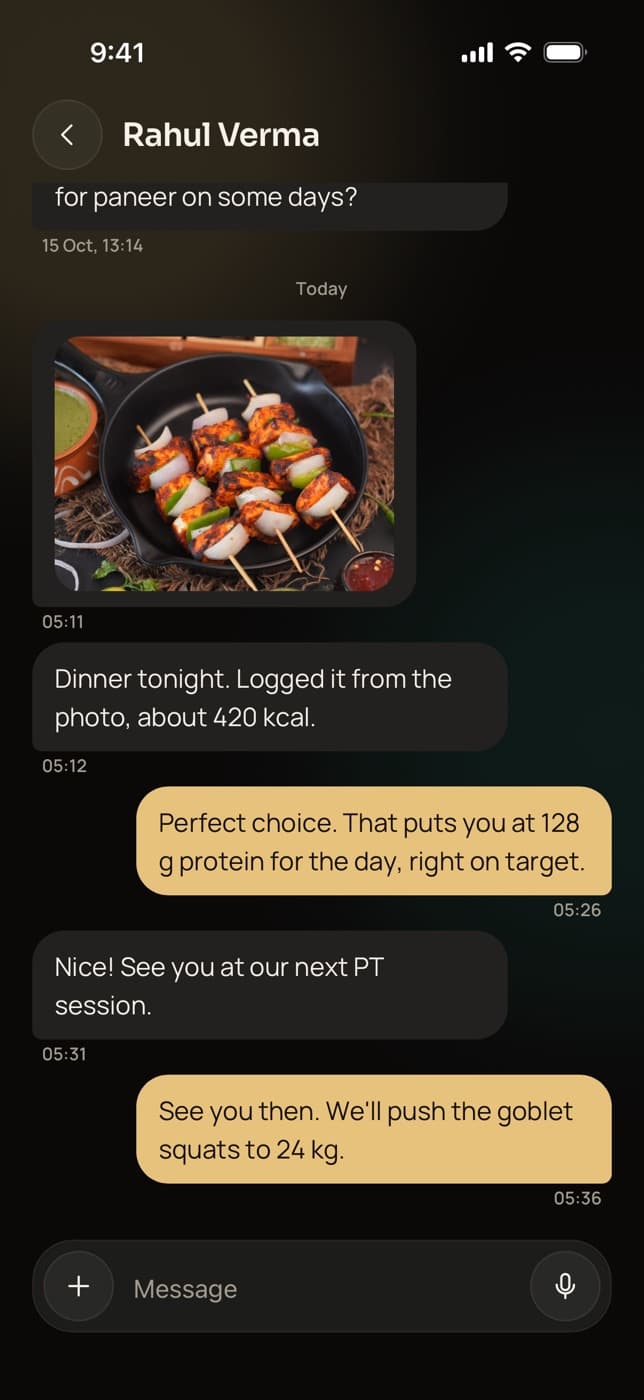
Chat one to one with text, photos, videos and voice notes, start group chats, and broadcast one message to all your active clients, to tagged clients or to the ones you pick. Each broadcast lands in the client’s own chat, so their replies come back to you.
- Unread badges and live updates
- A message that didn’t go shows Not sent, tap to retry
- Groups and broadcasts for owners and coaches
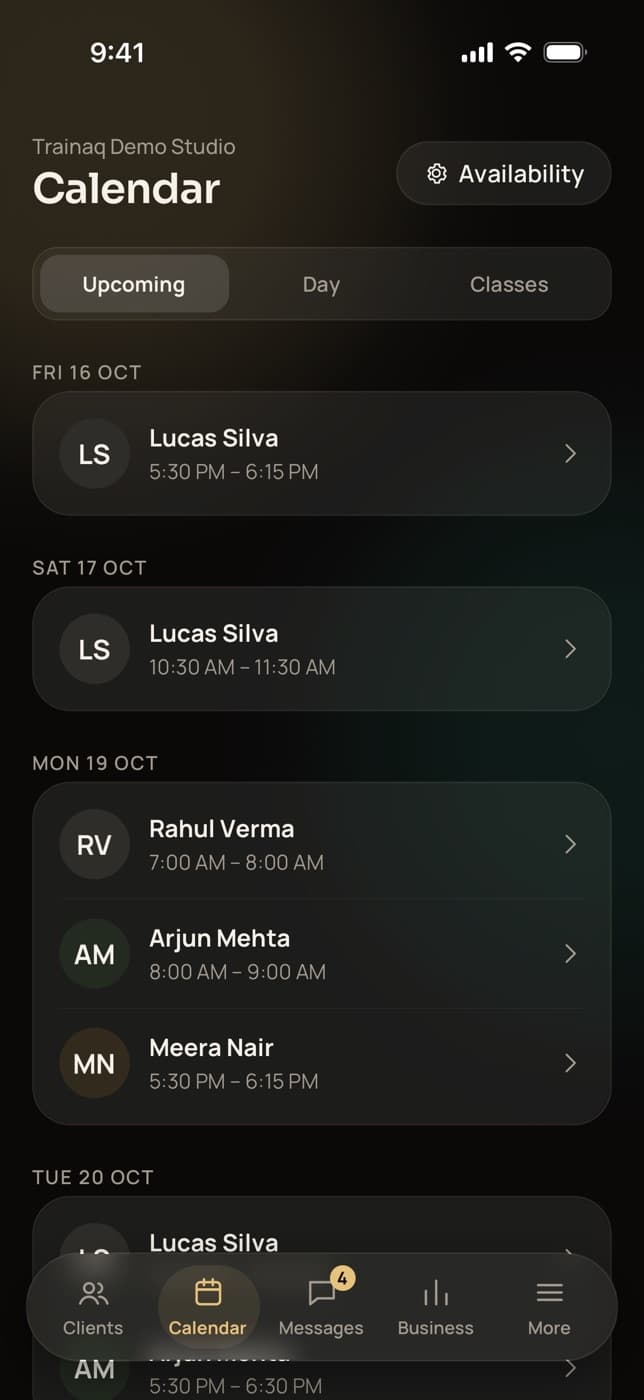
Calendar: sessions, availability and classes
Upcoming lists your 1:1 sessions for the next 60 days, Day shows one day at a time, and Classes shows the next four weeks of group classes. Set your weekly hours, days off, notice and buffer once, and clients book your open slots in their own time zone.
- A default Zoom or Google Meet link, or one per session
- Move or cancel a session, and add it to your calendar
- Class rosters, waitlists and attendance on Pro and Studio
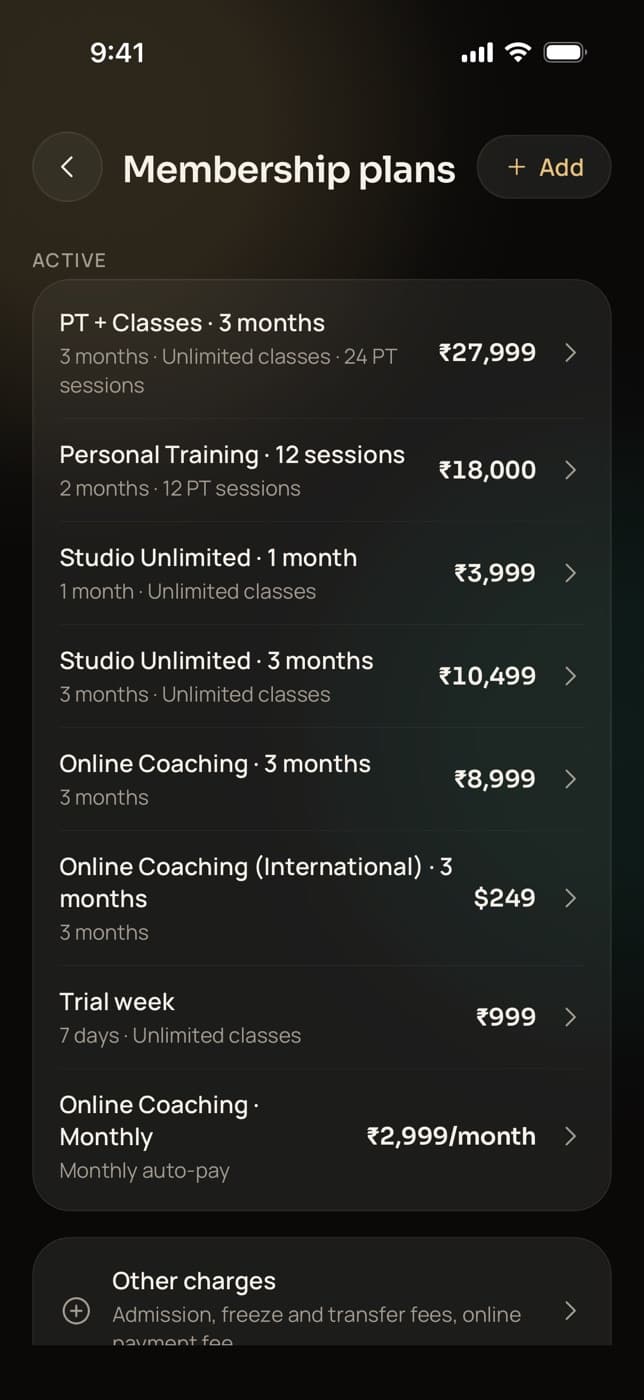
Business: memberships, payments and dues
Business shows who paid, who is due and which payments failed, and leads to your membership plans with class and PT allowances, other charges, GST settings, payment setup and payouts. Sell a membership by payment link, or at the desk for cash, UPI, a card machine or a bank transfer.
- Freeze, extend, upgrade and transfer memberships
- Approve or decline clients’ freeze requests
- Online payments through Razorpay for businesses in India
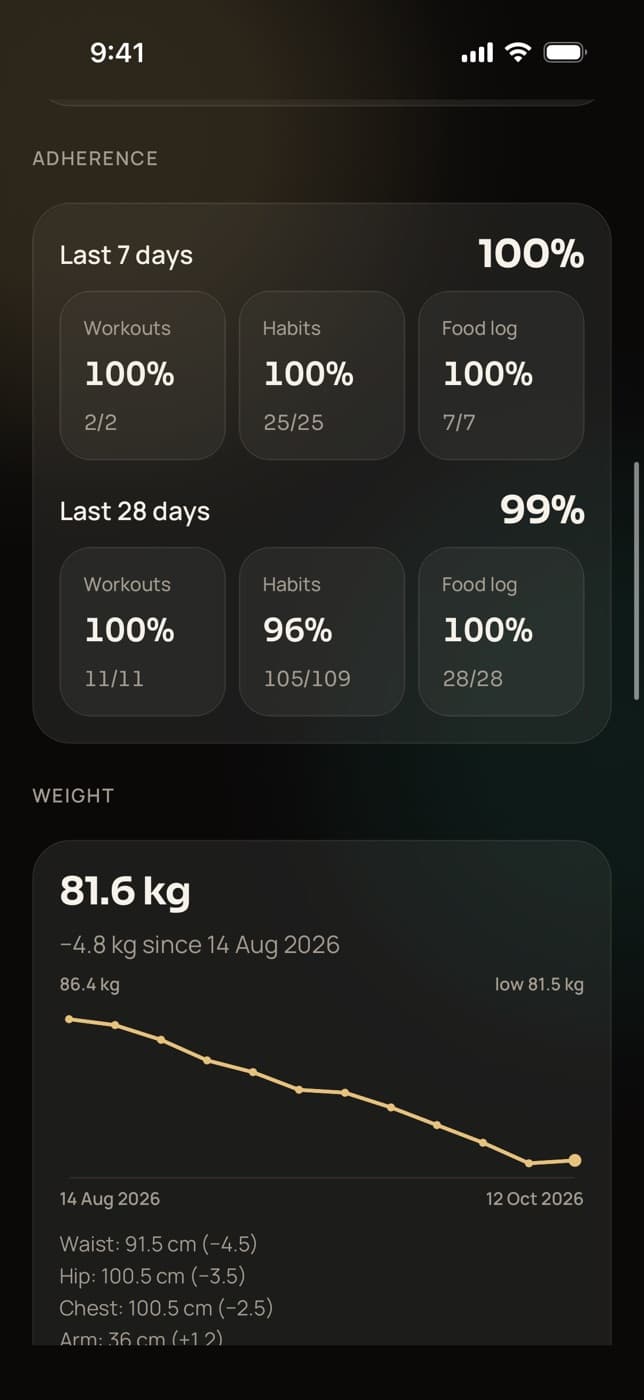
Progress: is the client on track?
A client’s Progress section shows workout, habit and food-log adherence over 7 and 28 days, their weight trend and measurements, the best estimated 1RM of their lifts, recent personal records and check-in history, plus Apple Health or Health Connect data once they connect it.
- Every logged set, PR and note from the workout player
- Private progress photos by pose
- Health data sync on Pro and Studio
Everything in the app
What else is in Trainaq Coach?
The tools around the coaching itself: invites, the intake form builder, tags, assigning to many clients, group classes, desk sales and dues, GST invoices, notifications, support tickets, switching businesses, team accounts and themes. Most are on every plan; the ones that need a larger plan say so below, and so does what is still coming.
Invites on WhatsApp
A client’s invite link opens in WhatsApp, addressed to their number when you have it.
Intake form builder
Edit your intake form’s sections and questions, and preview what clients see.
Tags and statuses
Coloured tags, filters, and active, paused or archived clients.
Assign to 100 at once
Programs, workouts and meal plans; each client gets their own copy.
Group classes
Weekly classes, a waitlist that moves up on its own, and attendance.
Pro and StudioDesk sales and dues
Cash, UPI and card machine sales, part payments and dues by date.
GST invoices
An invoice or receipt for every payment, and credit notes on refunds.
Notifications
A switch per kind and quiet hours, for messages, check-ins, payments and sessions.
Support tickets
Raise a ticket with up to five screenshots and follow the replies.
Switch businesses
One login for every business you own or work in.
Team accounts
Invite coaches by link and set each client’s lead coach.
Pro and StudioDark and light themes
Dark, light, or follow the phone’s setting.
AI program draftsComing soon
Nothing an AI drafts reaches a client until you approve it.
Pro and StudioNot yet: automatic welcome or missed-workout messages, data export, calendar sync (each session offers an add-to-calendar file instead) and a branded app of your own.
App and web
What does Trainaq Coach share with the web dashboard?
Everything that matters: it is one account and one set of data. Clients, programs, meal plans, check-ins, messages, the calendar and the business are the same on your phone and at app.trainaq.com. Build a program on the web and assign it from your phone. A few tools live in only one place for now.
- Only in the app: the intake form builder, managing tags, support tickets and deleting your account
- Only on the web: private notes about each client
- Faster on the web: the drag-and-drop program grid, bulk status and tag changes, and check-in review by keyboard
- Notification settings saved on the web apply to Trainaq Coach on your phones
Weak signal
Does Trainaq Coach work with a weak signal?
It needs a connection to load and save, but a dropped signal never signs you out, and a message that didn’t go stays in the chat as Not sent until you tap to retry. Your clients’ side is built for no signal: their sets, food logs and habit ticks save on the phone and sync later.
Your plan
How do you buy or change your Trainaq plan?
On the web. The owner picks a plan and add-ons at trainaq.com/billing. On iPhone, Trainaq Coach shows the plan’s status, client usage and coach accounts, with no prices; on Android it lists the plans and opens the same billing page. Trials, renewals and plan invoices are all handled on the web.
- Only the owner manages the plan
- Plans differ by active clients and coach accounts
- Without a trial or a paid plan the business turns read-only; nothing is deleted
Who uses it
How do different coaches use Trainaq Coach?
Online coaches live in the check-in queue and the chat. Personal trainers run their calendar, their clients’ programs and desk payments from the gym floor. Studios and gyms share one library across coaches and sell memberships with class and PT allowances. All of them use the same app, sized by their plan.
Check-ins and chat, wherever you are
Clear the check-in queue between sessions, reply with a voice note, and adjust a client’s program or targets when their week went sideways.
Trainaq for online coaches →- One-tap reactions with a note
- Adherence over 7 and 28 days per client
- Broadcasts to tagged clients
Sessions, programs and payments on the floor
See today’s sessions, give clients their workouts between them, and record a cash or UPI payment the moment it happens, with the rest kept as a due.
The client app →- Bookings from your own availability
- PT allowances on each membership
- Part payments and dues by date
One app for the owner and the team
The owner sees every client, payment and payout; each coach sees the clients they lead. Classes, memberships and freezes run from the same app.
Trainaq for gyms →- Coach accounts on Pro and Studio
- A lead coach for every client
- Billing and payouts stay with the owner
Coaching in India
Built for how Indian coaches work
- WhatsApp firstInvite links and one-tap chats open WhatsApp with the client’s number.
- UPI at the desk and onlineRecord UPI at the desk, or take UPI, cards and netbanking through Razorpay.
- GST invoicesCGST and SGST or IGST by the client’s state, numbered per financial year.
- Rupees as you write themAmounts in ₹ with lakh grouping, and dates in Indian order.
FAQ
Trainaq Coach FAQ
Is Trainaq Coach available on Android and iPhone?
Yes. Trainaq Coach runs on iPhone and Android phones with the same features, and the web dashboard at app.trainaq.com uses the same account. Your clients use a separate free app, Trainaq, on their own phones, so they never see your coach screens, your notes or other clients.
Can I sign in with Google or Apple?
Yes, once your account exists. Create it first with your email, a code, your name, your business and a password; then Sign in with Google, or Sign in with Apple on iPhone, works with the same email. You can also sign in with your mobile number and password, or a code sent to your email.
Why can’t I buy a plan in the iPhone app?
Trainaq plans are sold on the web, so on iPhone the app shows your plan’s status, client usage and coach accounts without prices. The owner picks or changes a plan at trainaq.com/billing, which the Android app opens too. Your trial, renewals and plan invoices are all handled there.
Can I run more than one business from one login?
Yes. One login can own or belong to several businesses, such as your own coaching and a studio you work for. Switch between them from More in Trainaq Coach, or with the business switcher on the web dashboard. Each business keeps its own clients, plans, payments and team.
Can my team use Trainaq Coach?
Yes, on Pro and Studio. The owner invites coaches by link and sets each client’s lead coach. Each coach sees the clients they lead, while billing, payouts, GST and the Trainaq plan stay with the owner. Plans differ by how many coach accounts they include.
How do I get help inside the app?
Open Help and support in More and raise a ticket with a topic, a subject, the details and up to five screenshots. Replies arrive as a push and stay in the ticket’s thread, and you can reopen a resolved ticket or rate the answer. Support also answers by email and WhatsApp message.
Do my clients need Trainaq Coach?
No. Clients use Trainaq, a separate free app for iPhone and Android, and join with your invite link. Trainaq Coach is for you and your team. With two apps, clients only ever see their own plan, chats and bookings, and there is no switch that could open a coach screen.