Client messaging app for coaches
Every client conversation in one place. Right next to their plan.
Trainaq’s client messaging app for coaches puts a chat with every client, group chats and broadcasts inside your coaching app. Send text, photos, video and voice notes from Trainaq Coach or the web dashboard, and clients reply from the free Trainaq app.
- Trainaq Coach · iPhone and Android
- Web dashboard · Messages
- Clients chat in the free Trainaq app
What is Trainaq’s client chat?
It is the messaging built into Trainaq. Every client gets a chat with you from the day they join, with text, photos, short videos and voice notes. You can also run group chats and send a broadcast to all clients, a tag or the clients you pick, from your phone or the web dashboard.
- Chat is on every plan. Every plan starts with a 7-day free trial, and no card is needed.
- Voice notes up to 5 minutes, videos up to 3 minutes
- In groups, clients see each other as first name and last initial
- A broadcast lands in each client’s own chat, so replies stay private
Why coaches switch
Why does coaching over WhatsApp get messy?
Because WhatsApp mixes clients with family, friends and forwards, and nothing in it knows who your clients are. Meal photos scroll out of sight, the client’s program lives somewhere else, and a timetable change means the same message pasted forty times. A chat inside your coaching app keeps each conversation with the client it belongs to.
Clients lost in a personal inbox
A client’s question sits between a family group and a school notice, and you see it a day late.
The chat is far from the plan
To answer “can I swap this exercise?” you leave the chat, find the program and come back.
One announcement, forty pastes
Holiday hours or a new class time go out one client at a time, or in a group where everyone sees everyone’s number.
How it works
How does chat work in Trainaq?
When a client joins through your invite, their chat with you is ready in the Trainaq app. You both send text, photos, video and voice notes, with reactions and live updates. For more than one client at a time, you start a group chat or send a broadcast to everyone, to a tag or to the clients you choose.
Every client has a chat with you
There is nothing to set up. The client’s chat with your coaching team is there in the Messages tab of the Trainaq app from their first day, and in Trainaq Coach and on the web for you.
- One chat per client, with you and their lead coach
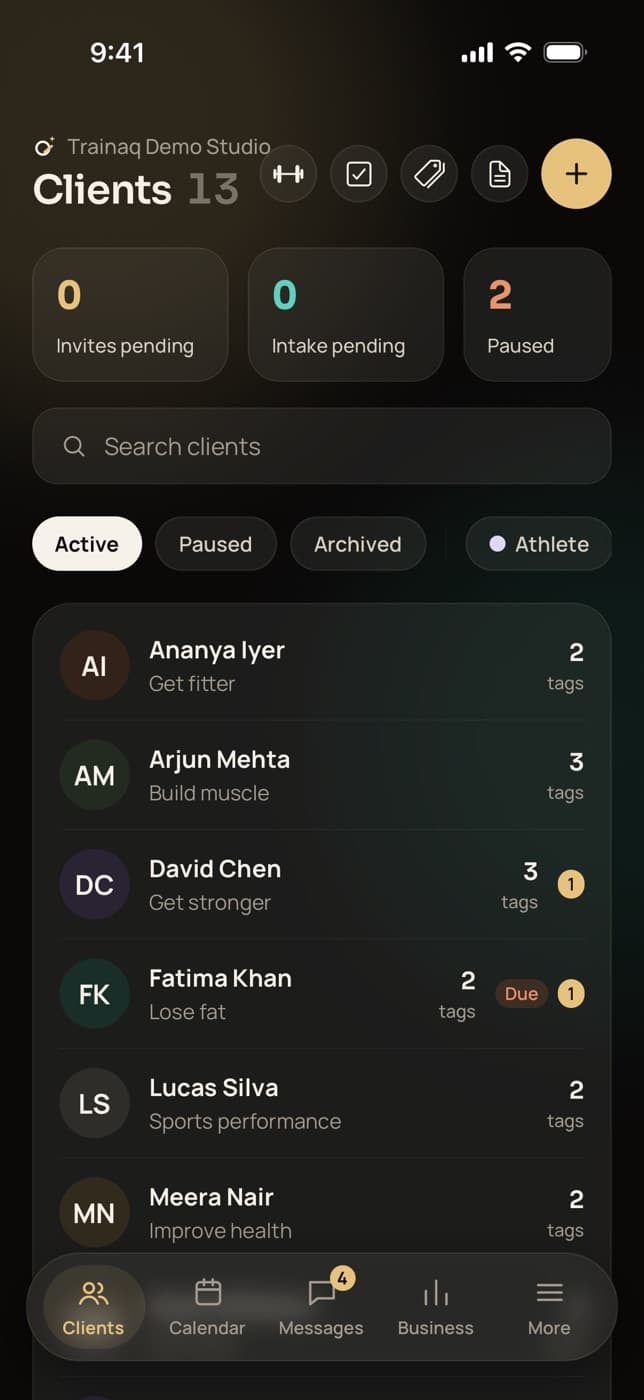
- Unread badges show what is new
- New messages appear live, with no refresh
Send voice notes, photos and video
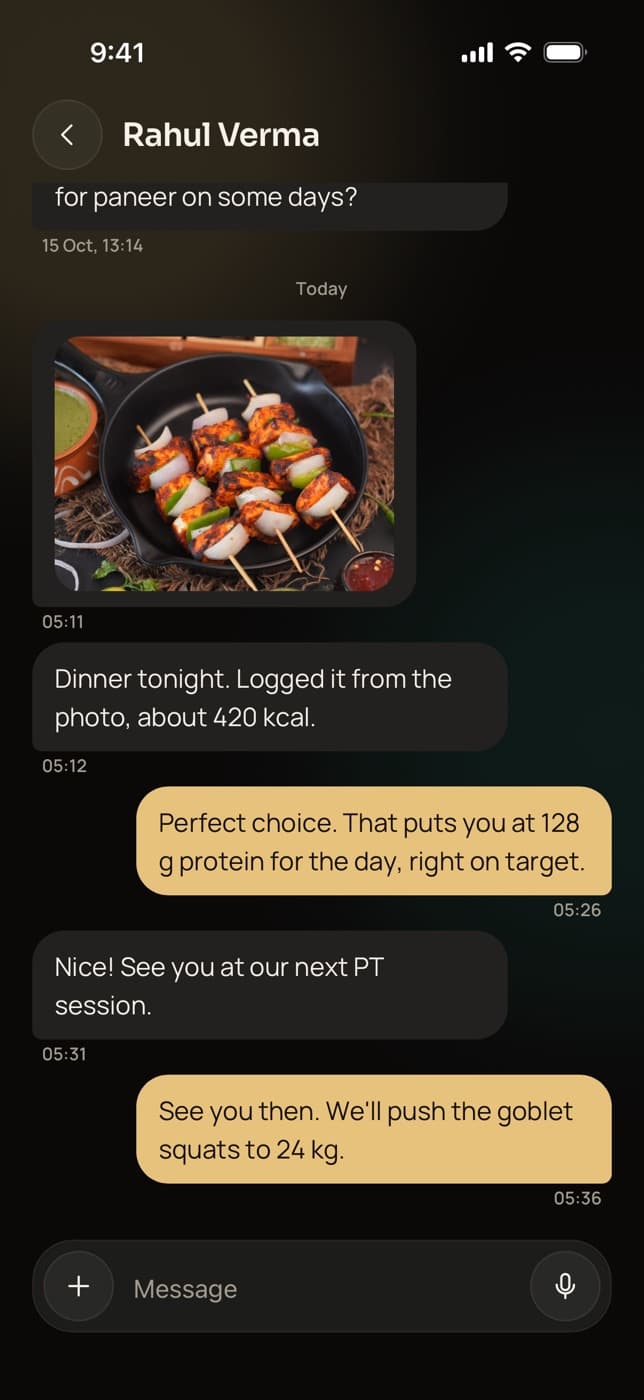
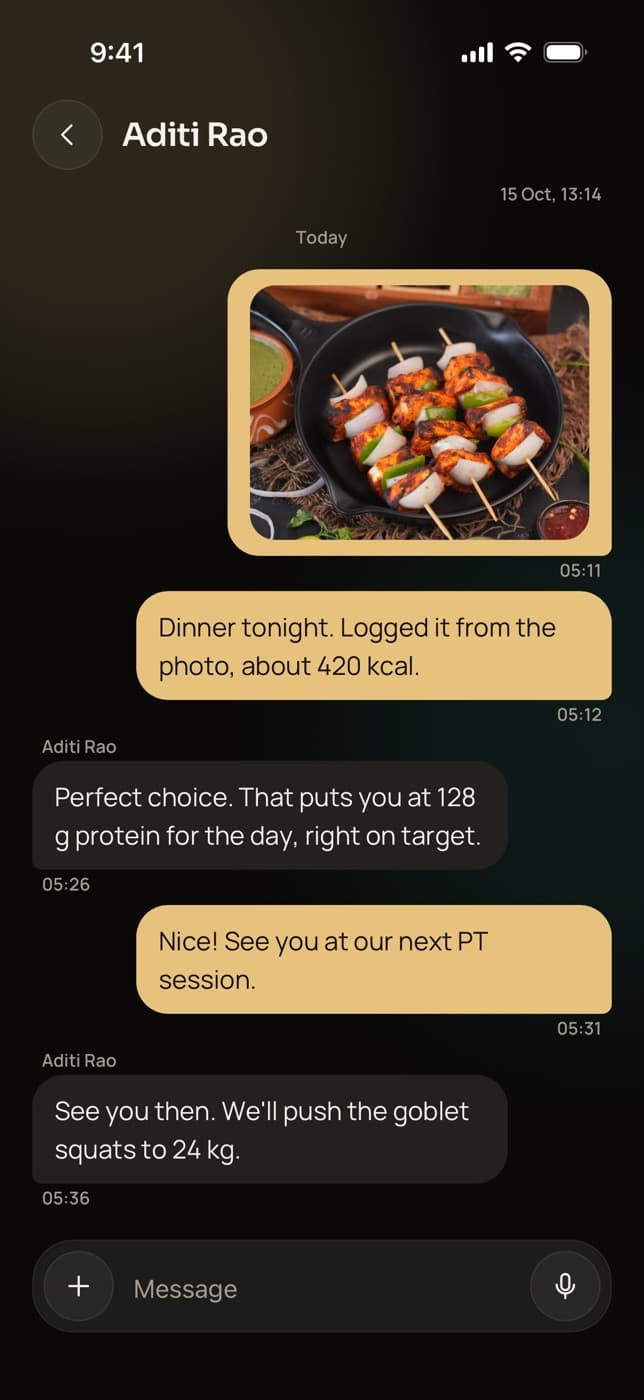
Record a voice note on form, send a photo of a portion size, or ask a client for a short video of their squat. Each message carries one photo, video or voice note, or plain text.
- Voice notes up to 5 minutes, videos up to 3 minutes
- Photos are resized and their location data removed
- React with one of eight emoji, or delete your own message
Run group chats
Start a group for a batch, a challenge or a couple, with up to 100 of your clients. Everyone can post, and clients see each other only as first name and last initial, such as “Ravi K.”.
- The owner or a coach starts a group
- Rename it, add or remove members later
- Group messages notify every member
Kettlebell swing Push-up Broadcast to many, reply to one
Send one text message to every active client, to everyone with a tag such as “Morning batch”, or to the clients you pick. It arrives in each client’s own chat, so each reply comes back to you privately.
- By tags: up to 20 at once
- Or pick up to 500 clients by name
- From Trainaq Coach or the web dashboard
Everything in chat
What can you do with Trainaq’s client chat?
Everything you used WhatsApp for with clients, inside the app where their program, food log and check-ins live: one chat per client, voice notes, photos and video, quick reactions, unread badges, live updates, retry on a failed send, deleting your own messages, group chats with private surnames and broadcasts by tag.
A chat with every client
Ready the day they join, in their app and yours.
Voice notes
Up to 5 minutes; recording stops on its own at the limit.
Photos
Meals, progress, equipment; resized and stripped of location data.
Video
Clips up to 3 minutes for form checks and demos.
Reactions
Eight quick emoji, from a thumbs-up to a flexed arm.
Unread badges
See at a glance which chats have something new.
Live updates
Messages appear as they are sent, in the apps and on the web.
Tap to retry
A message that fails to send, say with no signal, goes again with one tap.
Delete your own message
Everyone in the chat then sees “Message deleted”.
Group chats
Up to 100 clients; members see each other as “Ravi K.”.
Broadcasts
To all clients, by tags or to a chosen list; replies stay private.
WhatsApp Business APIComing soon
Reminders and messages from your own WhatsApp Business number.
Not yet: Not yet: editing a sent message, replying to one message in a thread, files such as PDFs, scheduled messages, automatic messages like a welcome note or a missed-workout nudge, and AI-drafted replies. Voice notes are recorded in the apps; on the web you attach audio files.
Who uses it
How do different coaches use chat?
Online coaches answer questions between weekly check-ins with voice notes. Nutritionists review meal photos as they come in. Personal trainers keep in touch between sessions, and studios run a group per batch and broadcast timetable changes by tag. Every client uses the same free Trainaq app, on iPhone or Android.
Coaching between check-ins
A client sends a 20-second video of a deadlift that felt wrong. You reply with a voice note on hip position, and both sit in the same app as their program and last check-in.
Trainaq for online coaches →- Videos up to 3 minutes for form checks
- Voice notes up to 5 minutes
- Their program and check-ins one tap away
Meal photos with a reply
Clients send a photo of lunch with a question about the portion. You answer in the chat, and their food log and targets are on the client’s profile next to it.
Trainaq for online coaches →- Photos sent from the camera or gallery
- Reactions for a quick “well done”
- Food logs and targets on the same profile
A group per batch, broadcasts by tag
Tag clients “6 am batch” or “Weekend yoga”, then broadcast a holiday schedule to one tag in a single message. Run a group chat for a 30-day challenge where members cheer each other on without sharing phone numbers.
Trainaq for gyms →- Broadcast to up to 20 tags at once
- Groups of up to 100 clients
- No phone numbers shown in groups
In touch between sessions
Remind a client what to eat before Thursday’s session or send the stretch they asked about. The chat sits next to their bookings, so “can we move Friday?” has its answer one tab away.
Trainaq Coach, the app →- Chat in Trainaq Coach or on the web
- Their sessions on the same calendar
- A push when a new message arrives
Privacy
Who can see a client’s chat?
Each client has one direct chat with your coaching team: the owner and the client’s lead coach see it, and other clients never do. In a group, clients see each other only as first name and last initial, never a phone number. Photos lose their location data before they are sent, and anyone can delete their own messages.
- Coaches see the chats of the clients they lead
- Chat pushes go to the lead coach, or to the owner when there is none
- Clients can’t message each other outside a group you create
Coaching in India
Built for how Indian clients talk to their coach
- Voice notes in any languageHindi, Tamil or Hinglish: clients say it the way they would on WhatsApp.
- WhatsApp when you need itInvites go out on WhatsApp, and a client’s profile opens WhatsApp in one tap.
- No numbers in groupsBatch groups without sharing anyone’s phone number.
- Android and iPhoneThe same chat in the free Trainaq app on both.
FAQ
Chat FAQ
Can clients message each other?
Only in a group chat that you or a coach create. Clients can’t start a direct chat with another client. In a group everyone can post, and members see each other as first name and last initial, like “Ravi K.”, so nobody’s phone number or full name is shared.
Can I send voice notes from the web dashboard?
You record voice notes in Trainaq Coach on iPhone or Android. On the web dashboard’s Messages page you can attach, drop or paste photos, videos and audio files, react and delete your own messages, and run groups and broadcasts. Clients send voice notes from the Trainaq app.
Do clients see when I have read their message?
No. Trainaq shows unread badges, so each person sees which chats have something new for them, but it has no read receipts or “seen” ticks for the other side. Clients and coaches can react to a message with an emoji when they want to show they saw it.
How do broadcasts work?
Write one text message and send it to all your active clients, to everyone with one or more tags, or to clients you pick by name. It arrives in each client’s own chat with you, so when they reply, only you and their coach see the answer.
Can I stop chat notifications at night?
Yes. Quiet hours are on by default from 10 pm to 7 am, and you can change them. Pushes that arrive during quiet hours wait until they end. You can also switch chat pushes off completely in Trainaq Coach, and clients have the same settings in their app.
Can I still use WhatsApp with clients?
Yes. Client invites go out on WhatsApp, and a client’s profile in Trainaq Coach opens a WhatsApp chat in one tap. Messages through the WhatsApp Business API from your own number are coming soon as an add-on. Until then, coaching chat, groups and broadcasts run inside Trainaq.
Which plans include chat?
Chat, group chats and broadcasts are on every plan, together with progress photos and measurements. Plans differ by how many active clients you coach and how many coach accounts you need. Every plan starts with a 7-day free trial, and no card is needed.