Personal training software
Your clients, sessions and payments, in one coach app.
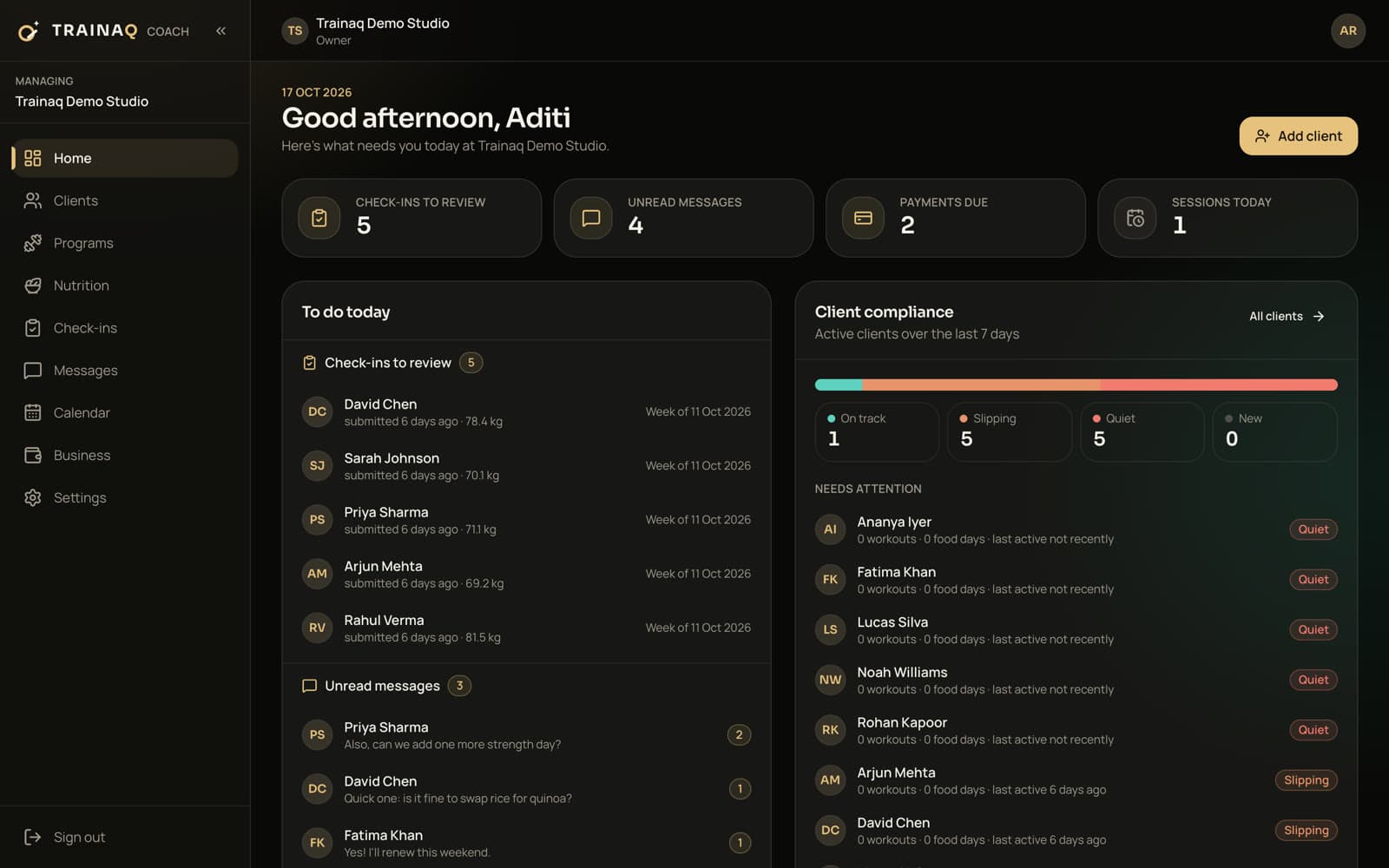
Trainaq is personal training software for trainers who coach in person, online or both: programs with exercise demos, 1:1 booking from your availability, check-ins, chat and payments. Your clients get a free app.
- Trainaq Coach · iPhone and Android
- Web dashboard
- Free Trainaq app for clients
Is Trainaq right for a personal trainer?
Yes, if you coach clients in person, online or both. Your 1:1 sessions, the programs between them, check-ins, chat and payments live in Trainaq Coach, and clients train, log meals and book sessions in the Trainaq app. It doesn’t run gym front-desk work such as door access.
- Starter covers up to 10 active clients, Pro up to 50 and Studio up to 200.
- Every plan starts with a 7-day free trial, and no card is needed.
- Clients use the free Trainaq app on iPhone and Android
- Record every payment; online payments run for businesses in India
Why trainers switch
Why do personal trainers outgrow WhatsApp and spreadsheets?
Because the work spreads across too many places: sessions booked by message, programs sent as files nobody logs and payments kept in a notebook. You spend evenings chasing replies instead of coaching. One app for your clients, calendar and money gives you those evenings back and shows you who is on track.
Booking by message
“Can we do 7 tomorrow?” times twenty clients. Every change is another thread to answer.
Programs nobody logs
The plan for the days you aren’t there goes out as a file, and you never see if it happened.
Chasing payments
Who paid for this month, who owes for last month and whose sessions ran out live in your head.
A week with Trainaq
What does a week with Trainaq look like for a personal trainer?
You set your hours once and clients book 1:1 sessions in your open slots. You build programs for the days between sessions, clients train with demos and log every set, and on Sunday their check-ins arrive in one queue. Payments, sessions left and dues sit in the same app, so nothing needs a reminder message.
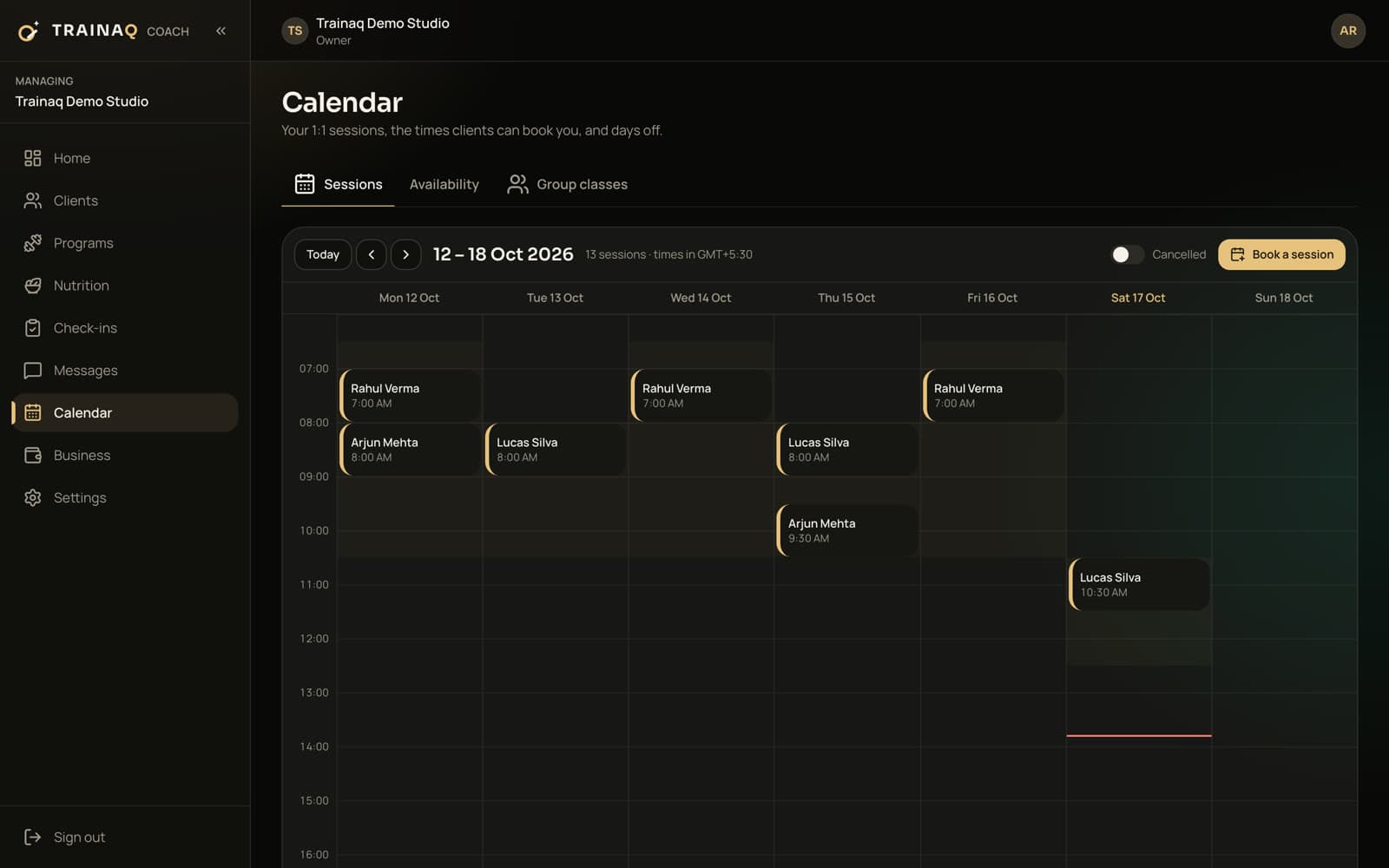
Clients book your open slots
Set your weekly hours, days off, notice and buffer. Clients book 1:1 sessions in their own time zone, with reminders 24 hours and 1 hour before.
- A Zoom or Meet link on online sessions, with a Join button
- Add to calendar on every 1:1 session
Program the days you aren’t there
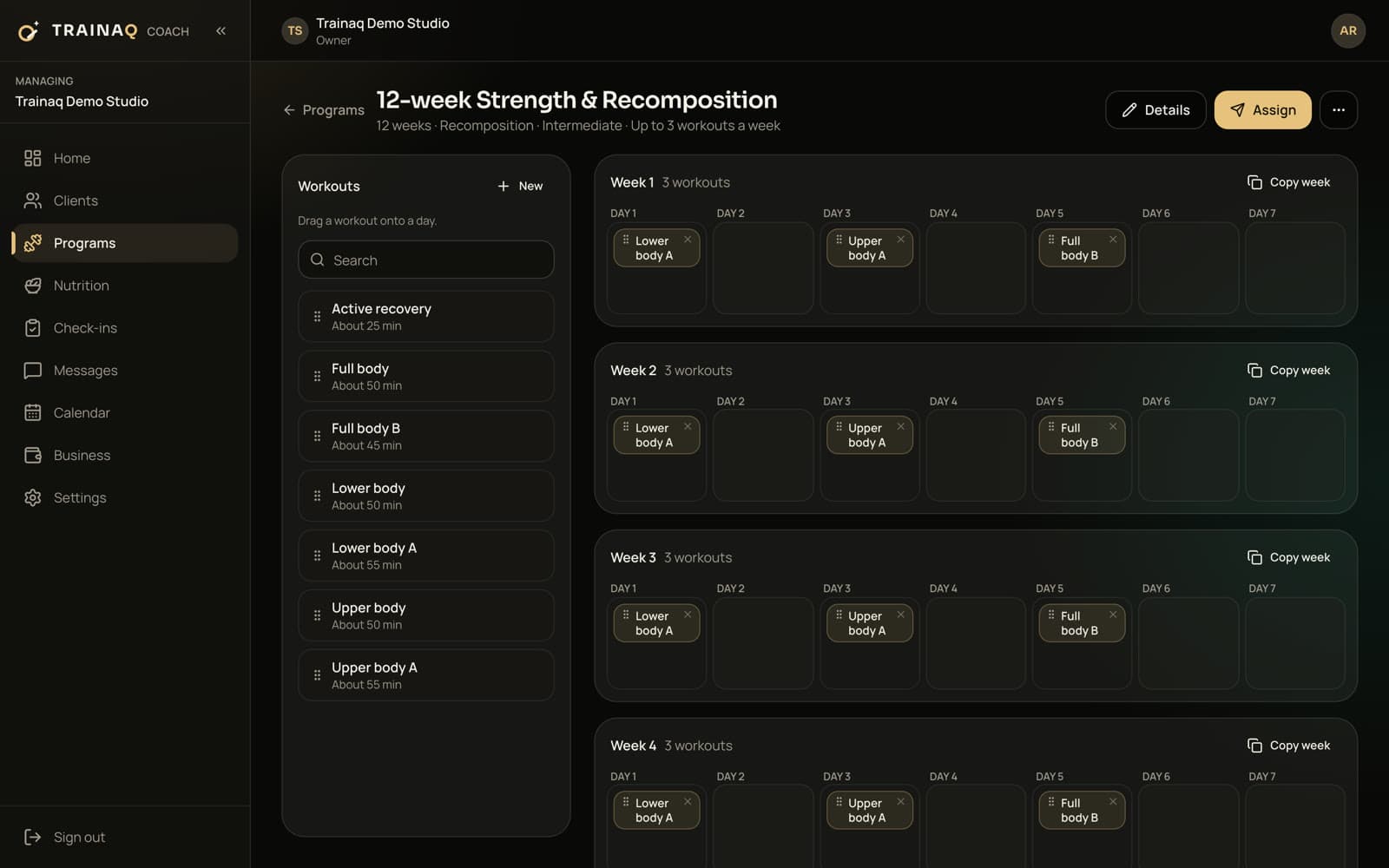
Build workouts from 450+ exercise demo videos or your own videos, lay them out across weeks and assign the program from a start date. Each client gets their own copy to tailor.
- Supersets and different weight or reps on any set
- Drag and drop weeks on the web dashboard
- Assign to up to 100 clients at once
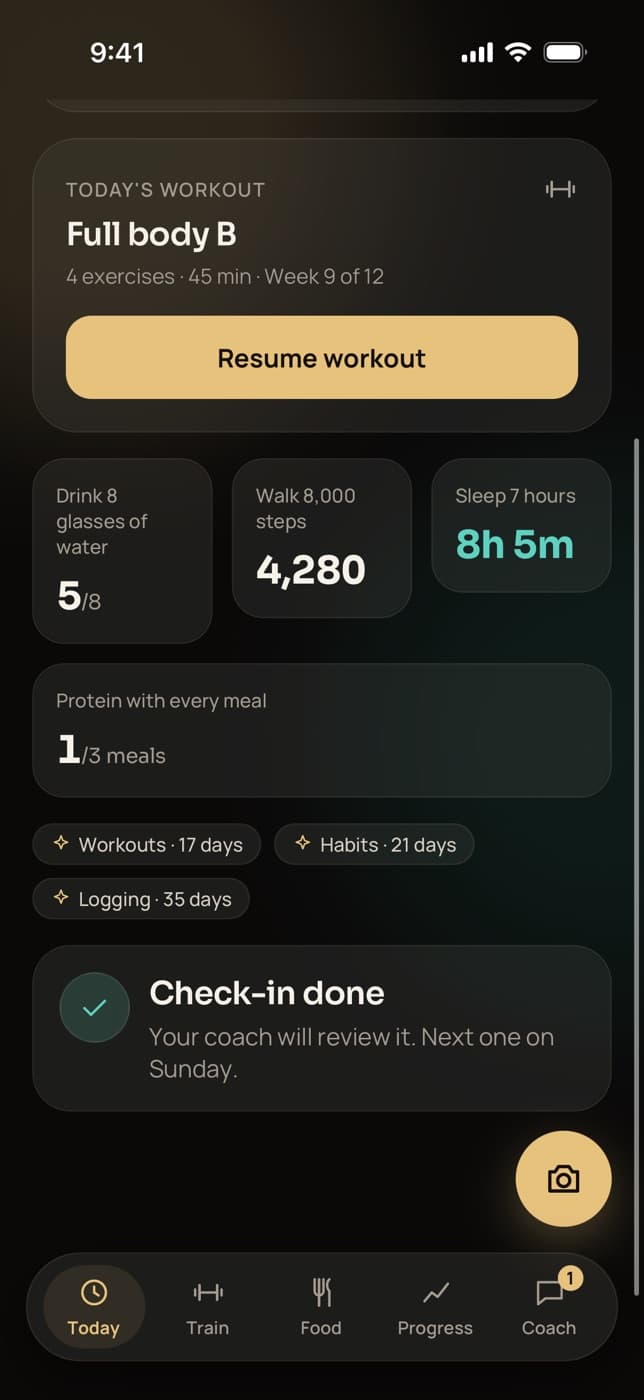
Clients train with demos and log every set
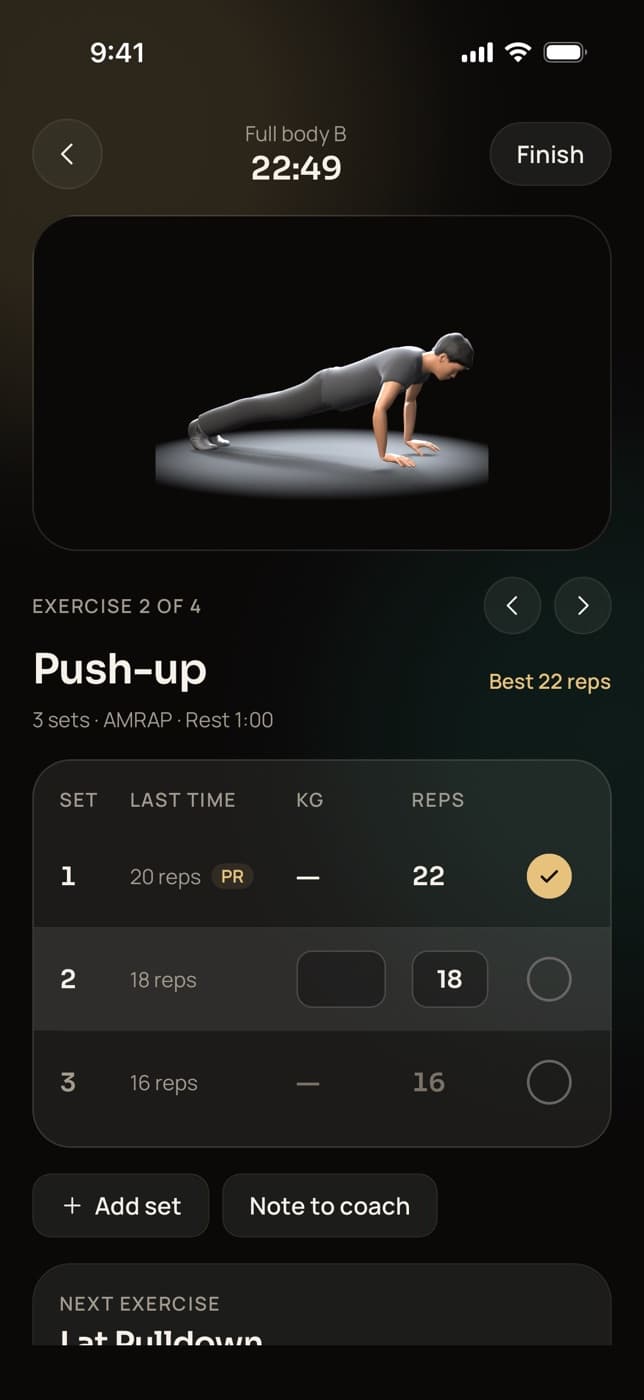
Between sessions clients follow the plan in the Trainaq app: the demo, last time’s numbers, a rest timer and a personal-record alert when they beat it.
- Sets save offline and sync later
- A note to you on any exercise
- Their PRs show up on your side too
Review the week in one queue
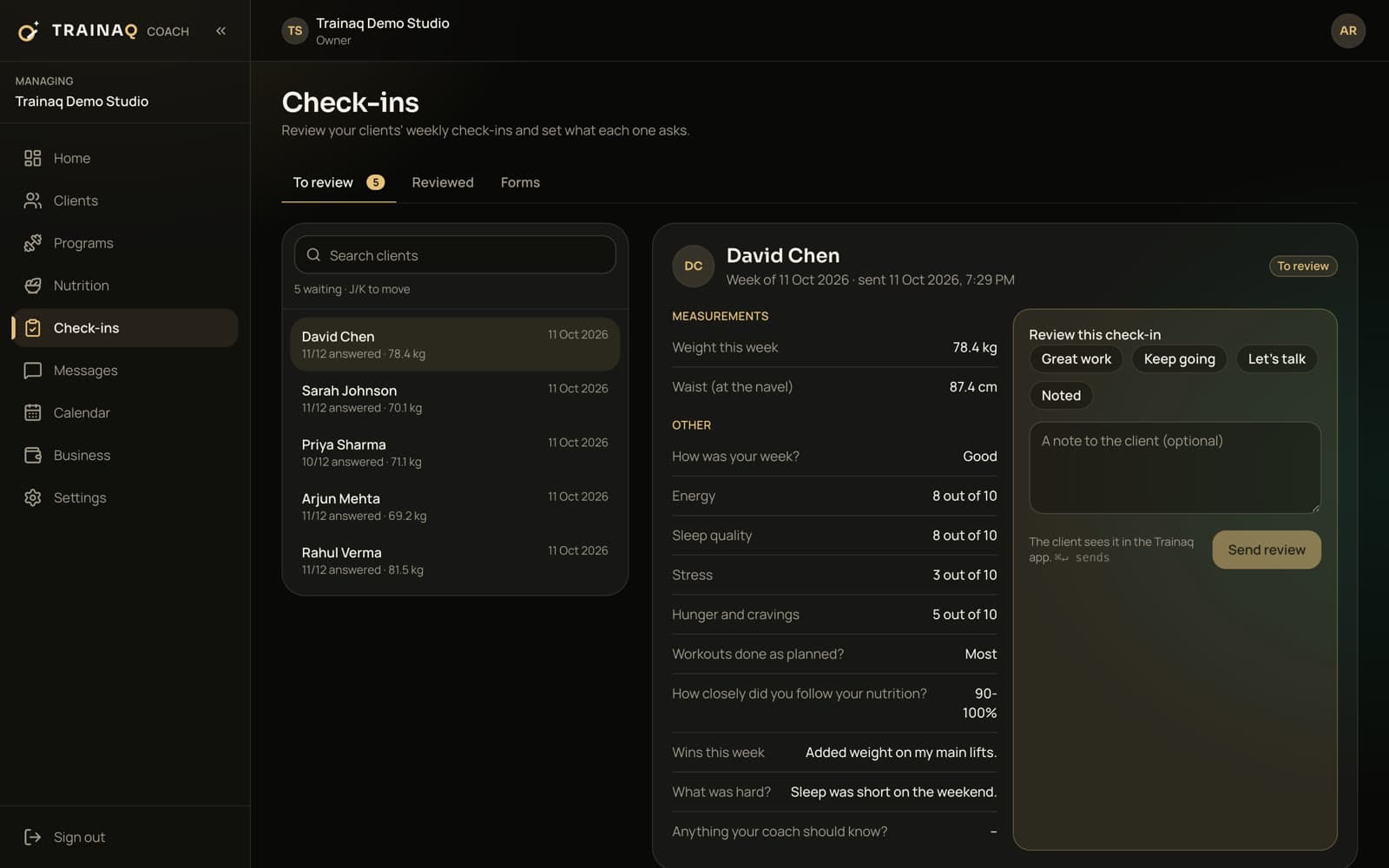
Weekly check-ins with measurements, answers and photos arrive in a review queue. React in one tap, add a note and move to the next client.
- A check-in form you set for each client
- Adherence over 7 and 28 days on every client
- Chat with voice notes, photos and video
Get paid without chasing
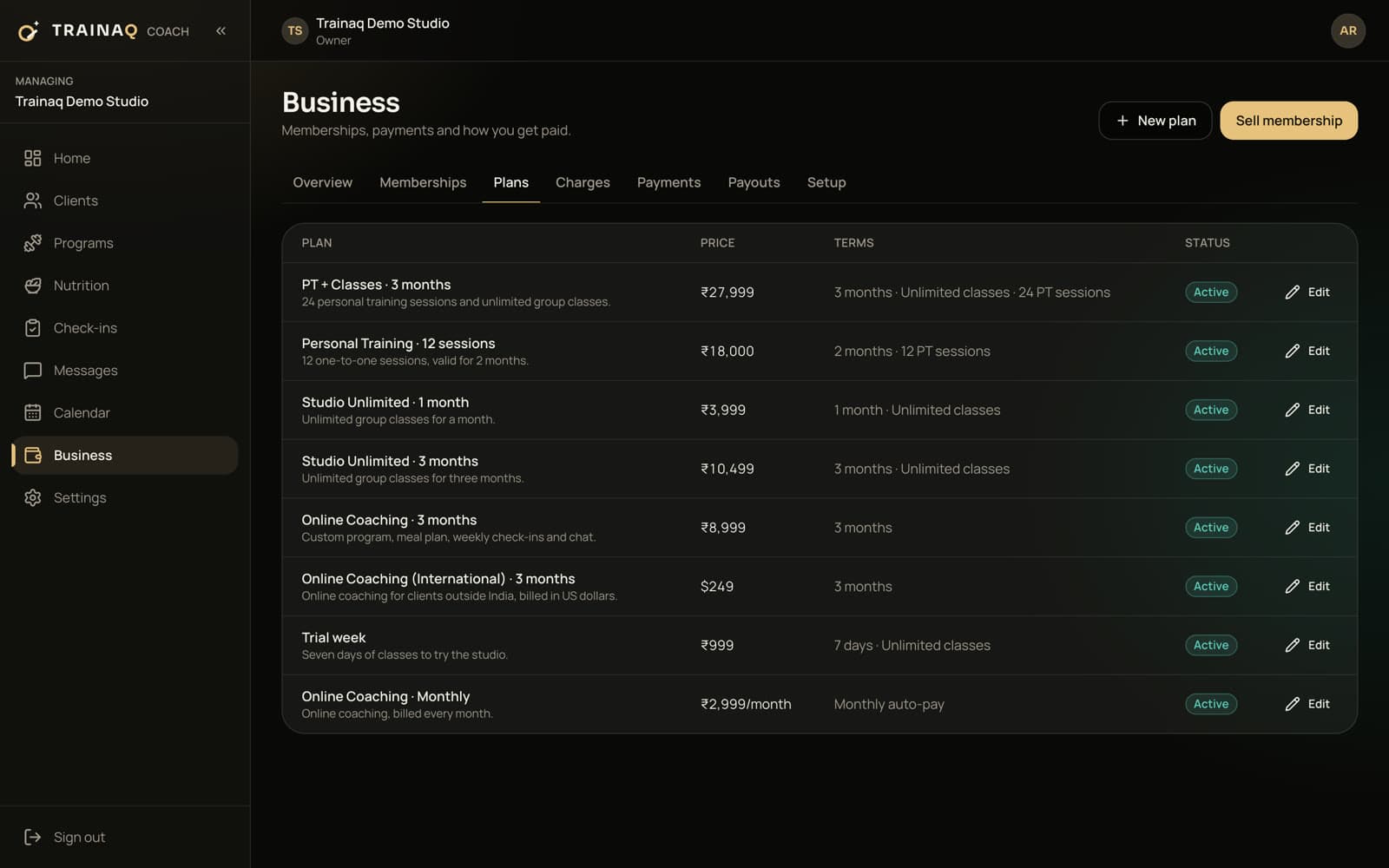
Sell memberships with a set number of PT sessions and record cash, bank transfers and part payments, with dues by date.
- Sessions left on every membership
- A receipt for every payment
What you use most
Which Trainaq features do personal trainers use most?
The workout builder and exercise library for the sessions in between, 1:1 booking for the sessions themselves, check-ins and progress tracking to show results, memberships with PT allowances to sell them, and chat to keep in touch. Each one works in Trainaq Coach and on the web dashboard, and shows up for the client in the Trainaq app.
Workout builder
Programs with supersets and set-by-set changes, assigned to many clients at once.
1:1 session booking
Clients book your open slots; reminders and add to calendar for every session.
Check-ins
Weekly forms with measurements and photos, reviewed in one queue.
Progress tracking
Weight, measurements, PRs and adherence for every client.
Memberships
PT session allowances and couple plans; freeze, extend, upgrade or transfer.
Online payments
Through Razorpay for businesses in India; record payments everywhere.
Payments
Can my clients pay me online?
Online client payments run for businesses in India today, through Razorpay. Outside India you sell memberships and record cash, bank transfers and other payments in Trainaq, with part payments and dues tracked for everyone; online payments for businesses outside India are coming soon. Your own plan is billed in US dollars.
Plans
Which Trainaq plan fits a personal trainer?
Plans differ by how many active clients you coach and how many coach accounts you need, so taking on a second trainer means moving up to a plan with more coach accounts. The coaching features on this page, 1:1 booking and payments are on every plan.
Most personal trainers start on Starter: $10 a month for up to 10 active clients, with 1 coach account + 1 assistant.
| Plan | Price | Active clients | Coach accounts |
|---|---|---|---|
| StarterFits most | $10 a month | Up to 10 | 1 coach account + 1 assistant |
| Pro | $20 a month | Up to 50 | 5 coach accounts |
| Studio | $59 a month | Up to 200 | 25 coach accounts |
Prices are in US dollars; taxes are added where applicable. Every plan starts with a 7-day free trial, and no card is needed. Every feature by plan →
Honest gaps
What doesn’t Trainaq do for personal trainers yet?
A few things trainers ask about are not built yet: RPE and tempo fields, timed circuits such as AMRAP or EMOM, a public profile page that takes enquiries, and importing clients from a spreadsheet. Booking a 1:1 on a client’s behalf works on the web dashboard, not yet in the coach app.
- Use the exercise note for RPE or tempo until the fields arrive
- Write “AMRAP” in the reps field for circuits
- Online payments for businesses outside India are coming soon
Getting started
How do I move my clients over to Trainaq?
Send each of your clients your invite link by WhatsApp, SMS or email. They install the free Trainaq app, fill in your intake form and land in your space with the plan you assign. There is no spreadsheet import yet, so you add clients one at a time, from Trainaq Coach or the web dashboard.
FAQ
Personal trainers FAQ
How many clients can I coach on Trainaq?
Starter covers up to 10 active clients, Pro up to 50 and Studio up to 200. Archived clients don’t count toward the limit, and if you reach it, only adding new clients is blocked; your existing clients keep their access. You can move to a bigger plan any time.
Do my clients pay for the app?
No. Clients download Trainaq for free on iPhone or Android and join with your invite link. You pay for your Trainaq plan; clients pay you for your training, as memberships or sessions. Only invited clients see your business, and each one sees only their own plan, chat and payments.
Can I train some clients in person and some online?
Yes. The same client list holds both. In-person clients book 1:1 sessions in your open slots and follow a program between them; online clients get the same programs, nutrition targets, check-ins and chat without sessions. A client can switch between the two without moving to another app.
Can clients book and cancel sessions themselves?
Yes. Clients book your open slots in the Trainaq app and cancel within your rules. Each booking takes a session from their membership allowance: a cancel in time gives it back, and a late cancel can still use it. You can move or cancel any session yourself.
Can I use Trainaq on a computer?
Yes. Trainaq Coach runs on iPhone and Android, and the web dashboard at app.trainaq.com has your clients, programs, nutrition, check-ins, messages, calendar and business pages. Many trainers build programs on the web and handle sessions and chat from their phone between clients.
Is there a free trial?
Yes. Every plan starts with a 7-day free trial and no card is needed, so you can invite real clients, build their programs and take bookings before you pay. If the trial ends without a plan, your business becomes read-only: nothing is deleted, and you can choose a plan any time.