Help and FAQ
Help with Trainaq, answered by topic.
Short answers to the questions coaches and clients ask most, from getting started and inviting clients to payments, GST invoices, plans and privacy. Each topic links to the page with the full answer, and support is a message away by email or WhatsApp.
- Trainaq Coach · iPhone and Android
- Web dashboard
- Free Trainaq app for clients
How do I get help with Trainaq?
Find your topic below: each one answers the questions coaches and clients ask most, briefly, and links to the page that covers them in full. Still stuck? Coaches can raise a ticket from Help and support in Trainaq Coach, and anyone can email support or send us a WhatsApp message.
- Email: support@trainaq.com
- WhatsApp, messages only (no calls): +91 90630 12387
- Support hours: Mon–Sat, 10:00 AM – 7:00 PM IST
- Coaches: Help and support, under More in Trainaq Coach
Getting started
How do you get started with Trainaq?
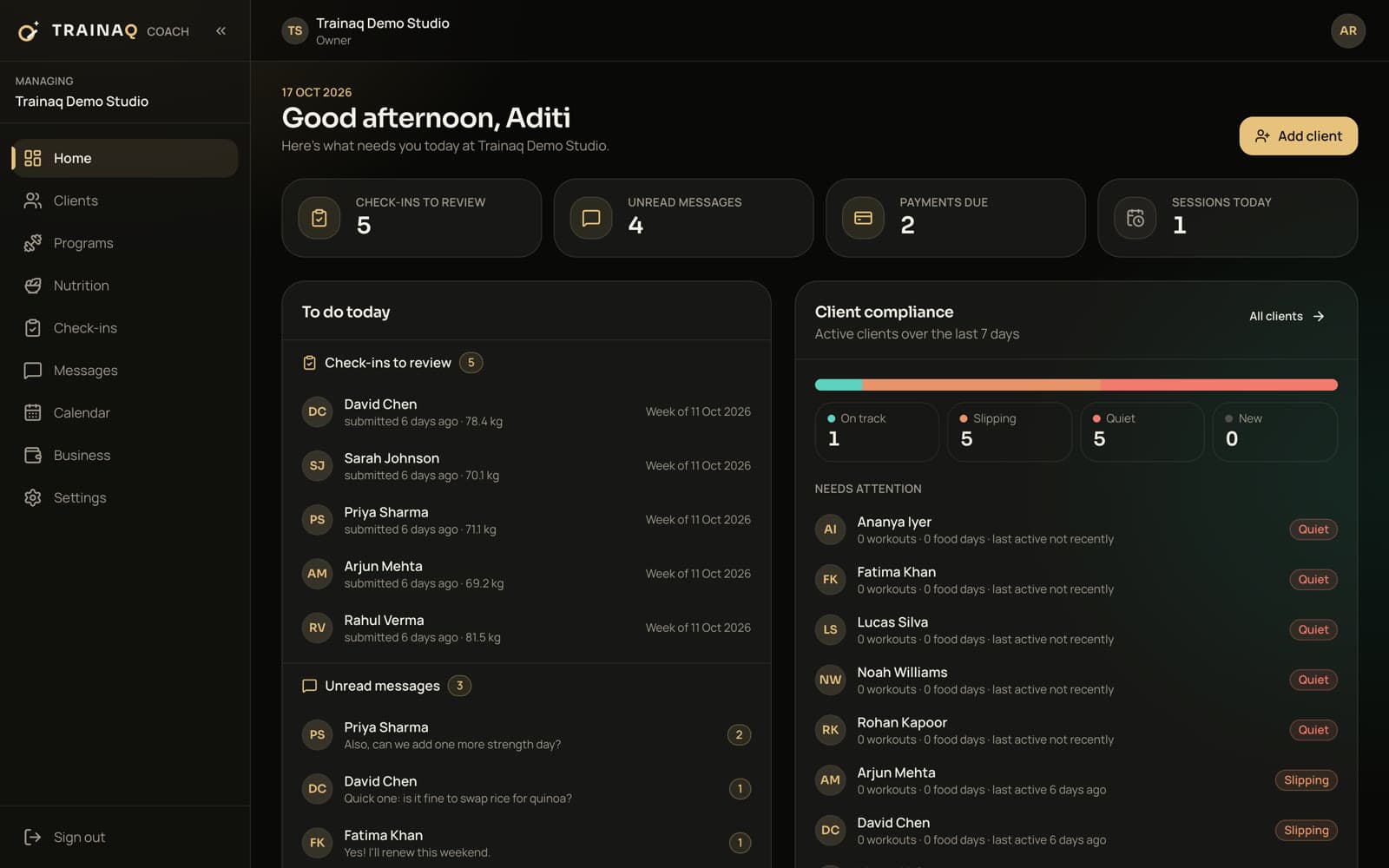
Create your coach account in Trainaq Coach on iPhone or Android, or on the web dashboard at app.trainaq.com, with your email, a code, your name, your business and a password. You start on a 7-day free trial, with no card needed. Then add your clients and send each one your invite link.
Is there a free trial?
Yes. Every new coach gets a 7-day free trial and can pick any plan during it, with no card needed. If it ends without a plan, the account turns read-only and nothing is deleted.
Which devices does Trainaq run on?
Trainaq Coach runs on iPhone and Android, and the web dashboard at app.trainaq.com runs in any browser, with the same account and data. Clients use the free Trainaq app on iPhone or Android.
How do I sign in?
With your email or mobile number and a password, or a one-time code sent to your email. Google sign-in, and Apple on iPhone, work once your account exists. There are no magic links.
Can I move my clients from another app?
Yes, by invite: send each client your link by WhatsApp, text or email, and they join in the free app. There is no spreadsheet import yet, so you add clients one at a time.
Clients and the client app
How do clients join and use the Trainaq app?
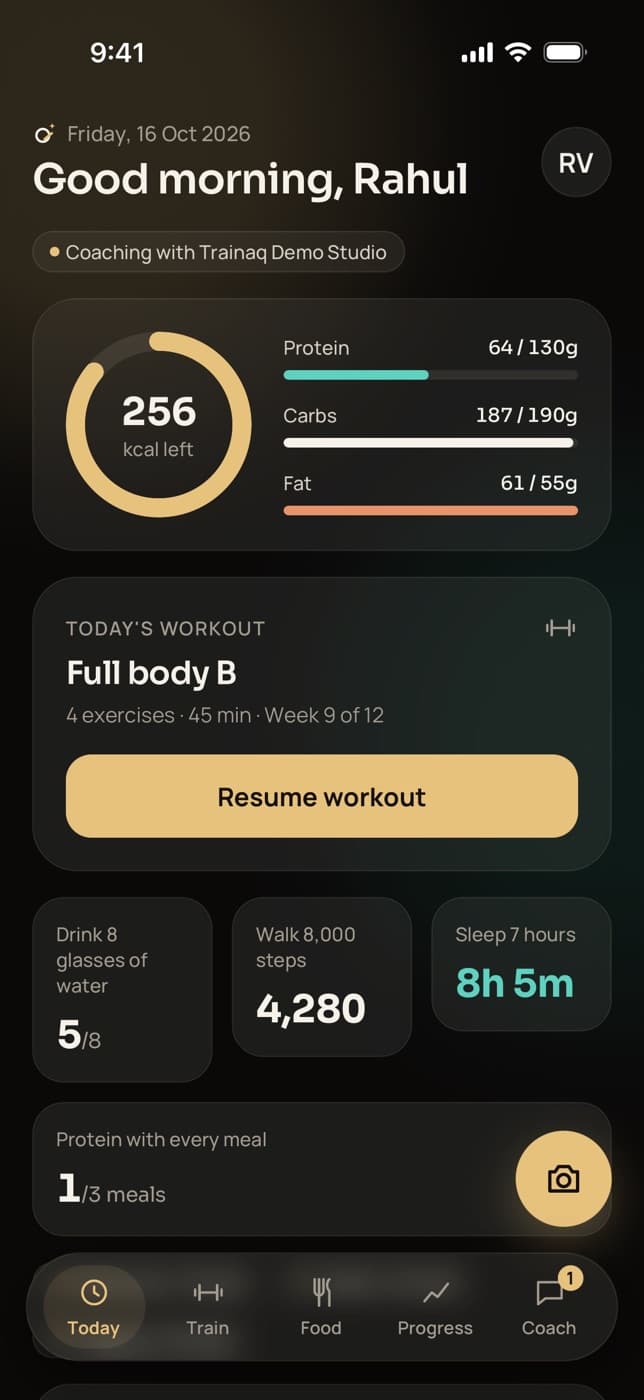
You add a client in Trainaq Coach or on the web and share their invite link. They install the free Trainaq app on iPhone or Android, open the link, sign in with a code sent to their email and confirm they are joining your business. The intake form opens next, then their Today screen.
Do clients pay for the app?
No. Trainaq is free for clients. You pay for your plan, priced by active clients and coach accounts, and clients pay only you, for your coaching, memberships or sessions.
Can someone join without a coach?
No. Clients join only through a coach’s invite link. Someone who installs the app without one is asked to get an invite from their coach.
Does the app work offline?
For logging, yes: sets, food entries and habit ticks save on the phone and sync when it reconnects. Chat, bookings, check-ins and payments need a connection.
Is there a web version for clients?
No. Clients use the app on their phone and open a page on trainaq.com only to pay you through a payment link. The web dashboard is for you and your team.
Programs and exercises
How do programs and exercise demos work?
You build workouts and multi-week programs in Trainaq Coach or on the web dashboard, from our exercise library with its own 3D demos or from your own exercises. Assigning a program gives each client their own copy, which they follow in the Trainaq app with the demo, last time’s numbers and a rest timer.
Can I use my own exercise videos?
Yes. Add your own exercise and upload a video (MP4 or MOV, up to 60 seconds and 50 MB) or paste a YouTube link. Your exercises sit beside the library’s demos.
If I edit a program, do clients on it get the change?
No. Each client has their own copy. To give them the new version, assign the updated program again from a start date; it replaces the one they had.
Can I track RPE or tempo?
Not yet. Sets track weight and reps, reps only, time, or distance and time. For now, write the target RPE or tempo in the exercise note.
Can AI write programs for me?
Yes, on the web dashboard, on Pro and Studio. AI drafts a program or a single workout from a client’s intake, using our exercise library, and nothing reaches the client until you review and assign it.
Nutrition
How does nutrition coaching work in Trainaq?
You set each client’s calories and macros, or build a meal plan with foods in grams or household measures such as a katori, which sets those targets for you. Clients log food in the Trainaq app by search, barcode or a meal photo, and you see each day’s log against their targets.
Is the assigned meal plan shown in the client app?
Not yet; that is coming soon. Today, assigning a meal plan sets the client’s calorie and macro targets, and the app shows the day’s totals against them.
Can AI count calories from a food photo?
Yes. AI names the dishes on the plate, Indian food such as dal, roti and rice included, estimates each portion and matches it to the food library. The client checks every item before it is logged.
Can I add my own foods?
Yes, with the serving, the calories, macros and fibre per 100 g or per serving, and household measures with their weight in grams. Your foods come first in your clients’ search.
Can AI draft a meal plan?
Yes, on the web dashboard, on Pro and Studio: a week of meals from our food library, with each day within 5% of the calories and macros you set. You review and edit it before you assign it.
Check-ins and progress
How do check-ins and progress tracking work?
Each client gets a weekly check-in on the weekday you choose, with your questions, their weight and front, side and back photos. You review check-ins in a queue and reply with a one-tap reaction or a note. A client’s progress page adds lifts, PRs, adherence, and steps and sleep from a connected health app.
Can each client have a different check-in form?
Yes. Every client starts with the default questions, and you can change any client’s form on its own, up to 30 questions, and pick the day it is due.
Do clients get reminded to check in?
Yes, with a push at 9 am on the due day if the check-in isn’t in, and a card on their Today and Progress screens until they send it.
Does Trainaq work with Apple Health and Health Connect?
Yes, on Pro and Studio. Clients connect them in the Trainaq app, and you see steps, sleep, resting heart rate and workouts on their progress. Samsung Health and Fitbit data come through Health Connect.
Can I compare progress photos side by side?
Not yet. Photos are grouped by day with their pose, so you can scroll back to the same pose from earlier weeks.
Classes and booking
How do clients book classes and 1:1 sessions?
In the Trainaq app. For 1:1 sessions, clients pick an open slot from your weekly availability, shown in their own time zone. For group classes, they book a seat that uses one class from their membership, or join a waitlist that fills on its own. Both get push reminders a day and an hour before.
Can I stop last-minute bookings?
Yes. Set a minimum notice of up to 48 hours, a buffer between sessions and a cancel notice that decides how late a client can cancel or move a session for free.
Do clients need a membership to book a class?
Yes. Each booking uses one class from an active membership, and an unlimited membership uses none. A client without one sees your membership plans in the app.
Can I run classes on Zoom or Google Meet?
Yes. Paste your own Zoom or Meet link on the class type, and booked clients see a Join button from 15 minutes before the start. Trainaq doesn’t create meetings for you.
Payments and invoices
How do clients pay you, and how are invoices made?
Businesses in India collect online through Razorpay: clients pay by UPI, card or netbanking, and monthly plans can renew by UPI AutoPay. Cash, bank transfers and UPI paid straight to you are recorded at the desk. Every payment issues its own GST invoice when GST is on, or a receipt when it is off.
Do I need my own Razorpay account?
No. Without one, payments go through Trainaq’s Razorpay account and your share is paid out to your bank account after the platform fee. Connect your own account instead and Trainaq takes no fee.
Is there a fee on online client payments?
Only on payments through Trainaq’s Razorpay account: a platform fee, the same on every plan, with Razorpay’s gateway charge inside it. The pricing page shows the fee with a worked example.
Do I need a GSTIN to use Trainaq?
No. With GST off, every payment gets a plain receipt. When you register, the owner switches GST on and adds the GSTIN and the rate you charge, and the next payment gets a tax invoice.
Can I take online payments outside India?
Not yet; that is coming soon. Meanwhile, price plans in US dollars and record cash, transfers and other payments, with part payments, dues and receipts tracked the same way.
Billing and plans
How do Trainaq plans and billing work?
Plans are priced by your active clients and coach accounts, and every new coach starts with a 7-day free trial, no card needed. The owner picks or changes the plan at trainaq.com/billing, which the Android app opens too. On iPhone, Trainaq Coach shows the plan’s status and usage, without prices.
Do the prices include GST?
No. Rupee prices exclude GST, which is added at checkout with a GST invoice. Dollar prices are in US dollars, with taxes added where applicable.
Can I cancel any time?
Yes. The owner cancels at trainaq.com/billing. The plan keeps working to the end of the paid period, then the account turns read-only and your data stays.
What counts as an active client?
A client who currently has access to your coaching. Archived clients don’t count, and at the limit your existing clients are never locked out.
What happens if a renewal payment fails?
Your plan keeps working through a grace period. If the renewal is still unpaid after that, the account turns read-only with all your data kept until you pay.
Team
How does a team work in Trainaq?
The owner invites team members by link and sets a lead coach for each client; the owner or the lead coach adds others to the client’s Team on the web dashboard. Each person sees the clients they lead or are on the Team of, while billing, payouts, GST and the Trainaq plan stay with the owner.
Which plans include team roles?
The coach role and lead coaches are on Pro and Studio, and each plan includes a set number of coach accounts.
What can an assistant do?
Work with the clients whose Team they are on, and use the shared library: they see those clients’ programs, check-ins and chat. Assistants have no billing, calendar or attendance.
Can coaches see payments?
Coaches see the memberships, payments and dues of the clients they lead. Payouts, fee invoices, payment setup, GST settings, write-offs and refunds are for the owner only.
What happens when a trainer leaves?
The owner removes them on the web dashboard and sets a new lead coach for each of their clients. Exercises, programs and client records stay with the business.
Privacy and data
Who can see your data, and how do you delete it?
Only the coaching business a client joined sees their data: the owner sees every client, and the team sees the clients they lead or are added to. Progress photos are private, and meal photos reach the AI only after the client agrees. Coaches and clients can delete their account in the app, or by email.
How do clients delete their account?
In the app: More, then Delete account, type DELETE and confirm. Logs, photos, messages and health data are deleted; payment and invoice records stay, with the name removed, as tax law requires.
Is a meal photo stored?
No. The photo goes to the AI only to read the meal, with no name, email or phone, and isn’t kept. Clients agree before the first one and can withdraw consent in the app.
Can I download my data?
Not yet. Trainaq has no data export for coaches or clients today.
Privacy policy
How personal, health and payment data is handled for coaches and their clients, under India’s DPDP Act and the GDPR.
Support
How do you contact Trainaq support?
Coaches can raise a ticket from Help and support in Trainaq Coach, with screenshots, and get the reply as a push. Anyone can email support@trainaq.com or send a WhatsApp message to +91 90630 12387; that number takes messages only, not calls. Support hours are Mon–Sat, 10:00 AM – 7:00 PM IST.
- Email: support@trainaq.com
- WhatsApp, messages only (no calls): +91 90630 12387
- Hours: Mon–Sat, 10:00 AM – 7:00 PM IST
- In Trainaq Coach: More, then Help and support, for a ticket with up to five screenshots
- Questions about personal data: our grievance officer, listed on the contact page
FAQ
Help and FAQ FAQ
What if my question isn’t answered here?
Open the page linked from your topic: each feature, product and pricing page ends with its own questions and answers. If you still can’t find it, email support@trainaq.com or send a WhatsApp message to +91 90630 12387, and say which screen or app you were using.
When does support reply?
During support hours, Mon–Sat, 10:00 AM – 7:00 PM IST, whether you write by email, by WhatsApp message or in a ticket from Trainaq Coach. Ticket replies arrive as a push and stay in the ticket’s thread. Plans with priority support put your tickets at the front of the queue; the pricing page lists those plans.
Can my clients contact Trainaq support?
Yes, for the app itself. Clients should ask you about their plan, sessions or payments, because your business runs those. For a problem with the Trainaq app or their account, they can email support or send a WhatsApp message, and the delete-account page explains how deletion works.
Where can I see what is coming soon?
On the features page, which lists what is coming soon apart from what is built, and on each feature page, which says what it doesn’t do yet. This help page answers only for what works today, and it changes when a feature ships, so the answers above stay true.