Personal trainer website builder
Build your personal trainer website, free for 7 days.
Answer five questions and Trainaq drafts your personal trainer website from your real packages, sessions and location. Choose the Persona theme or one of seven others, edit it, and publish to yourname.trainaq.app. Free for 7 days with no card; then a paid add-on, or included in Studio.
Already on Trainaq? Open Website in your dashboard →
- 7-day free trial, no card
- Free yourname.trainaq.app address
- Web dashboard · Website
Can I build a personal trainer website for free?
Yes, for 7 days: the website builder has a free 7-day trial, no card, once per business. After that it is $10 a month or $110 a year on Starter and Pro, or included in Studio. It is not free forever. It works with a Trainaq plan, because your site is built from your packages and sessions.
- Free for 7 days, no card; then paid
- AI writes the first draft from your answers and your packages
- Enquiries go to Leads on Pro and Studio, or to your email on Starter
- Your own domain with HTTPS once you subscribe
The checklist
What should a personal trainer website have?
Who you train and where, what you offer with clear prices, how to start, your story and qualifications, real photos, answers to the usual questions and an easy way to get in touch. Each part below is a section of your Trainaq site, and most of them fill themselves from your Trainaq data.
Who you train, and where
A headline and a line under it, drafted from your answers: your clients, your city, your style.
Packages with prices
Your Trainaq packages, from 12 sessions to monthly coaching, with the prices you set.
A clear first step
Enquire, Start now or Book a trial: each opens your form with the right choice made.
Your story and credentials
An about section with your photo, your story and highlights such as your certification.
How you coach
Three to six short points on your method, drafted by AI from what makes you different.
Real photos
Your own training photos; stock photos hold the space until you add them.
Answers to common questions
A short FAQ drafted from your answers, which you edit to sound like you.
Contact and location
An enquiry form, WhatsApp, call and email buttons, and your address with a map link.
How it works
How do you build a personal trainer website in Trainaq?
Sign up or open Website in your dashboard, choose your free address and answer five questions about your training. Switch on the plans to show and add a few photos. AI writes the first draft, you pick a theme and edit any words, then publish. Your address starts working within 10–20 minutes.
Answer five questions
Choose “Personal trainer”, then say what makes you different, who your clients are, the tone you want and your main goal, such as more enquiries for one-to-one sessions.
- Your business name, logo, phone and location are read from Trainaq
- Your free name is chosen once: yourname.trainaq.app
Pick packages and photos
Switch on “Show on website” for the plans you want visitors to see, for example 12 sessions, a monthly plan or online coaching. Add three to ten photos of you training clients, or skip this for now.
- Prices come from Trainaq, so they are always the ones you charge
- Mark one package as featured, so it stands out
Review the draft and choose a theme
AI writes your headline, story, method, FAQ and page titles from your answers, never inventing numbers or reviews. Then you see all 8 themes with your own content in them.
- Persona puts your photo and name first, for a personal brand
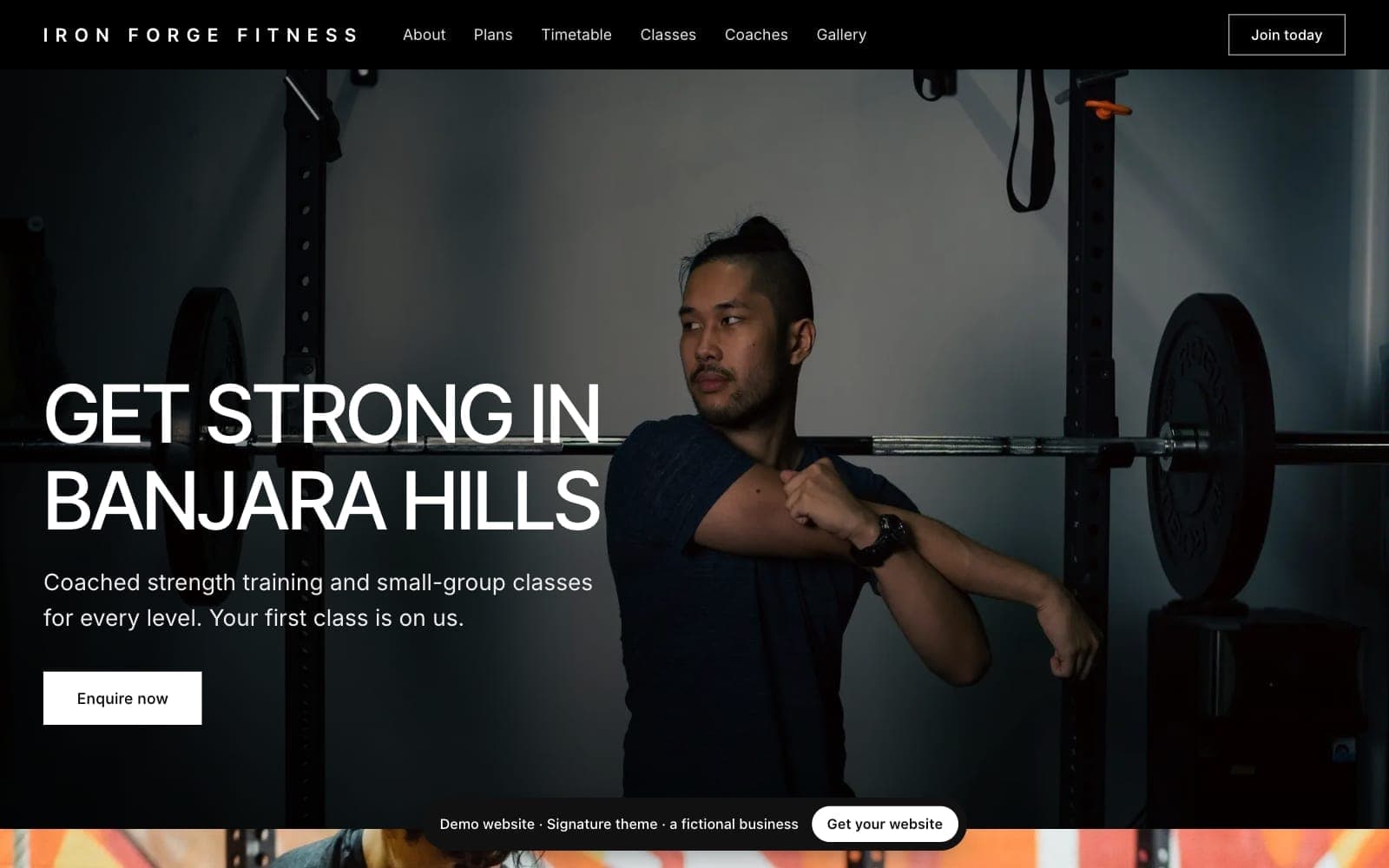
- Signature suits a personal training studio with a team
Edit and publish
Change any section with a live preview beside it, ask AI to rewrite one field, then publish. Share the link on Instagram and WhatsApp, and put it in your bio.
- Autosave, and the last 20 published versions kept
- Your trainaq.com/c/ link forwards to the new site
Themes for personal trainers
Which themes suit a personal trainer website?
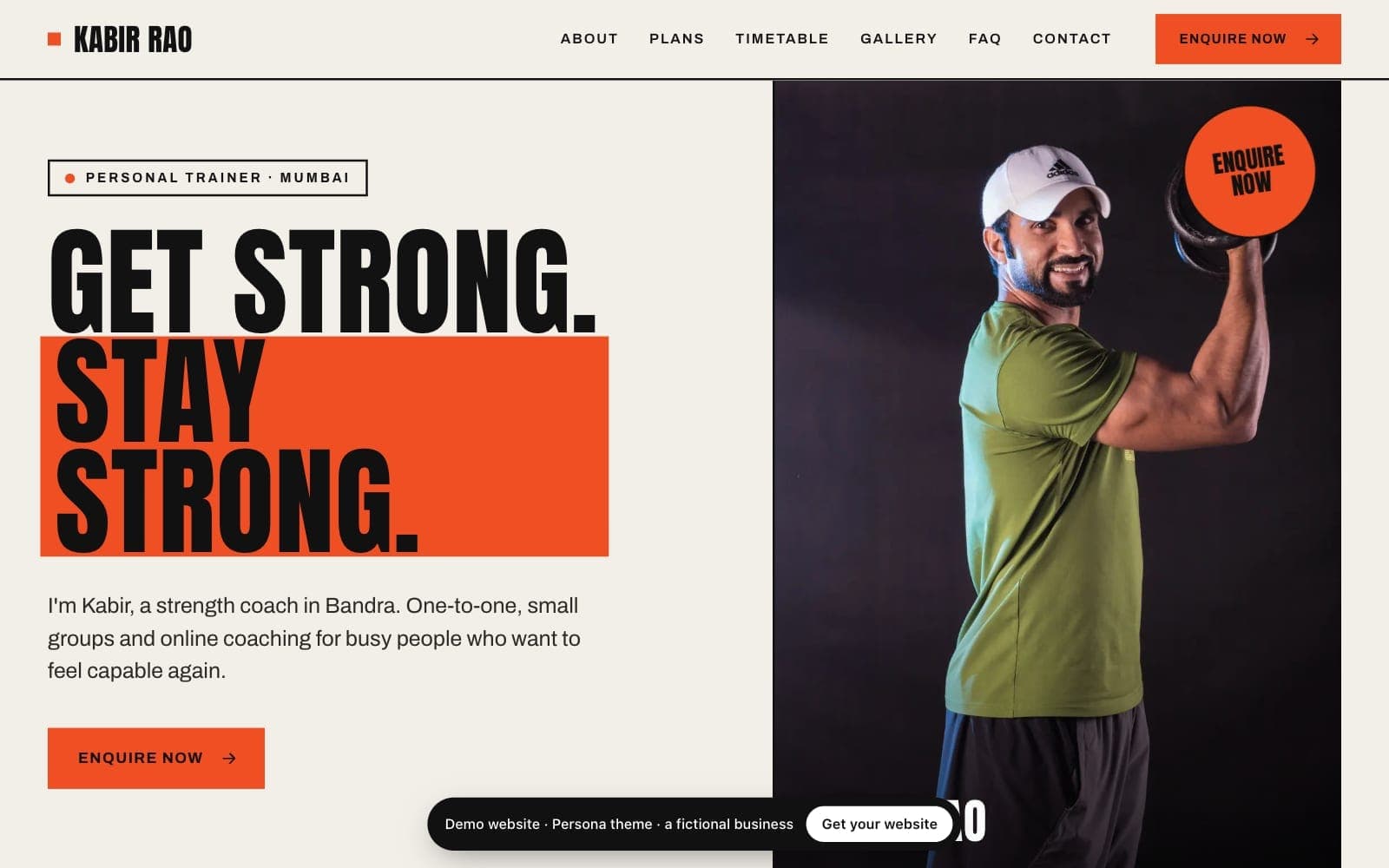
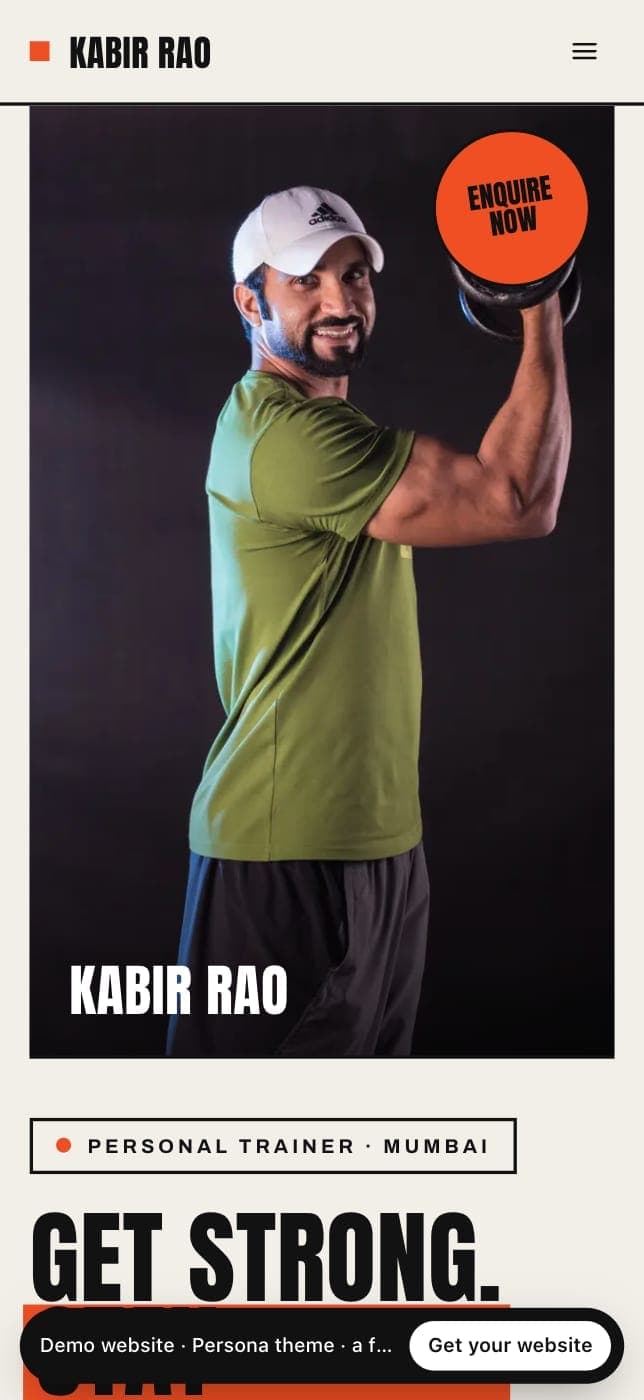
Persona is made for personal trainers: your photo and name first, bold poster type and your colour in solid blocks. Signature suits a studio with a team, Ascent trainers who coach mostly online and Rhythm small-group classes. Switch themes at any time: your words stay as they are.
Persona
Personal trainersYour photo and story first, on warm paper, with bold poster type and your colour in solid blocks.
View live demo of Persona (opens in a new tab)Signature
Premium gyms and personal training studiosLarge photos, white panels and uppercase headlines. Monochrome, with your colour as the accent.
View live demo of Signature (opens in a new tab)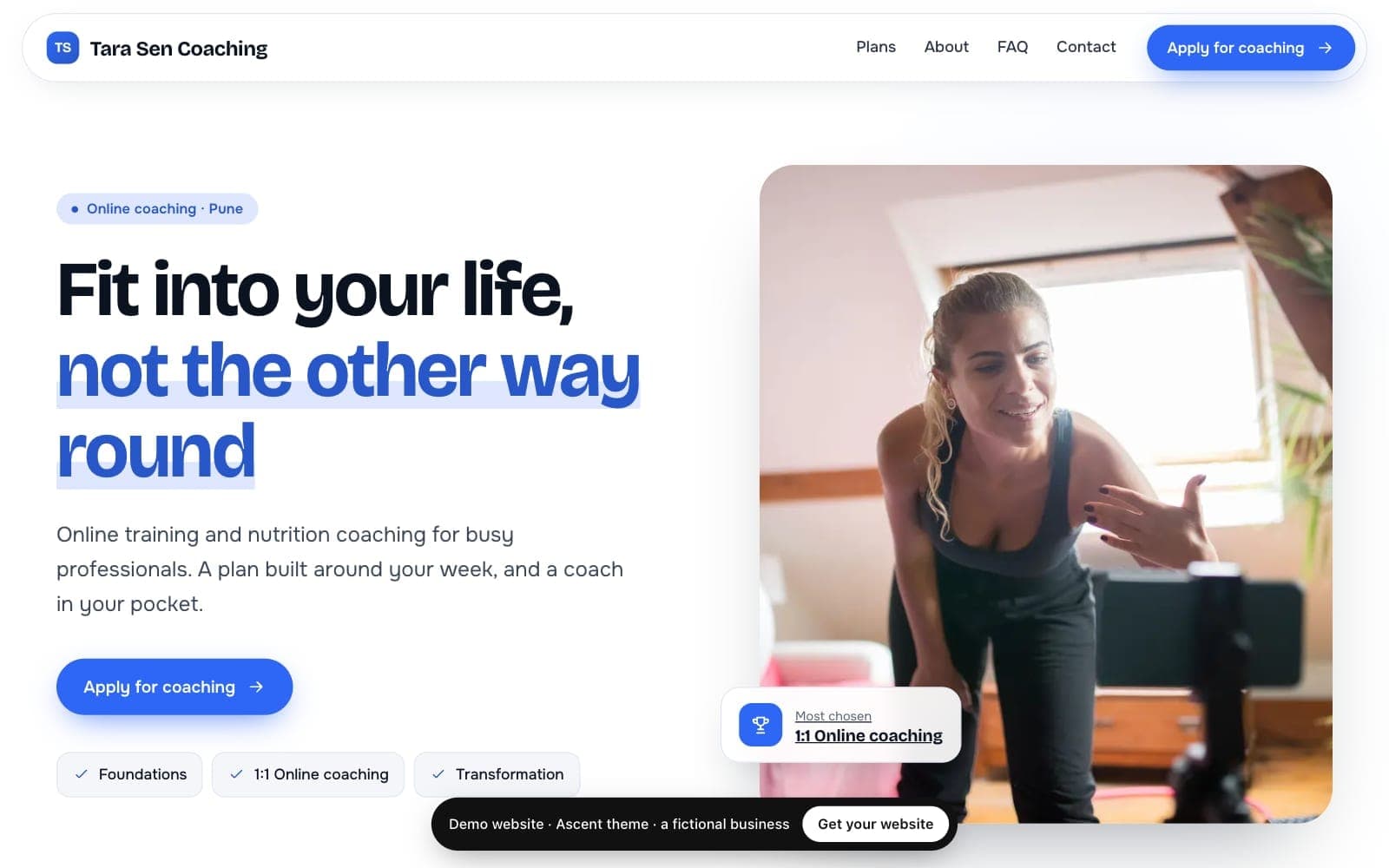
Ascent
Online coachesCrisp white and cool grey with rounded cards: your coaching plans and an Apply for coaching form.
View live demo of Ascent (opens in a new tab)Online coach websites →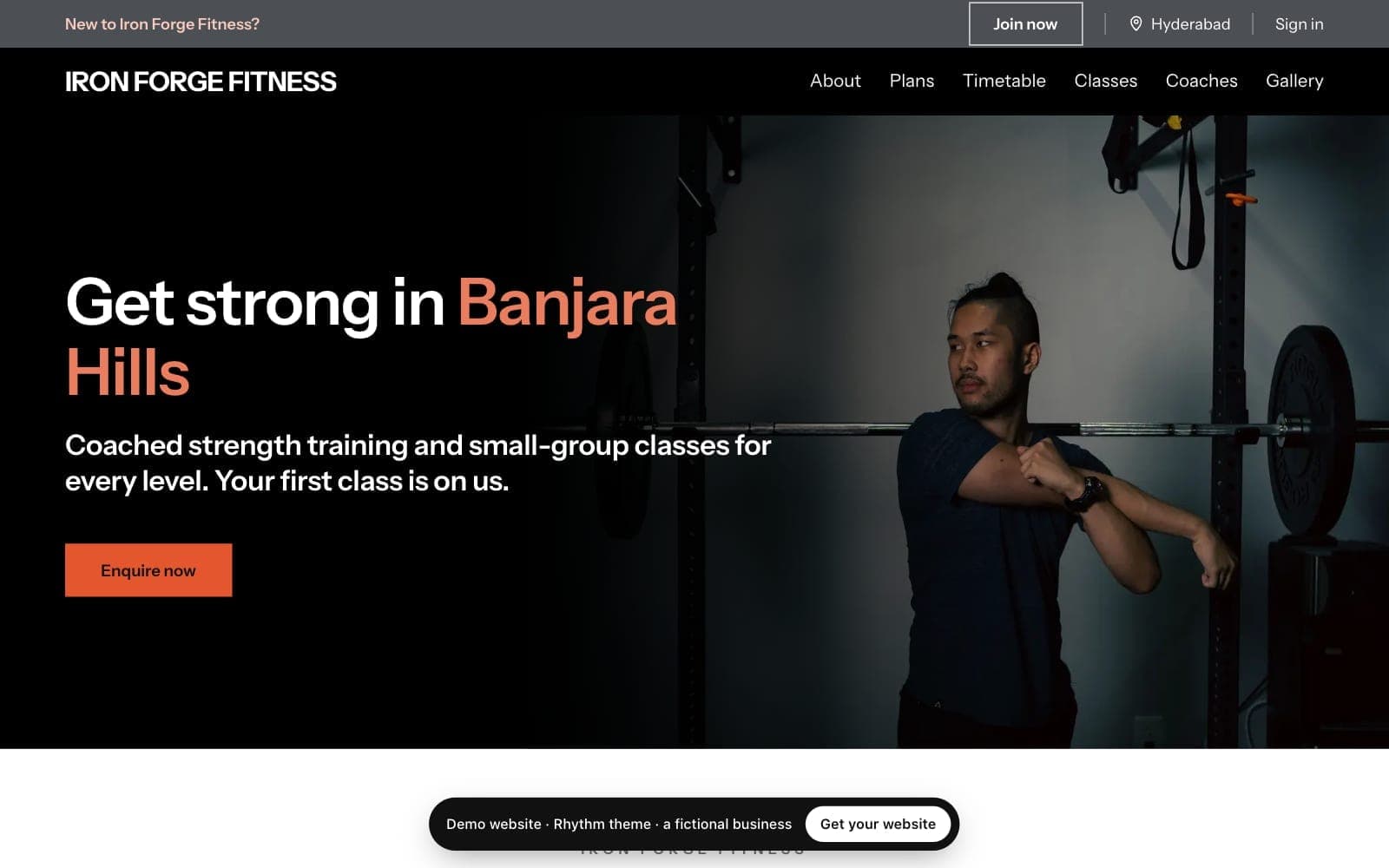
Rhythm
Class-led studios: cycling, boxing, dance, small groupsA black hero with your colour on the key words, then white sections with thick rules and class cards.
View live demo of Rhythm (opens in a new tab)
Getting found
How do clients find your personal trainer website?
Mostly through links you share and through search. Put your address in your Instagram bio and WhatsApp messages, and print it on flyers. For search, every site has fast pages, page titles, a sitemap and structured data for your location, and you can add your Google Search Console code in Settings.
- One link for everything: packages, timetable, story and the enquiry form
- Structured data tells search engines your business type and address
- Results shows visits, button clicks and enquiries by day, without cookies
- Your own domain, such as yourname.com, once you subscribe
Enquiries
What happens when clients enquire on your website?
Every site has an enquiry form with a spam check. On Pro and Studio each enquiry lands in Leads with a follow-up reminder; on Starter it is emailed to you. Join and Book a trial open the same form with that plan or the trial chosen, so you reply, then send a payment link from Trainaq.
- Pro and Studio: the enquiry becomes a lead with its source, the plan they chose and a follow-up
- Starter: an email with their name, phone, email, interest and message
- WhatsApp, call and email buttons on every plan, using your business phone and email
- Your existing clients book sessions and classes in the Trainaq app, which the site links to
- A spam check, a hidden trap field and limits per network, so you get people, not bots
Link in bio or a website?
Is a website better than a link-in-bio page for a personal trainer?
A link-in-bio page is a list of buttons. A website explains who you train, shows your packages and prices, answers the usual questions and takes enquiries in one place. A Trainaq site does both jobs: put its address in your bio, and every visitor lands on the full picture, ready to enquire.
- Packages and prices that match what you charge, kept up to date by Trainaq
- An enquiry form that turns a visit into a lead with a follow-up
- A page search engines can find, unlike a list of links
Price
How much does a website for personal trainers cost on Trainaq?
It is included in Studio, and an add-on on Starter and Pro at $10 a month or $110 a year. You can try it free for 7 days first, with no card. It works with a Trainaq plan, because the site is built from your Trainaq packages, classes and locations.
Included in Studio
The website, your own domain and every theme come with the plan.
An add-on on Starter and Pro
$10 a month or $110 a year, billed with your plan, monthly or yearly.
7-day free trial
No card, once per business, even on your Trainaq trial. When it ends nothing is deleted.
Your address and domain
A free yourname.trainaq.app from day one; your own domain with HTTPS once you subscribe.
Not yet: taking payments or bookings on the site itself (Join and Book open your enquiry form, and you send a payment link from Trainaq), a shop, a blog on your site, more than one language, and free-form page layouts.
FAQ
Personal trainer website FAQ
Is the personal trainer website really free?
For 7 days, yes: no card and nothing to cancel, once per business. After that it is $10 a month or $110 a year on Starter and Pro, or included in Studio. If you do not subscribe, your site shows a holding page and nothing is deleted, so you can come back to it later.
Do I need to buy a domain name?
No. Every site gets a free address like yourname.trainaq.app, with HTTPS, from the first publish. If you already own a domain, or want one, you can connect it once you subscribe: the Domains tab shows the DNS records to add, and the free address then forwards to your domain.
Can clients book sessions or pay on my website?
Not on the site. Book a trial and Start now open your enquiry form with that choice made; you reply and send a payment link from Trainaq. Your existing clients book their sessions in the Trainaq app from your availability, and the site’s client login button takes them there.
How long does it take to build?
The setup is your address, five questions, a few photos and switching on your plans, and the first draft arrives within a minute. Editing is up to you. After your first publish, your free address starts working within 10–20 minutes, and later changes show as soon as you publish them.
I already have a website. Can I move to Trainaq?
Yes. Build your Trainaq site on its free address first, then connect the domain your old site uses once you subscribe, and visitors arrive at the new one. Your words and photos are not copied across automatically: paste the parts you want to keep, or let the AI draft start you off.