Pilates studio software in India
Run your Pilates studio’s classes and privates, and coach every client in between.
Trainaq is Pilates studio software for studios in India that coach their clients: small classes with waitlists, privates from each instructor’s hours, memberships with session counts, home programs with exercise demos, and UPI payments with GST invoices. Your clients get a free app.
- Trainaq Coach · iPhone and Android
- Web dashboard
- Free Trainaq app for clients
Is Trainaq right for a Pilates studio?
Yes, if your studio coaches its clients between sessions as well as teaching them. Trainaq runs small classes, privates, duets and the memberships that count them, and adds home programs, check-ins and chat for the days in between. It doesn’t book a particular reformer or run front-desk work such as biometric check-in.
- Group classes and waitlists on Pro and Studio
- Pro covers up to 50 active clients and 5 coach accounts, Studio up to 200 and 25 coach accounts
- Every plan starts with a 7-day free trial, and no card is needed.
- UPI, cards and netbanking through Razorpay, with GST invoices
Why studios switch
Why does Pilates studio management outgrow WhatsApp and a spreadsheet?
Because a Pilates studio runs on small, exact numbers. A class has six or twelve places, each client has a count of sessions left, and each instructor keeps a diary of privates. A group chat can’t hold a seat limit, a spreadsheet only knows what someone typed in, and nobody sees what clients do between sessions.
The last place, taken twice
Two clients claim the last place in the evening class by message. When someone drops out an hour before, the client who wanted in never hears.
Session counts in a register
Who has 3 of her 10 classes left, and does the couple share one pool? The answer is only as good as the last update by hand.
Privates on every instructor’s phone
Each instructor books privates in their own diary, so you can’t see who teaches whom or which hours are still free.
Homework nobody does
Exercises for home go out as a voice note or a video link, and you never find out whether the client did them.
A week with Trainaq
What does a week at a Pilates studio look like with Trainaq?
New clients join with an intake form and buy a membership with a set number of sessions. They book classes and privates in the Trainaq app, the waitlist fills cancelled places, and instructors mark attendance. Between sessions clients follow the home program you set, and payments, sessions left and renewals sit on each membership.
New clients join with your intake form
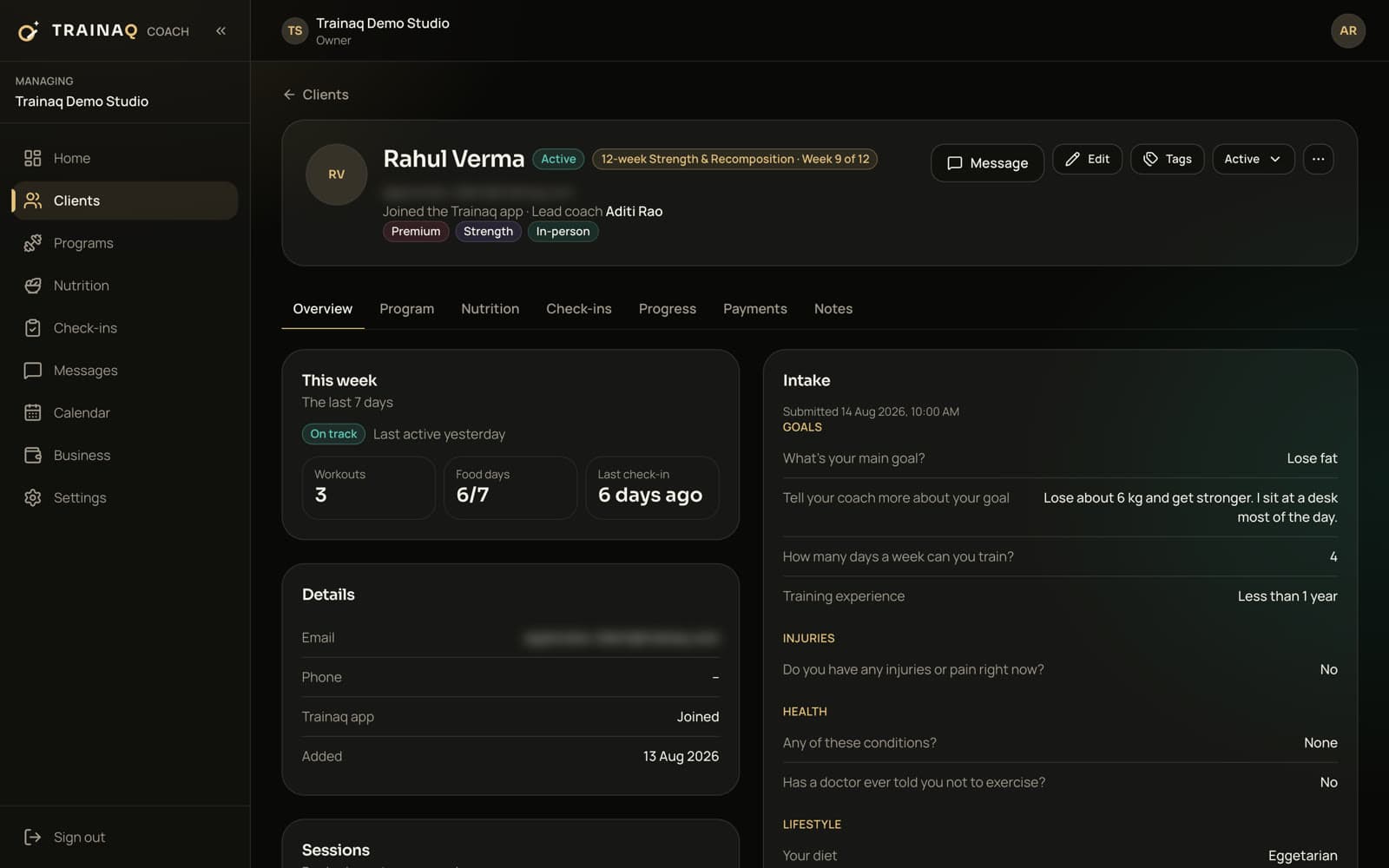
Send each new client your invite link on WhatsApp or by email. They install the free Trainaq app and answer your intake form on goals, injuries and health before their first session, and you choose the instructor who leads them.
- Add your own questions, such as recent injuries or surgery
- Starting measurements and photos, if you ask for them
Sell memberships with session counts
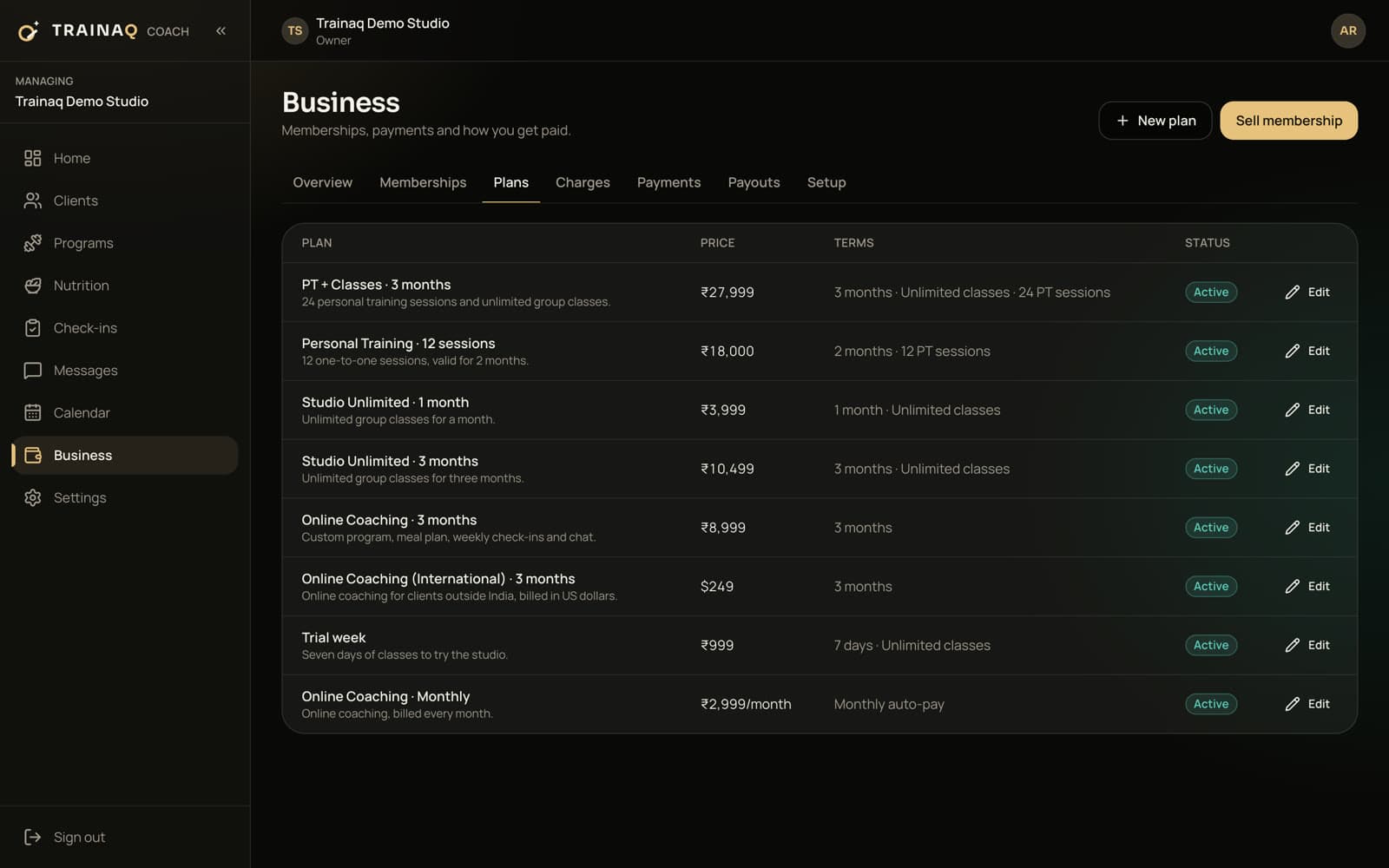
Set up what your studio sells: 8 classes a month on UPI AutoPay, a 10-class membership over two months, unlimited classes or a block of privates. Class and private allowances can sit on the same plan, priced in rupees.
- Couple plans: two clients, one payment, one shared pool
- An admission fee, charged once per client
- Discounts at sale, capped for instructors by the owner
Publish the class timetable
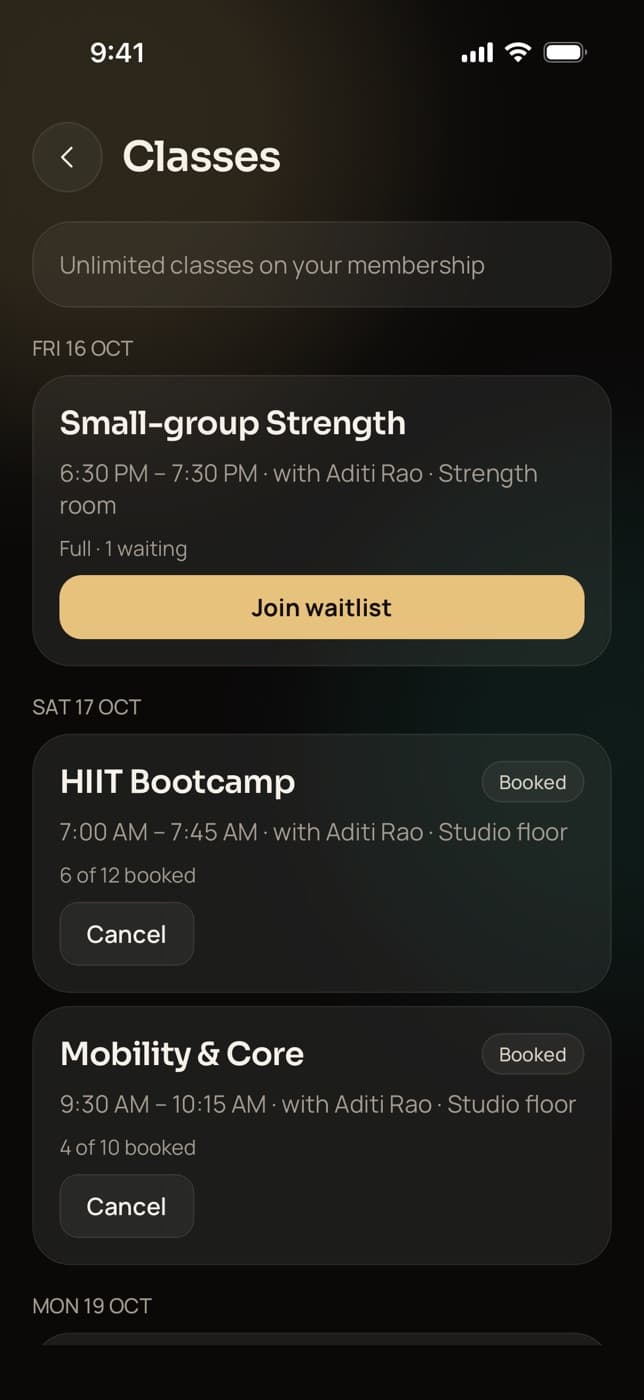
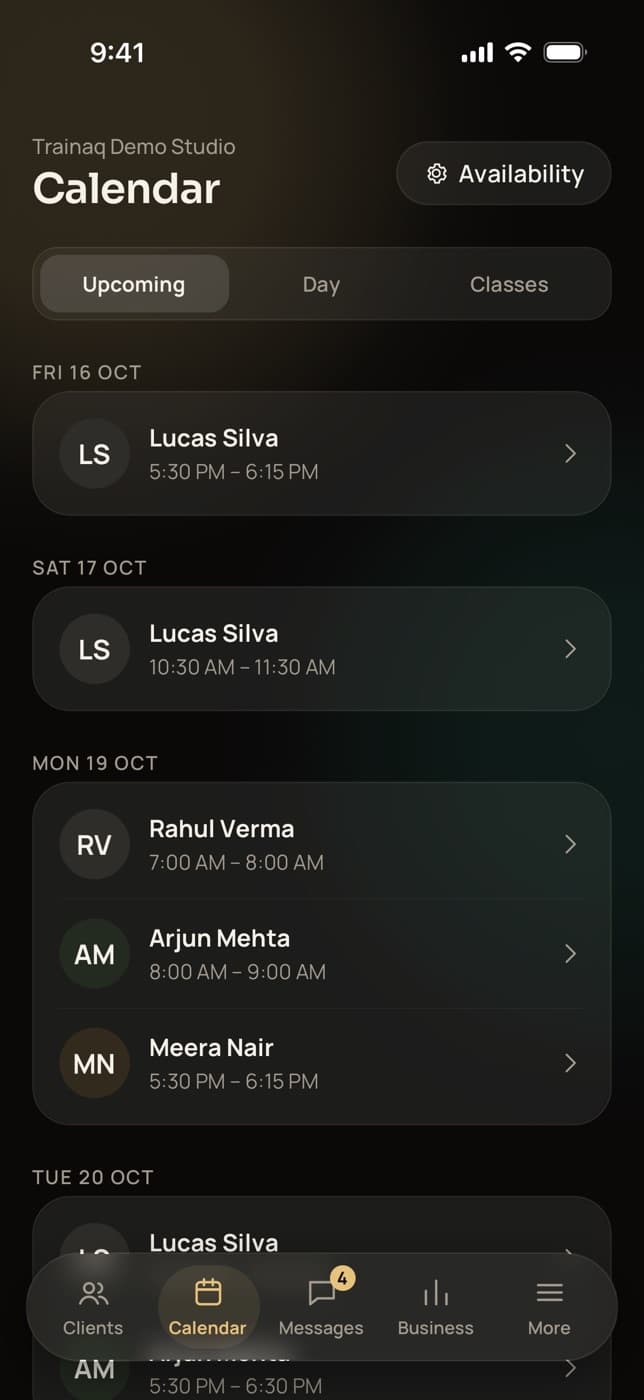
Create each class type with its length, instructor and a seat for each mat or reformer, then schedule it every week. Clients book from the app or join the waitlist when it is full.
- You choose when booking opens and when free cancellation ends
- A freed place goes to the next client on the waitlist, with a push
- Instructors mark here or no-show from an hour before the start
Privates and duets from each instructor’s hours
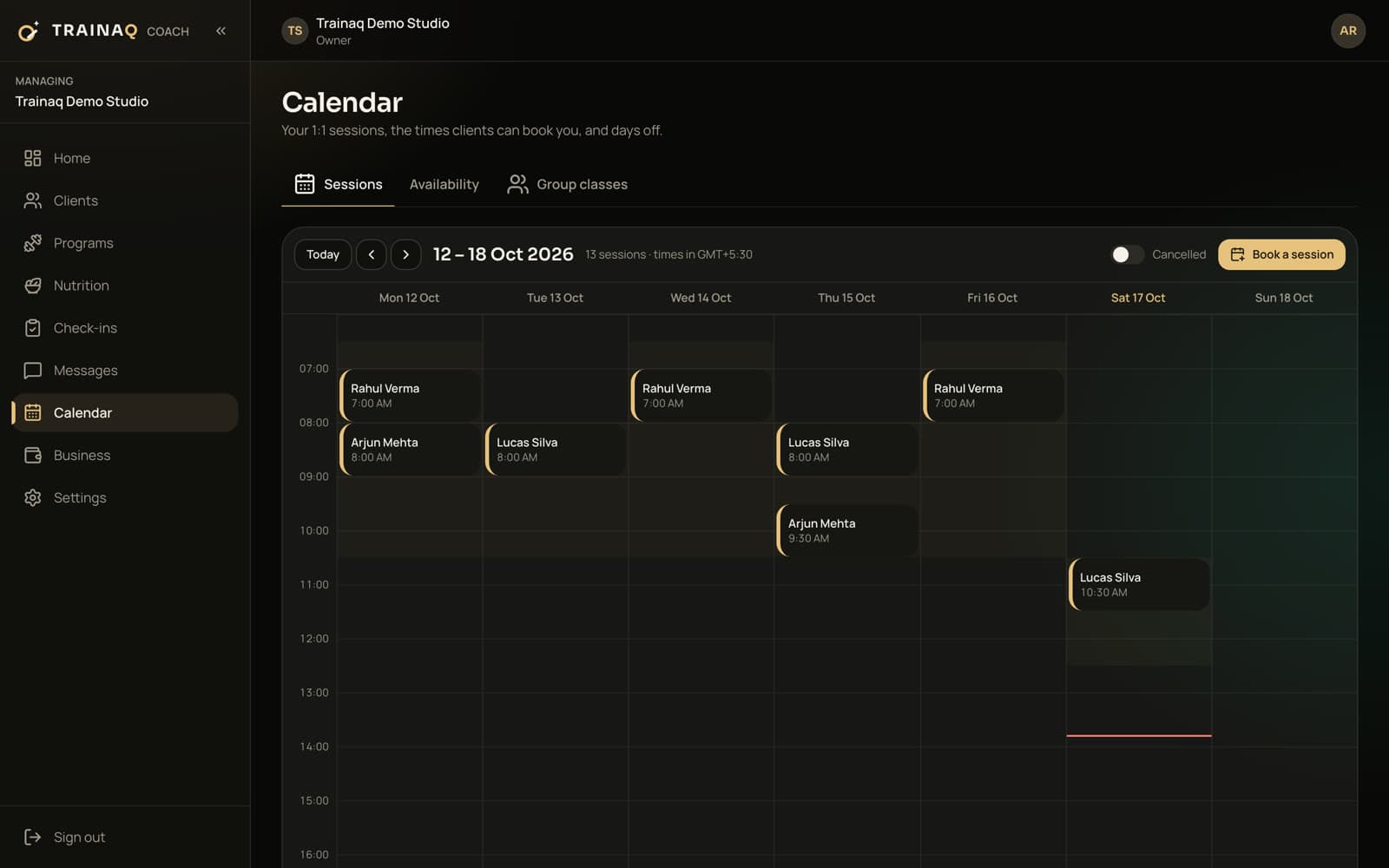
Each instructor sets their weekly hours, days off, notice, buffer and the session lengths they teach. Their clients book open slots in the Trainaq app, and each private comes out of the allowance on the client’s membership.
- A duet on a couple membership: “Book for both of us”, one session
- Reminders 24 hours and 1 hour before, and add to calendar
- Book a private for a client on the web dashboard
Programs for the days between sessions
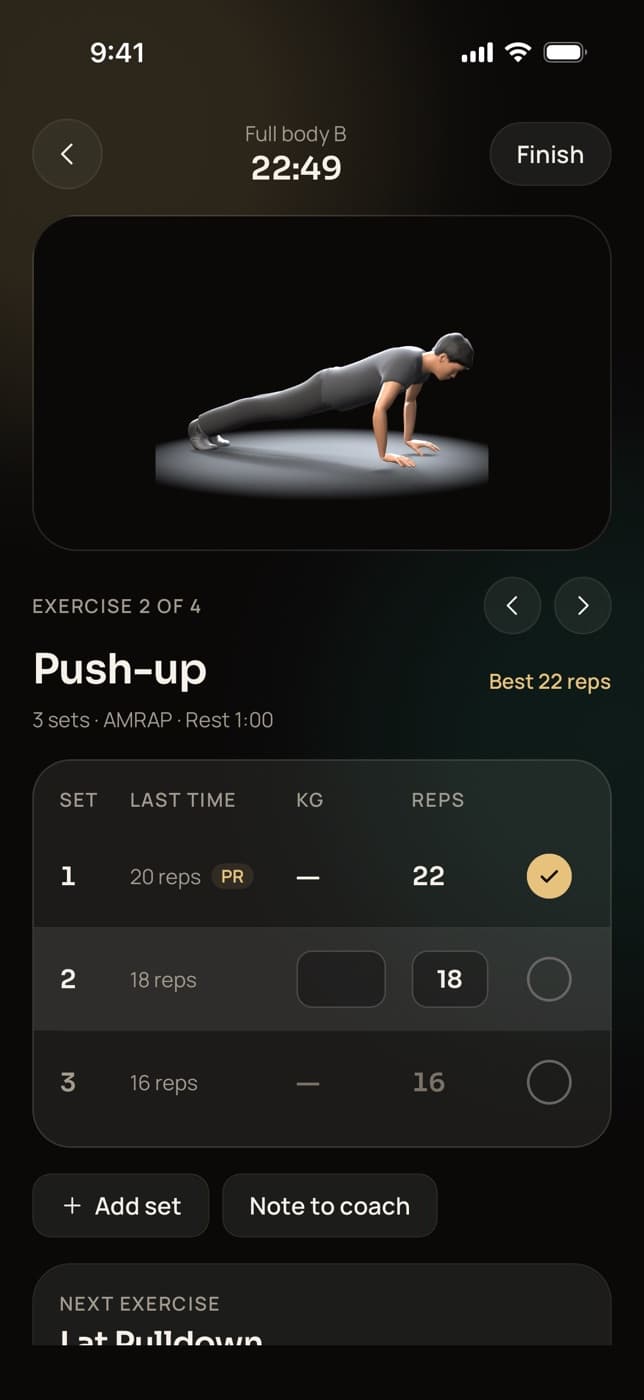
Build home programs from 450+ exercise demo videos, including mat work such as the Hundred, the Roll-Up, the Teaser and Swimming. Add reformer or chair exercises with a video you film. Clients follow each demo in the app and log what they did.
- Track a move by reps, or by time for holds
- Weekly check-ins with measurements and front, side and back photos
- AI drafts a program from the client’s intake on the web dashboard, on Pro and Studio, for you to edit
Plank Get paid and keep members coming back
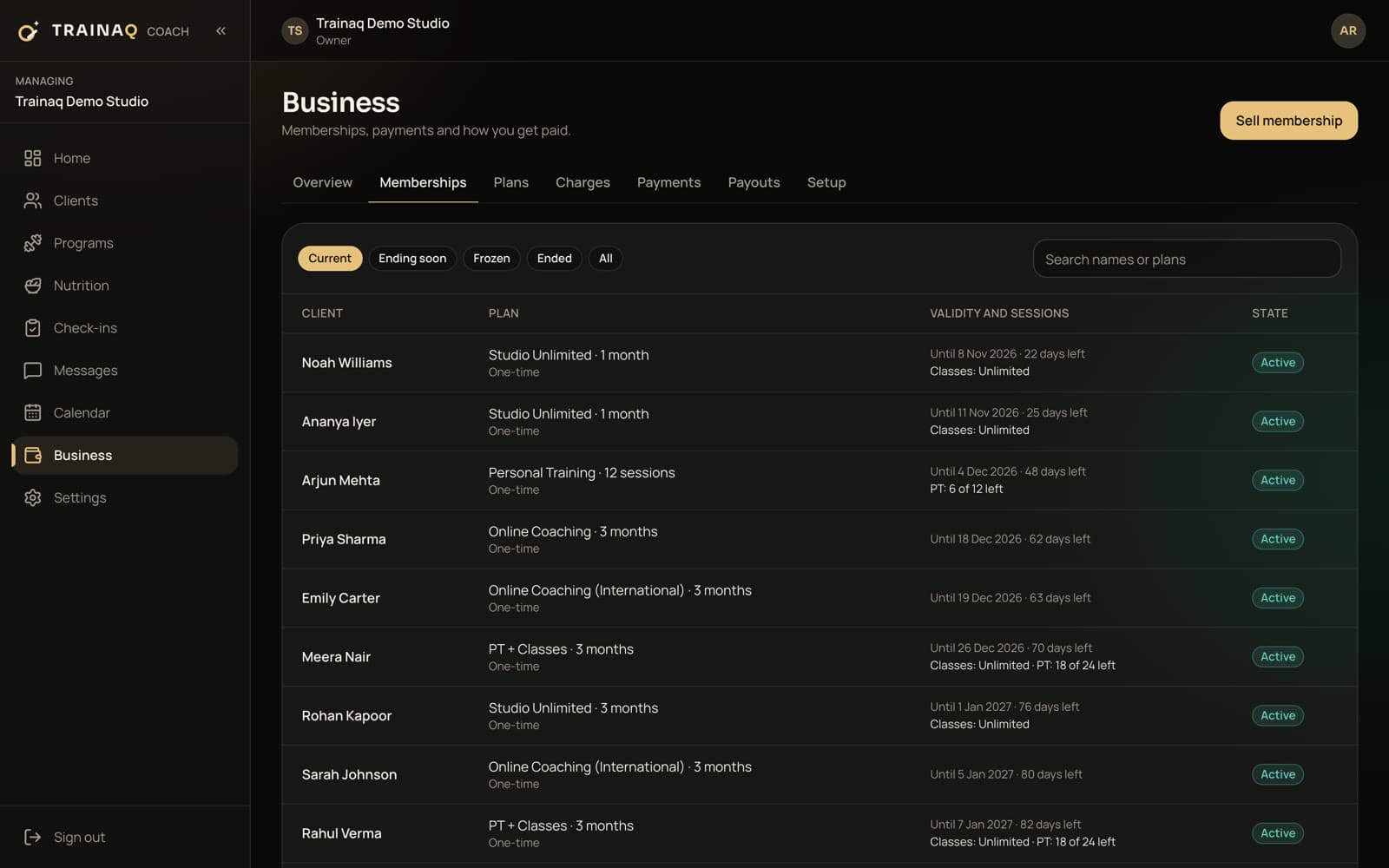
Clients pay from a payment link or in the app, and monthly plans renew on UPI AutoPay. They see their membership and sessions left in the Trainaq app, and you see whose membership ends soon.
- Renewal reminders to clients 7, 3 and 1 day before a membership ends
- Freezes for travel within your rules, and extensions
- Close the studio for a week and every membership freezes for those days
What you use most
Which Trainaq features do Pilates studios use most?
Group classes and 1:1 booking for the timetable and privates, memberships to sell session counts, coach accounts so every instructor has their own login, and the exercise library and check-ins for the work between sessions. Each one runs in Trainaq Coach and on the web dashboard, and shows up for clients in the free Trainaq app.
Group classes
Pro and StudioClass types, weekly series, seat limits, waitlists and attendance.
1:1 session booking
Privates from each instructor’s hours, and duets on couple plans.
Memberships
Class and private allowances, couple plans, freezes and extensions.
Team
Pro and StudioA coach account for each instructor, who sees the clients they lead.
Exercise library
Our own 3D demos, plus your own videos for equipment work.
Check-ins
Weekly forms with measurements and photos, reviewed in one queue.
Online payments
UPI, cards and netbanking through Razorpay, with UPI AutoPay.
Payments
Can my clients pay the studio online?
Your clients pay by UPI, card or netbanking through Razorpay, from a payment link or in the Trainaq app, with UPI AutoPay for monthly plans. Cash, UPI to your own account and part payments are recorded at the desk, dues are tracked, and every payment gets a receipt or a GST invoice with your GSTIN.
Plans
Which Trainaq plan fits a Pilates studio?
Plans differ by how many active clients you have and how many coach accounts your instructors need. Every member counts as a client unless archived. Group classes, and instructors as coaches on your team, are on Pro and Studio. Every plan starts with a 7-day free trial, and no card is needed.
Most Pilates studios start on Pro: ₹999 + GST a month for up to 50 active clients, with 5 coach accounts.
| Plan | Price | Active clients | Coach accounts |
|---|---|---|---|
| Starter | ₹499 + GST a month | Up to 10 | 1 coach account + 1 assistant |
| ProFits most | ₹999 + GST a month | Up to 50 | 5 coach accounts |
| Studio | ₹2,499 + GST a month | Up to 200 | 25 coach accounts |
GST (18%) is added at checkout. Every plan starts with a 7-day free trial, and no card is needed. Every feature by plan →
In India
Built for Pilates studios in India
- UPI, cards and AutoPayClients pay through Razorpay, and monthly plans renew on UPI AutoPay or a card mandate.
- GST invoicesAn invoice or receipt for every payment, CGST and SGST or IGST by the client’s state.
- Invites over WhatsAppSend each client their invite link on WhatsApp in one tap.
- Cash and UPI at the deskRecord payments made at the studio, with a reference such as the UPI transaction ID and dues by date.
Honest gaps
What doesn’t Trainaq do for a Pilates studio yet?
Trainaq can’t book a particular reformer or chair, and has no public timetable page or member self check-in. Reminders and calendar files for group classes, and moving a class to a new time, are not built yet. A duet needs a couple membership.
- To move a class, cancel it (every booked client gets their session back) and schedule a new one
- Sell an intro or drop-in class as a short membership with one class
- Multiple branches and reports per trainer are coming soon on Studio
- Clients abroad pay by international card where the Razorpay account accepts it
Trainaq or StudioFly
Should a Pilates studio use Trainaq or StudioFly?
Both come from the same company. Trainaq fits a studio that coaches its clients: privates, home programs, check-ins and a client app for training. StudioFly fits a class-led studio that runs on its timetable and front desk, with QR or kiosk check-in and front-desk automation. Use it alongside or instead of Trainaq.
Getting started
How do I move my studio’s clients over to Trainaq?
Send each of your clients your invite link by WhatsApp, SMS or email. They install the free Trainaq app, fill in your intake form and land in your space with the plan you assign. There is no spreadsheet import yet, so you add clients one at a time, from Trainaq Coach or the web dashboard.
FAQ
Pilates studios FAQ
Can Trainaq book reformers or other Pilates equipment?
Through class seats. Give a reformer class as many seats as you have reformers, and the seat limit stops it from overbooking, with a waitlist for the rest. Privates book the instructor’s time. Choosing a particular machine inside a class is not built yet, so clients take whichever one is free.
Can clients book privates with their own instructor?
Yes, with the instructor who leads them. The owner sets each client’s lead coach, and that instructor’s open slots show in the client’s Trainaq app, from the hours, notice and buffer the instructor sets. A client can’t pick a different instructor yet; to switch, the owner changes their lead coach.
How do duets work in Trainaq?
Sell the pair a couple membership: two clients, one payment and one shared pool of sessions. Either partner can book alone, or tap “Book for both of us” to bring the other into the same private, which uses one session. Two clients on separate memberships can’t share a private yet; for a trio, use a small class.
Can I sell class packs as well as monthly memberships?
Yes. In Trainaq a pack is a membership with a set number of classes and an end date, so a 10-class pack is a plan with 10 classes. On a monthly UPI AutoPay plan the count applies each month. When a client wants more, add sessions or upgrade with credit for what is left.
Can clients book and cancel Pilates classes from the app?
Yes. Clients see the next 14 days of classes in the free Trainaq app, with the instructor and how many places are taken. They book, join the waitlist when a class is full, or cancel inside your window; a late cancel or a no-show keeps the class used unless you switch that rule off.
Can my instructors see every client in the studio?
No. Each instructor signs in with their own coach account and sees the clients they lead, with their programs, check-ins, chat and memberships, plus class rosters. The owner sees everyone and keeps payment setup, payouts, GST and the Trainaq plan. The coach role for instructors is on Pro and Studio.
Can we teach online classes and privates too?
Yes. Add a Zoom or Google Meet link to a class type, and booked clients get a Join button from 15 minutes before. Privates take a link too, set once in an instructor’s availability or on one session. Trainaq doesn’t create the meeting; you use your own Zoom or Google Meet account.
Is there a free trial?
Yes. Every plan starts with a 7-day free trial and no card is needed, so you can invite real clients, set up your timetable and take bookings before you pay. If the trial ends without a plan, your studio becomes read-only: nothing is deleted, and you can choose a plan any time.